


Technical Tip: How to configure FortiSwitch Port level Access Control Lists in FortiManager
Description
This article describes how to configure a FortiSwitch Port level Access Control List (ACL) in FortiManager. The FortiSwitch feature is described in: FortiSwitch security -> Configuring an ACL.
Note: Not to be mistaken with the Firewall Access Control List (ACL) used in the policy packages, described here: How to configure Firewall Access Control Lists in FortiManager.
Scope
FortiManager 7.4 and above.
Solution
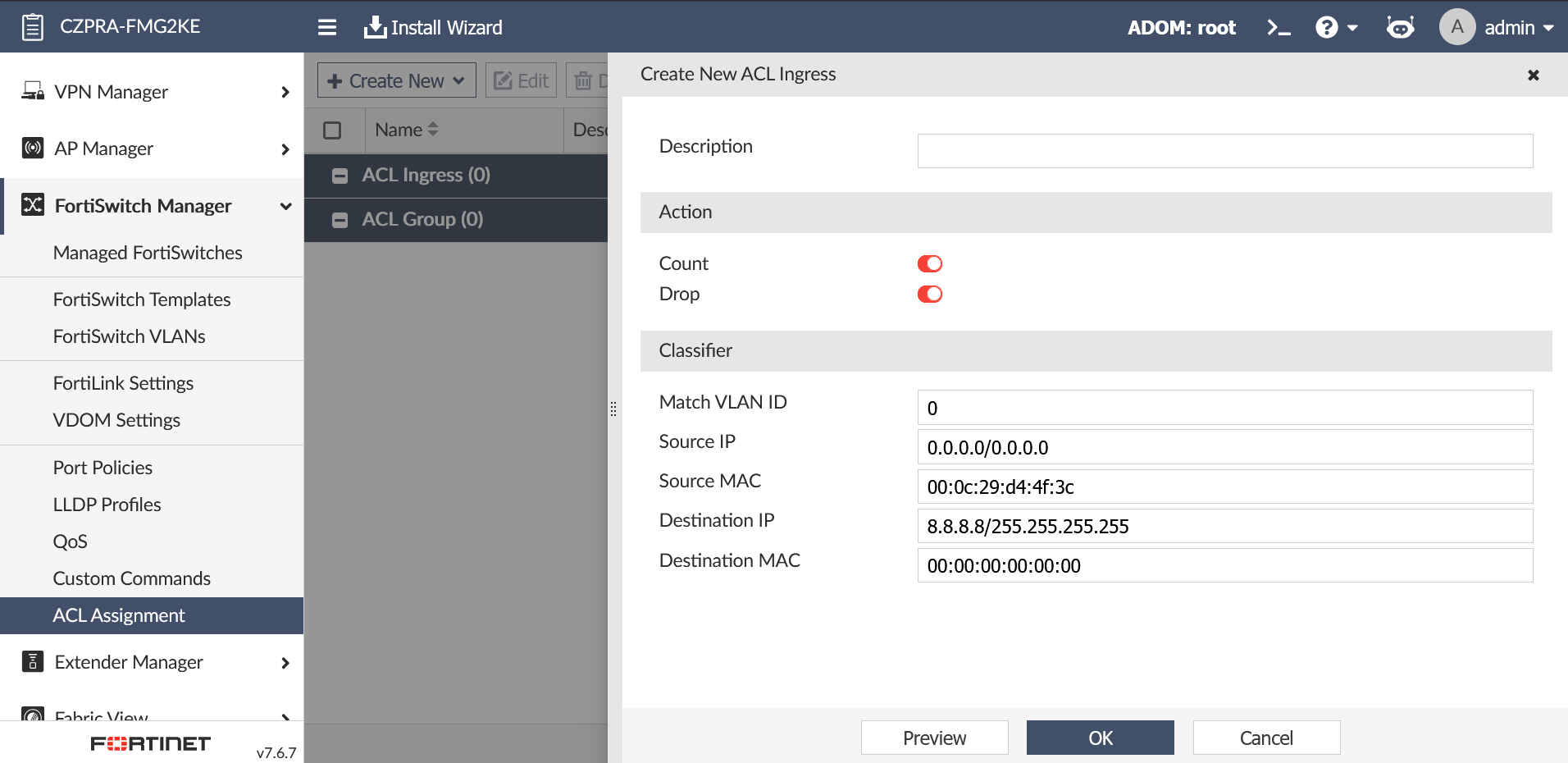
Go to FortiSwitch Manager -> ACL Assignment -> Create New -> ACL Ingress and configure the ACL entry. For example:
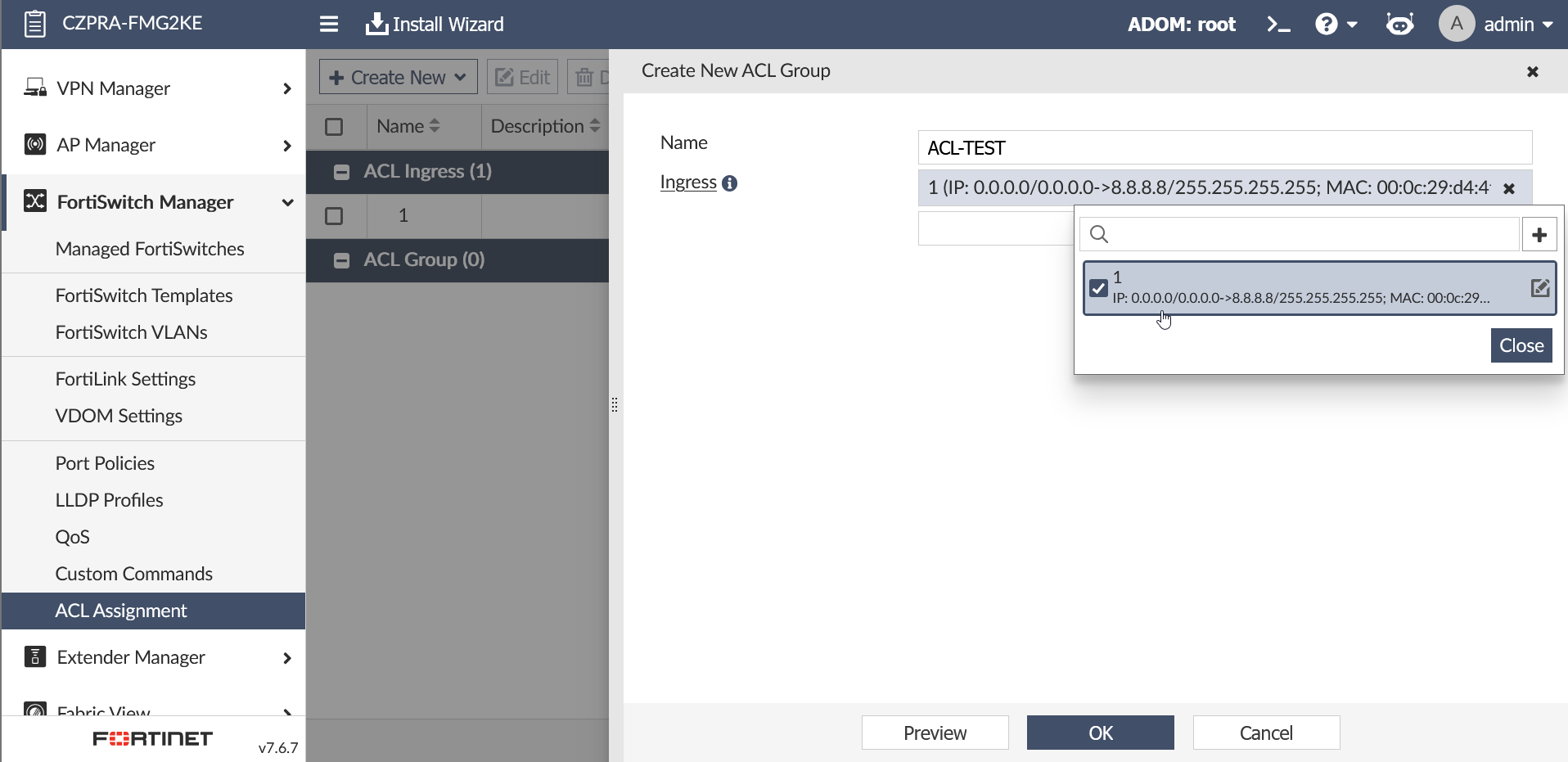
Go to Create New -> ACL Group and add the ACL Ingress from step 1 to it:
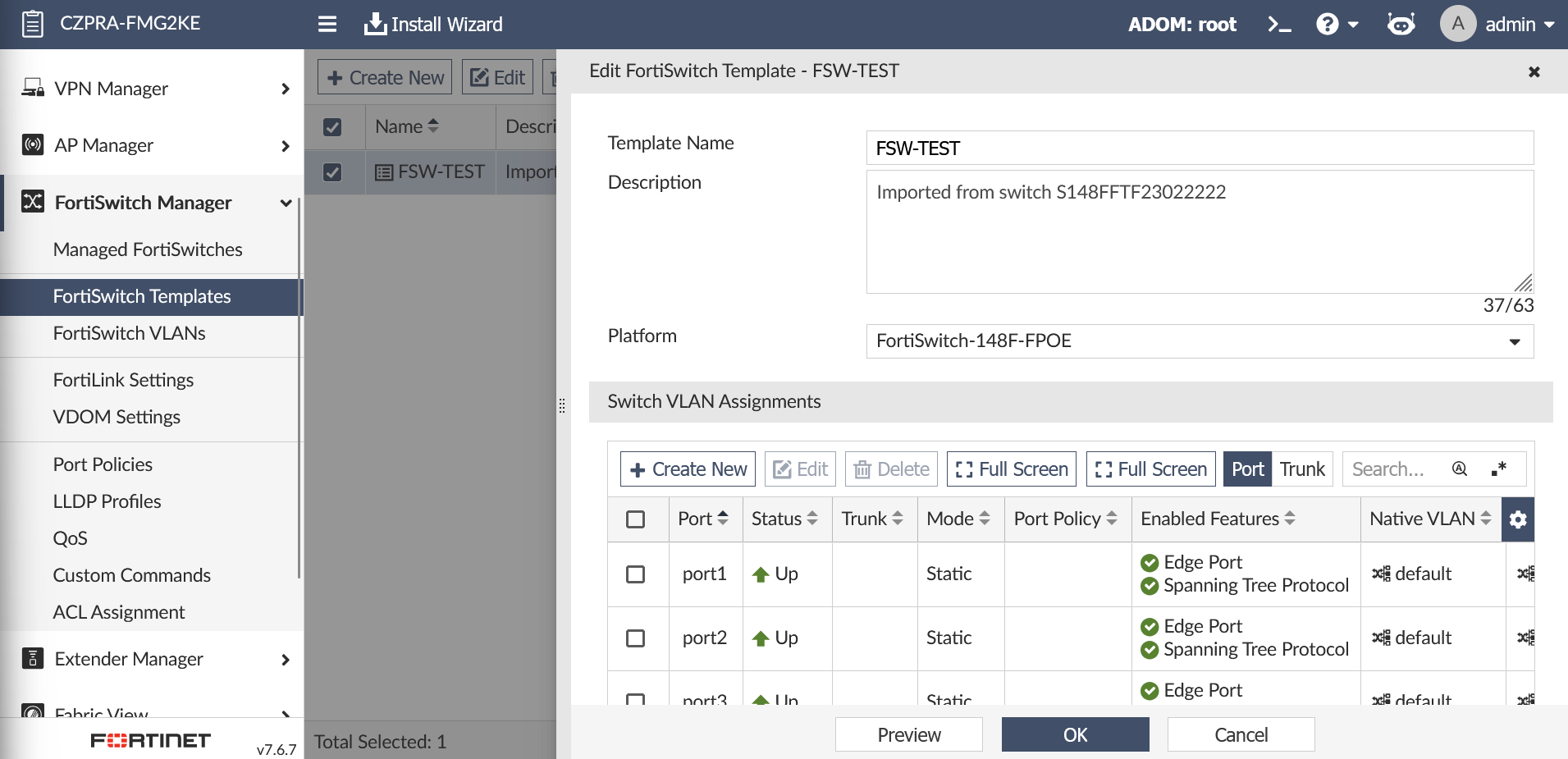
Under FortiSwitch Manager -> FortiSwitch Templates, edit the template of the target FortiSwitch:
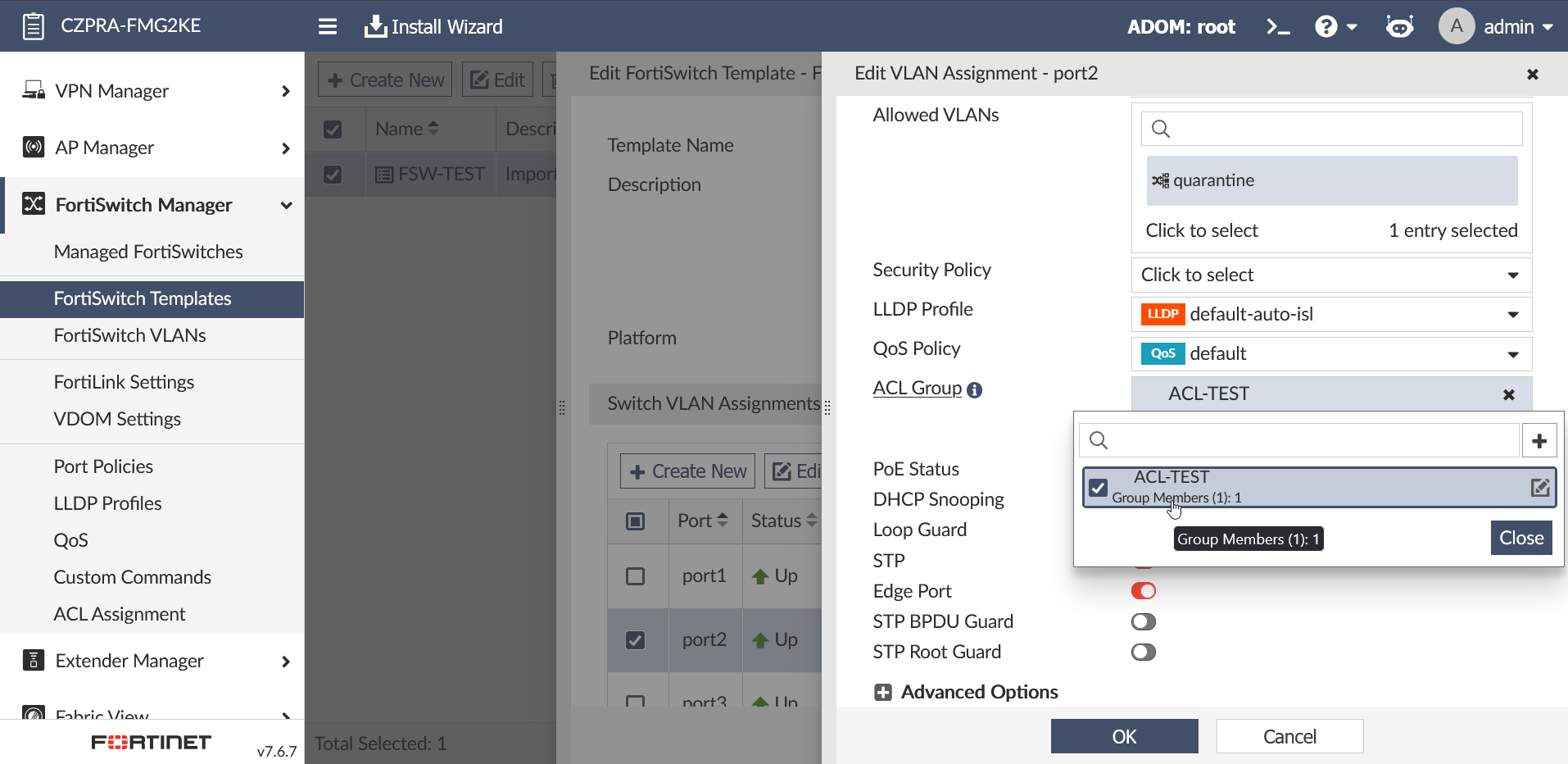
Select and Edit the respective FortiSwitch port and add the ACL Group:
Use the Install Wizard to push the changes to the FortiGate managing the modified FortiSwitch.
