


Technical Tip: FortiManager Cloud option not available (greyed out) in FortiGate central management
Description
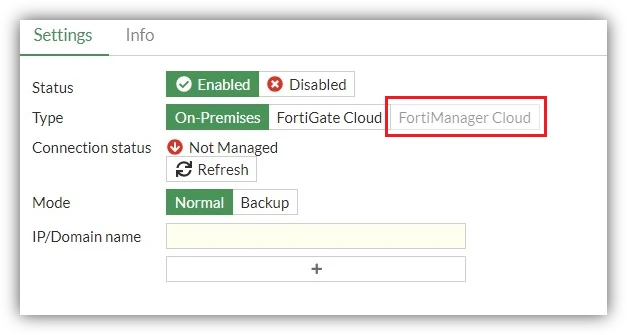
This article describes how to resolve issue FortiManager Cloud greyed out in FortiGate central management.
Scope
FortiManager Cloud, FortiGate.
Solution
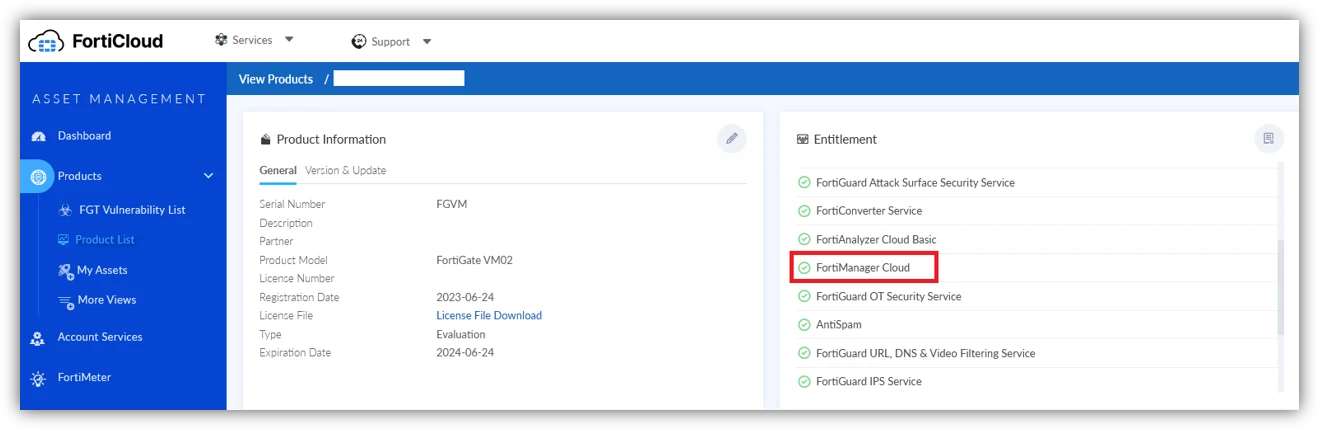
Make sure FortiGate has a valid FortiManager Cloud license, either device-level or account-level subscription (ALCI).
For device-level subscriptions, this can be verified in the Support portal for the individual device itself.
If the device does not have a device-level subscription, but FortiManager Cloud has an account-level subscription, this needs to be checked further by the following steps:
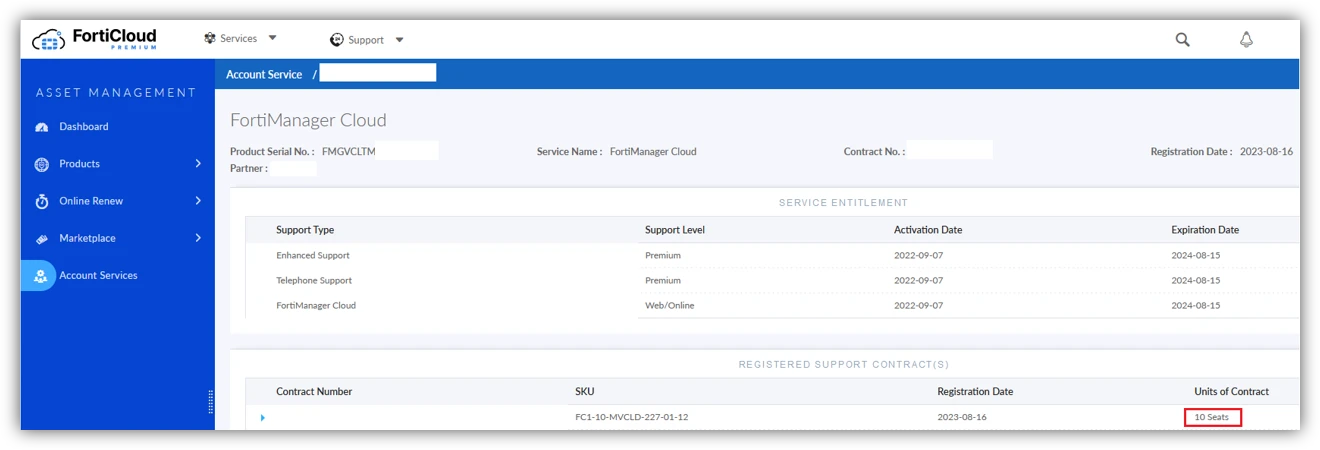
- The FortiGate needs to be registered under the same account as FortiManager Cloud. It will take a while for the entitlement to get updated. To verify the FortiCloud account as well as its status on FortiGate, run 'diagnose test application forticldd 1'.
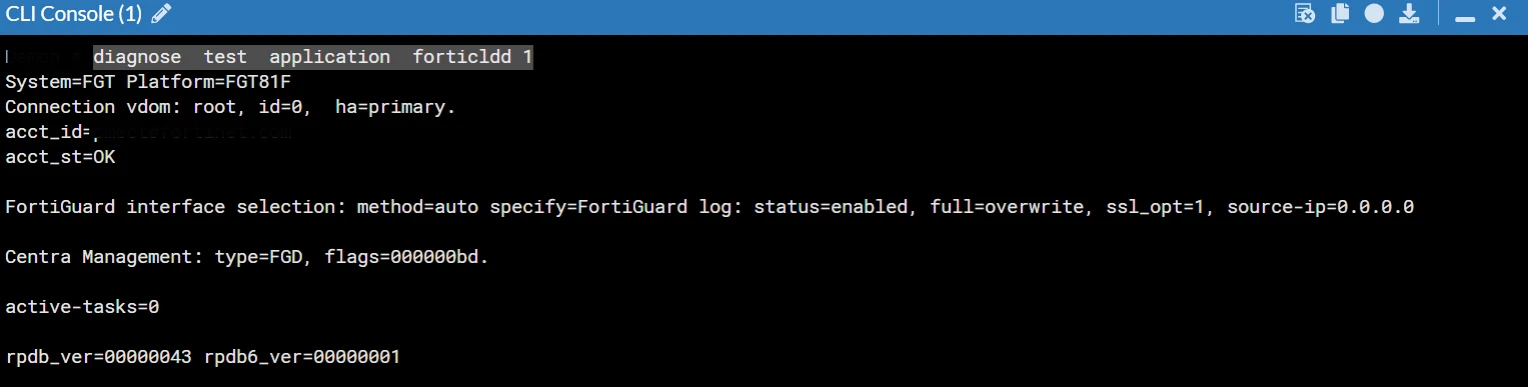
- Make sure the quota for account subscriptions is available to add additional devices.
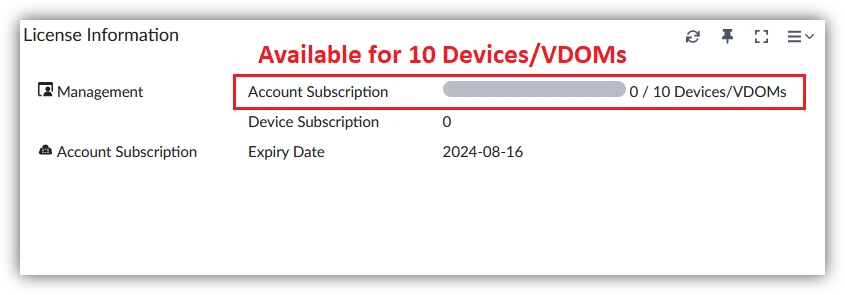
- After confirming the subscription status, proceed to check on the FortiGate if the FMGC license gets updated from the CLI command:
FGT # diagnose test update info
Logs: idx=..
.....
System contracts:
.....
Account contracts:
FMGC,Sat Jun 22 08:00:00 2024
If no FortiManager Cloud license is presented, proceed to update information from FortiGuard and monitor the debug below manually:
diagnose debug application update -1
diagnose debug enable
execute update-now
It will take a while after it updates the information, and the FortiManager Cloud option now available in central management.
If the debug output shows an error message stating 'Server certificate failed verification. Error: 19 (self signed certificate in certificate chain)'. Then, refer to the following KB article for troubleshooting guidance: Troubleshooting Tip: FortiGuard Update Fail: Server certificate failed verification
In case the subscriptions are expired/occupied or not present in the first place, contact our local sales team to purchase the correct license, whichever suits the user environment.
Related documents:
- Technical Tip: FortiManager Cloud Account-Level FMGC License support for FortiGate version lower than 6.2
- Understanding license count rules
- Enabling the FortiManager Cloud connector on FortiGate
- Checking requirements and licenses
- Limitations of FortiManager Cloud
- Identifying the public IP address
- Troubleshooting Tip: How to connect FortiGate to FortiManager Cloud and troubleshoot connectivity issues
