zkarimov
Staff
Staff
Mar 13, 2026 2:04 PM UTC

Technical Tip: Configuring IPsec VPN using CLI scripts in FortiManager when named address objects are used

  • Apr 24, 2026 4:17 PM UTC
  • 0 replies
  • 325 views
  • Translate All
Description

This article describes the order of operations required to configure an IPsec VPN using CLI scripts in FortiManager when named address objects are used.


This scenario is applicable to environments where FortiGate operates as a company VPN concentrator and third-party vendors connect to the VPN. In such environments, vendor devices are not managed by the company and are not managed by FortiManager. Configuration is performed only on the FortiGate side, while the peer end configuration is completed by the vendor on the device.

Scope

FortiGate.

FortiManager.

Solution

When named address objects are used, they must be referenced in both Phase 1 and Phase 2 IPsec VPN configurations. The required address objects must be created beforehand in FortiManager.


Follow the steps below to prepare and execute the scripts.

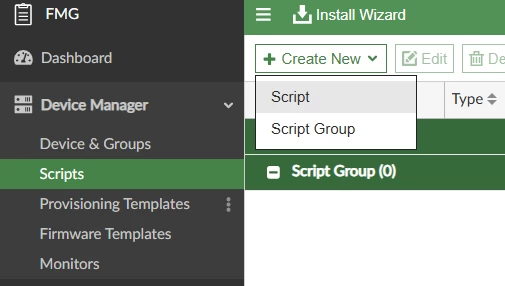
  1. Go to Device Manager -> Scripts and create a new script.


01.png


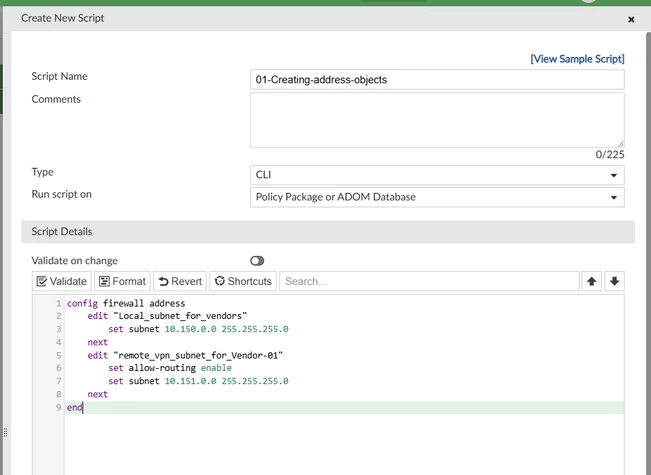
  1. Create named address objects for local and remote subnets and save the script to run on Policy Package or ADOM Database.


    02.png


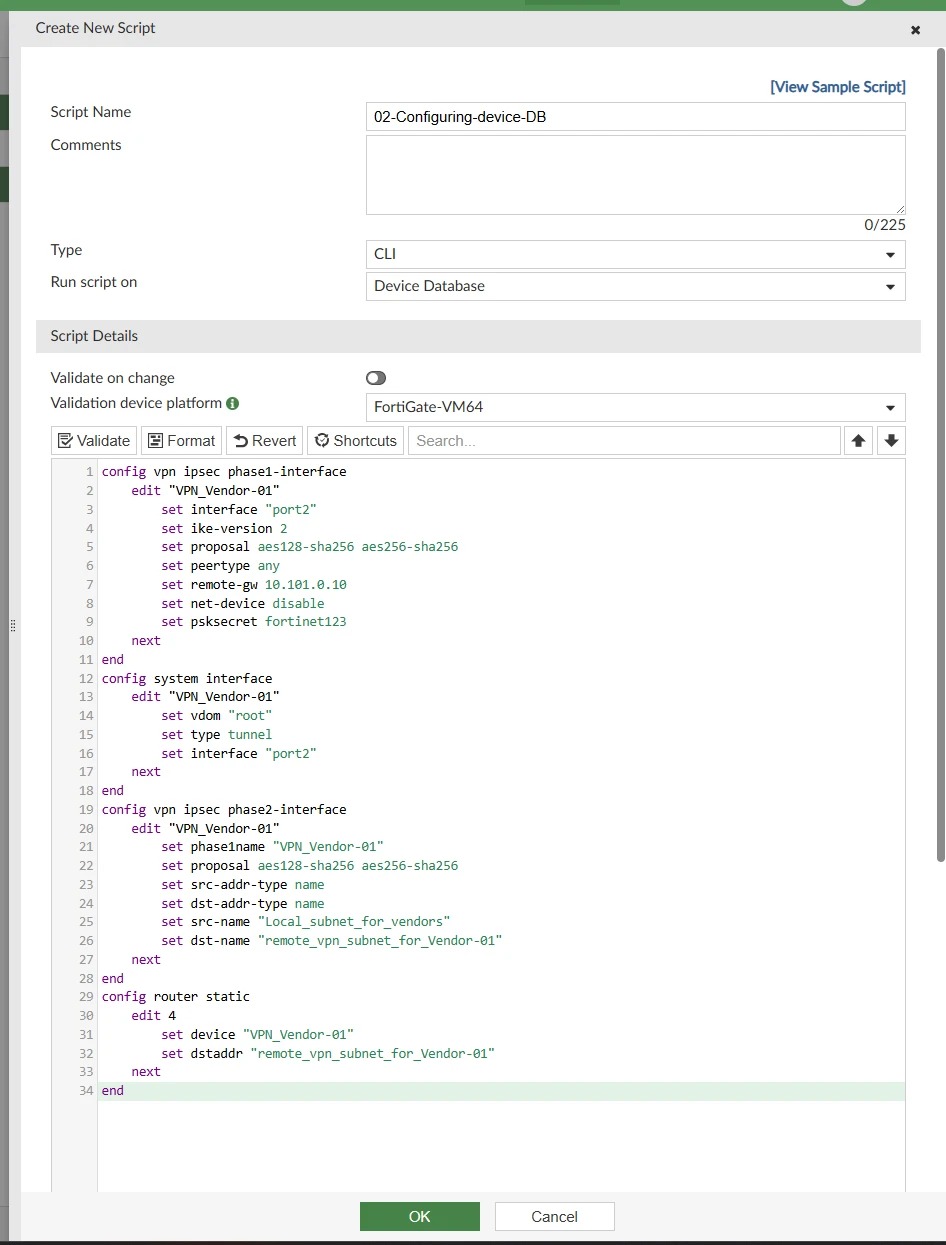
  2. Create a second script for Phase1, Phase2 config, and static route, and save it to run the script on the Device Database. 


    03.png


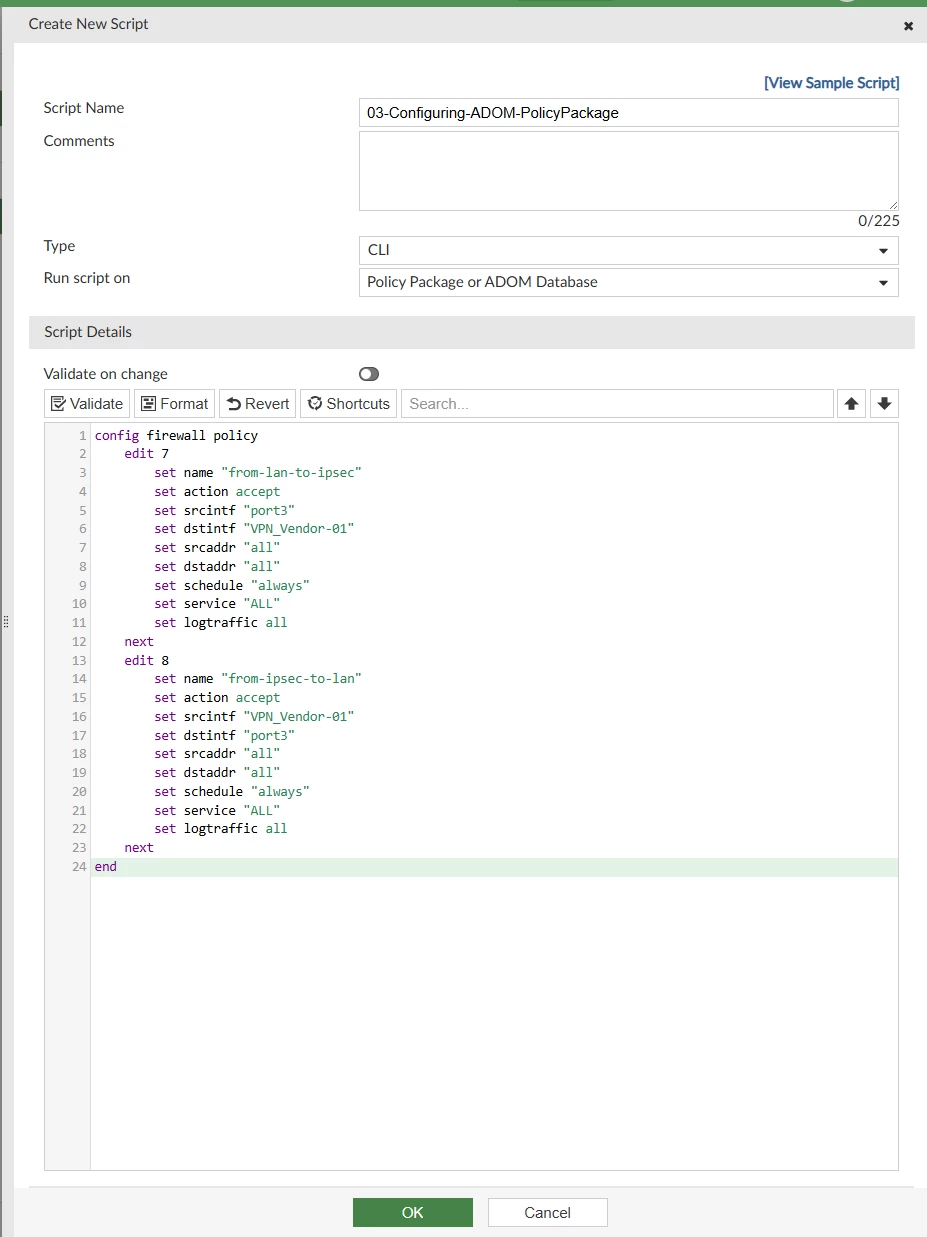
  3. Create a new script for policy configuration and save the script to run on Policy Package or ADOM Database.


    04.png


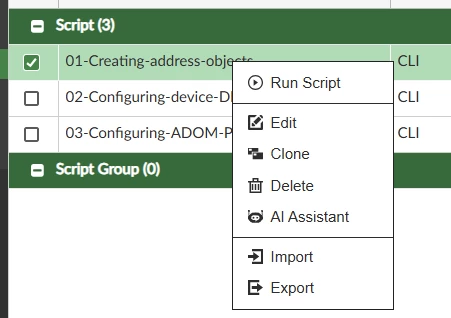
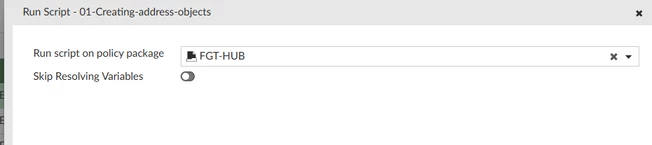
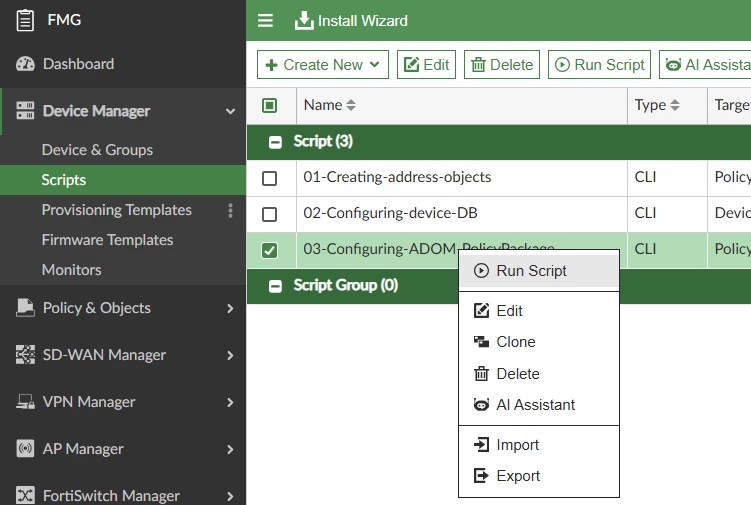
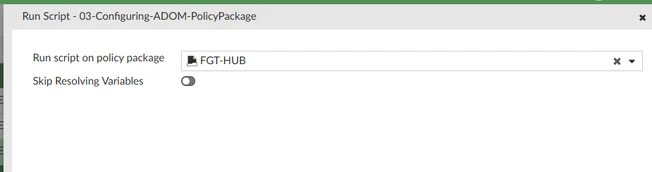
  4. Run the first script on the policy package that is used for FortiGate configuration.


    05.png


    06.png


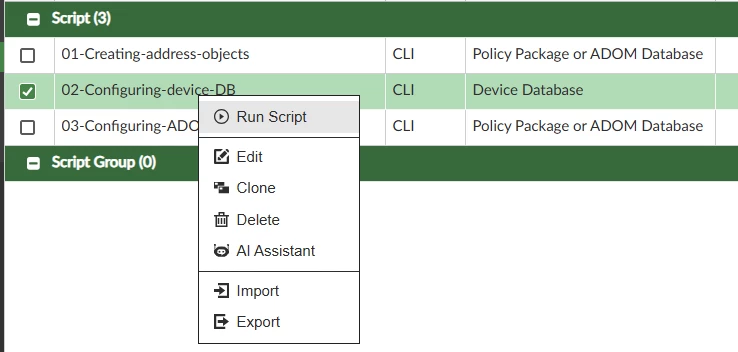
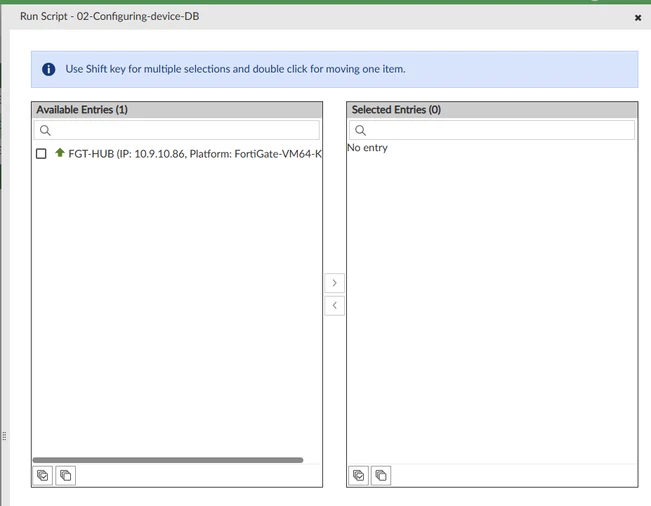
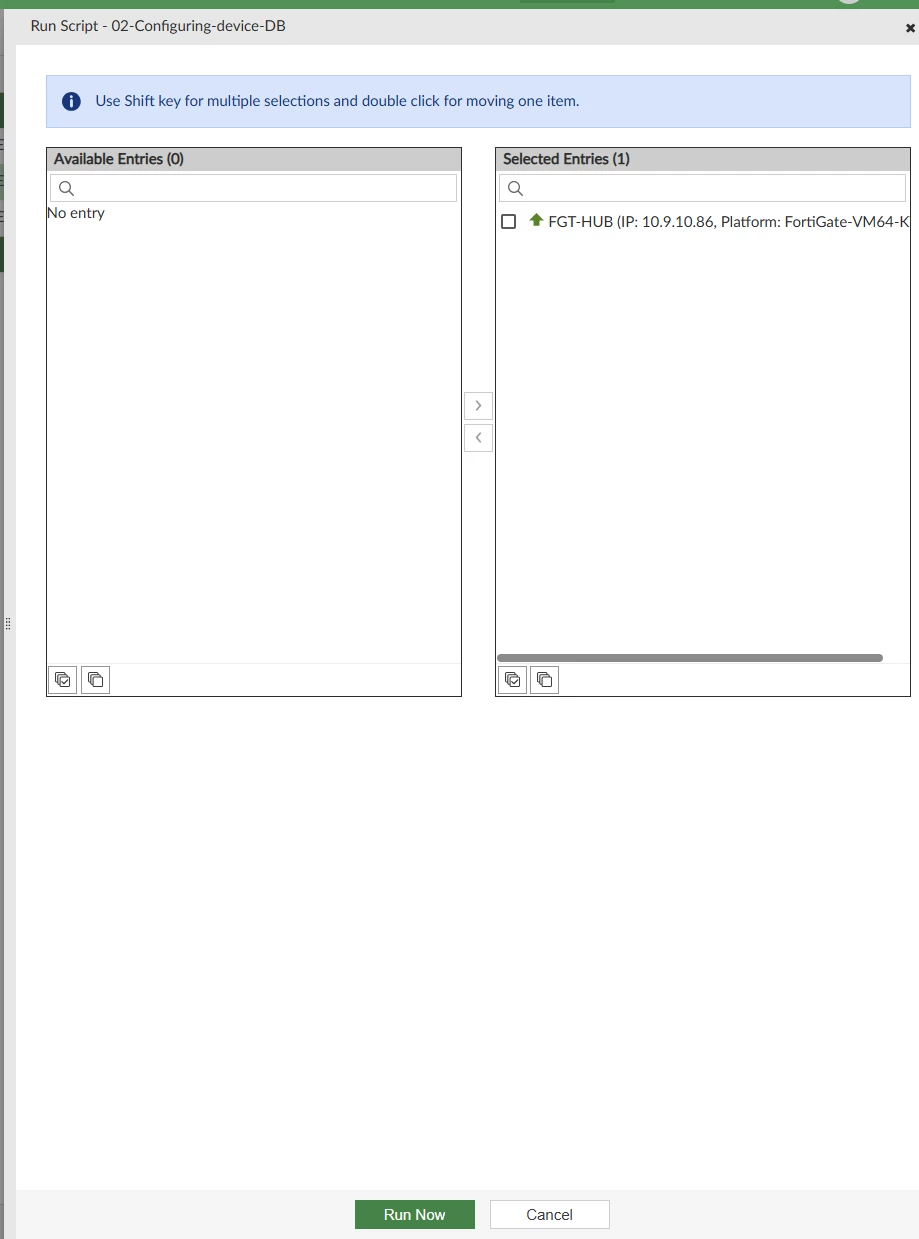
  5. Run the second script and select the target device or group of devices where the configuration must be applied in the device database.


    07.png


    08.png


    09.png


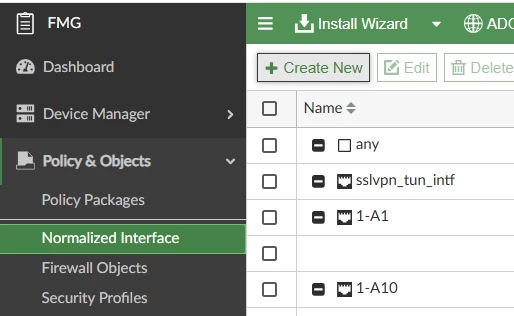
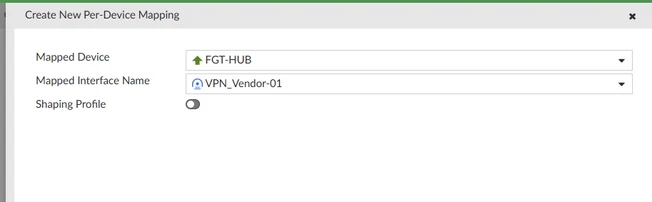
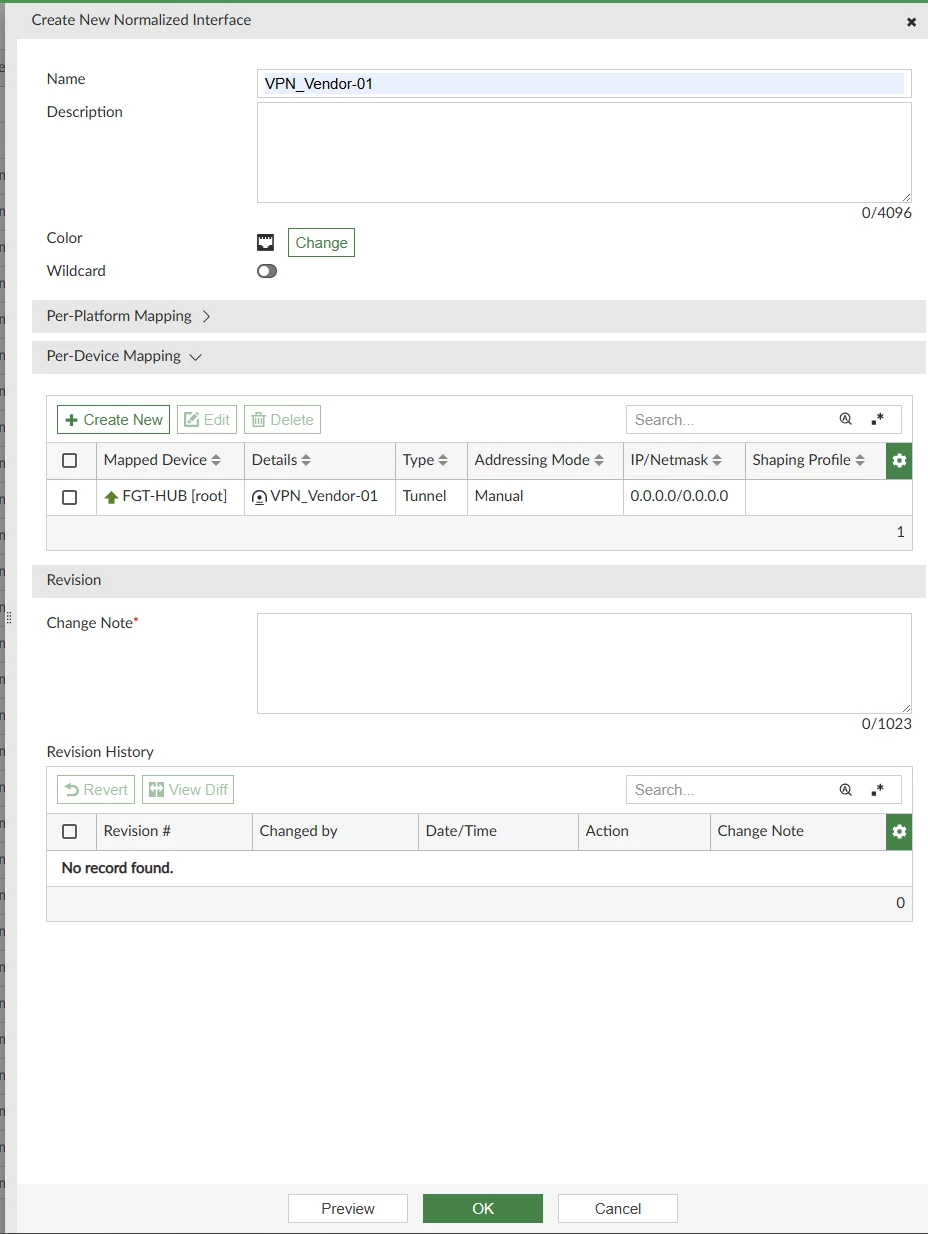
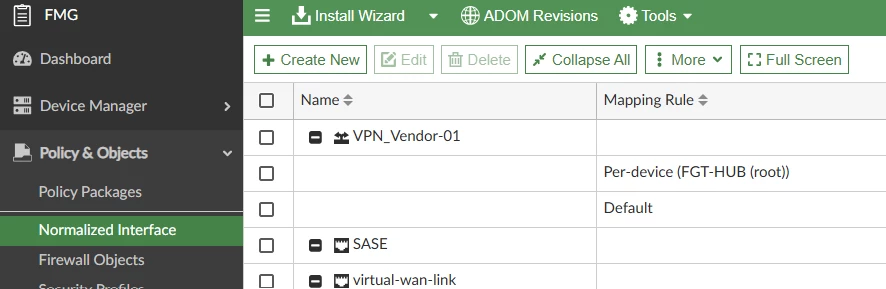
  6. Create a normalized interface and map it (per-device mapping) to the Phase 1 interface that already exists in the device database from Script #2.


    10.png


    11.png


    12.png


    13.png


  7. Run the third script to install firewall policies. 


    14.png


    15.png


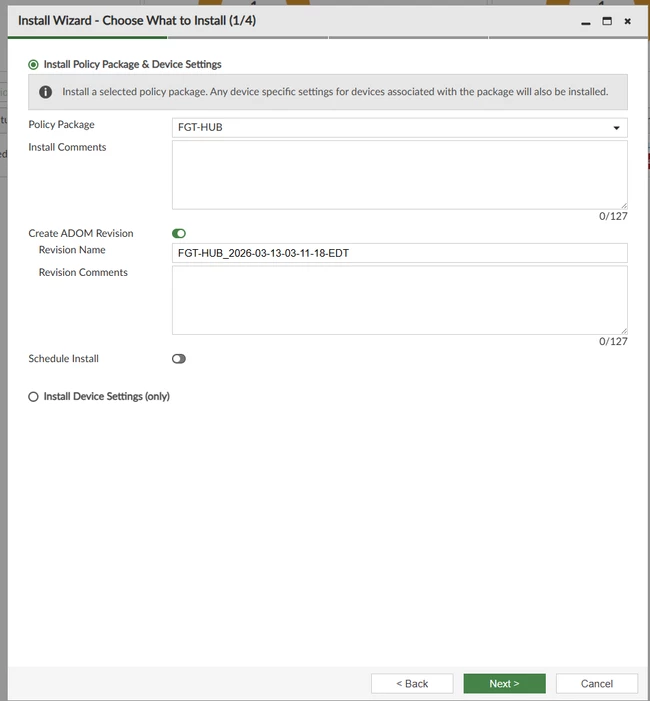
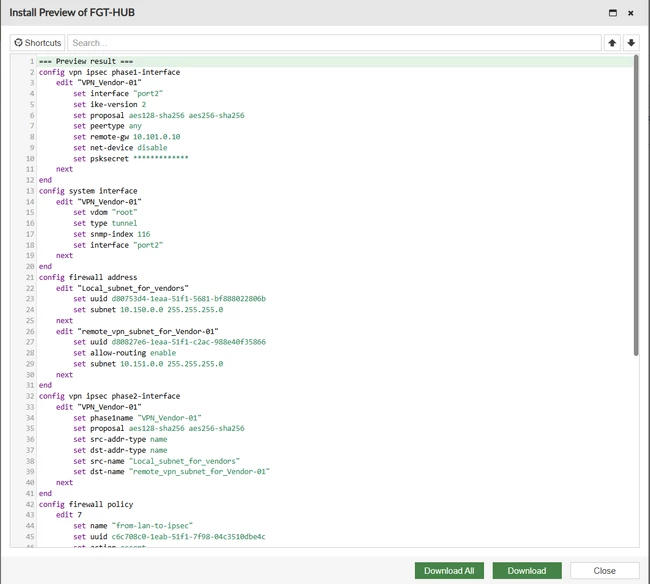
  8. Push the configuration using 'Install Policy Package & Device Settings' and confirm the configuration changes from 'Install Preview'.


    16.png


    17.png

Risk and Resilience in the Age of AI. An OT Thought Leadership Summit for Houston's Critical Infrastructure Leaders. Date: Thursday, December 3, 2026. Time: 8:30 am - 1:30 pm (CT). Location: The Westin Houston, Memorial City | 945 Gessner Road, Houston, TX 77024