


Technical Tip: Restricting FortiMail quarantine reports to a group of users
Description
Scope
Solution
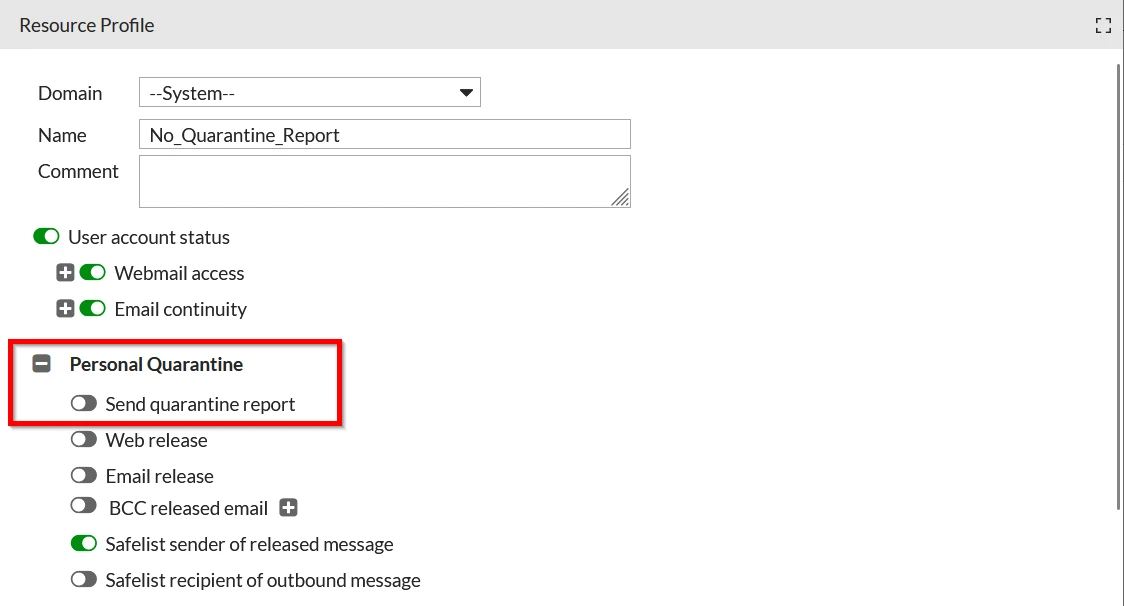
- Create a Resource profile with the disabled option 'Send quarantine report':
Profile -> Resource -> New.
-
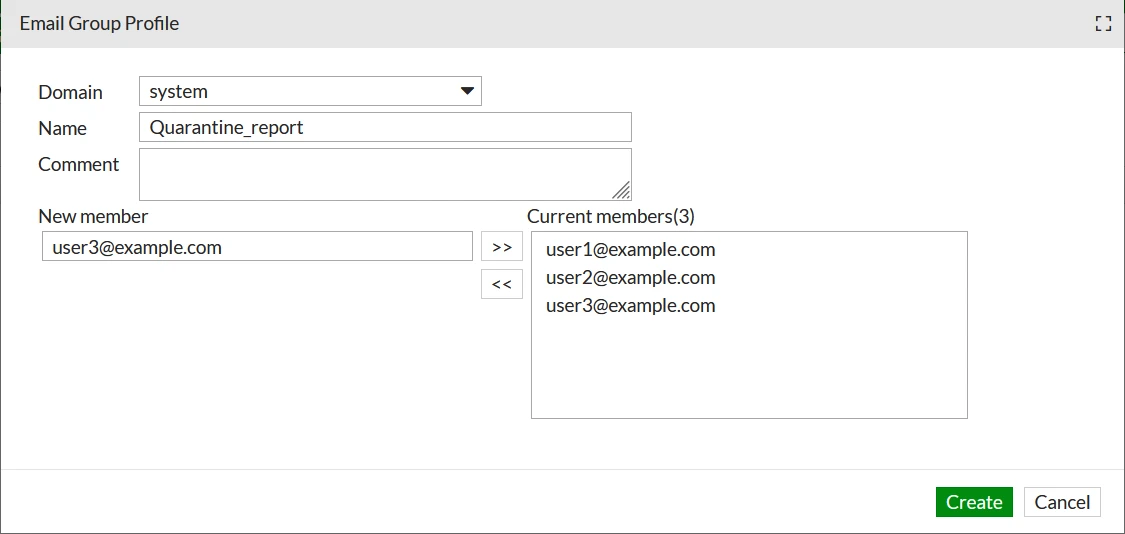
Create a new Email Group for users that will receive the Quarantine report:
Profile -> Group -> Email Group -> New.
-
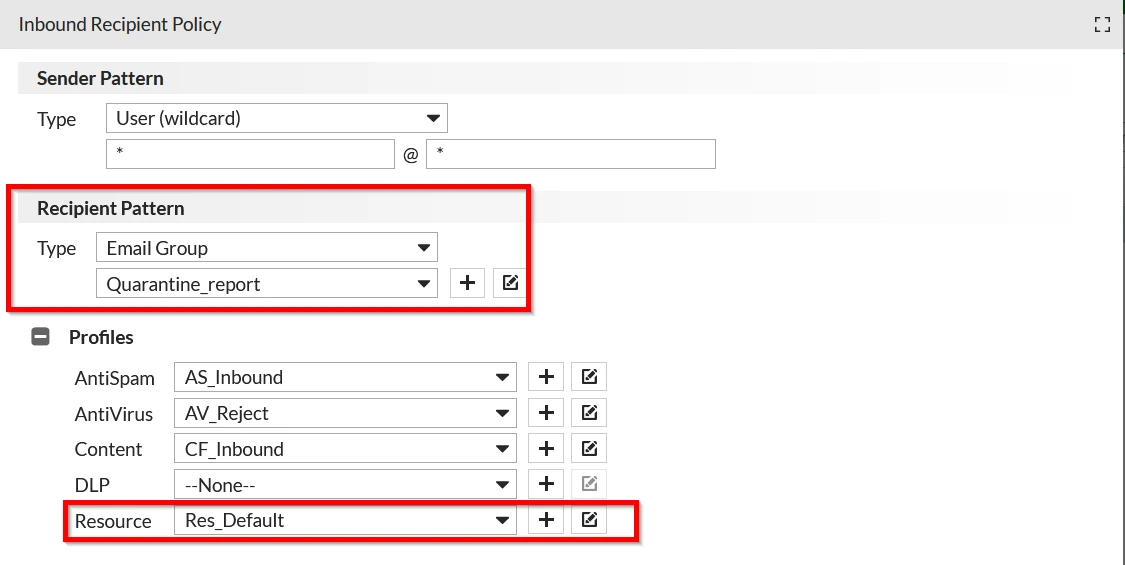
Create a new Recipient policy for users who will receive the Quarantine report:
Policy -> Recipient policy -> New. Set the Email Group 'Quarantine_Report' as Recipient pattern and 'Res_Default' as Resource (this Resource profile has 'Send quarantine report' enabled by default.
-
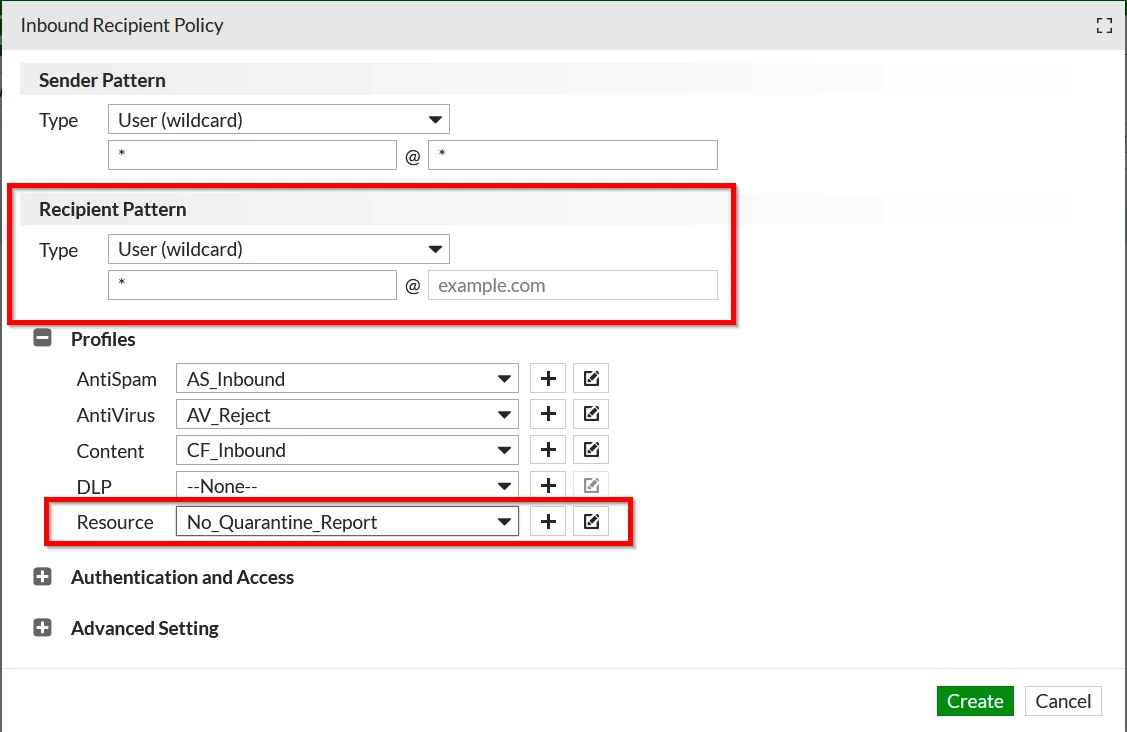
Create or modify the Recipient policy for the rest of the users that will not receive the Quarantine report:
Policy -> Recipient policy -> New (or Edit a current policy).
-
Ensure that the Policy for users who should receive the Quarantine report is above the Policy that has disabled 'Send quarantine report' (use the 'Move' option).
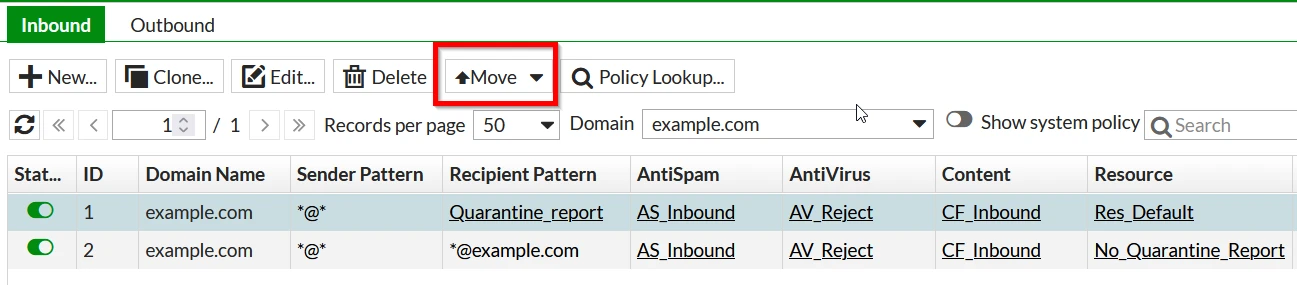
The result of this configuration is:
- Members of the Email Group 'Quarantine_Report' will receive the Quarantine report.
- The rest of the users will not receive the quarantine report.
