Technical Tip: How to obtain the classification of a URL in FortiMail
| Description | This article describes how to obtain the classification of a URL in FortiMail. |
| Scope | FortiMail v7.2.x, v7.4.x. and v7.6.x, On-Premise/Cloud. |
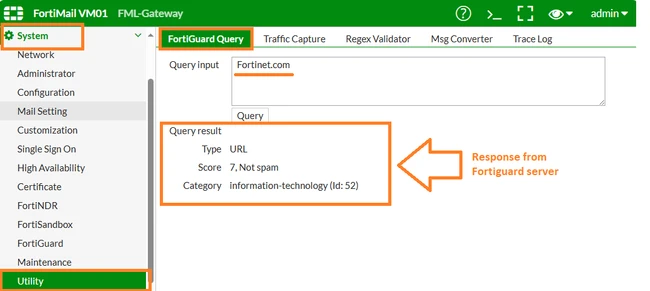
| Solution | Via GUI: Go to System -> Utility -> FortiGuard Query.
Or via CLI run:
diagnose fortiguard rating url https://fortinet.com
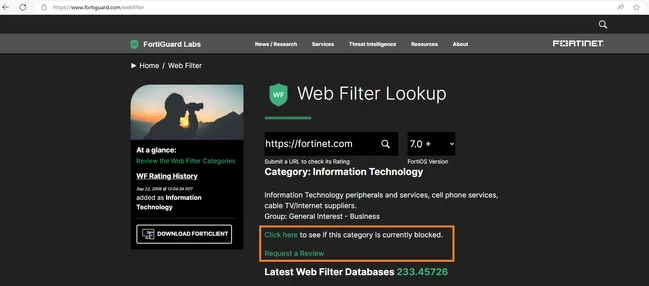
And confirm directly on the site: Web Filtering Service.
If having any problem with the site's rating, request a review using the button: 'Request a Review'.
Related article: |