


FortiMail Real-Time Scan does not match internal-to-internal email traffic
Description
How to fix an issue where internal-to-internal email traffic is not being processed as expected by the FortiMail Real-Time Scan policy.
Scope
FortiMail.
Solution
The API integration between FortiMail Cloud and Microsoft 365 is done to enable Real-Time Scanning of internal-to-internal emails. However, the associated History_Logs will not appear as expected.
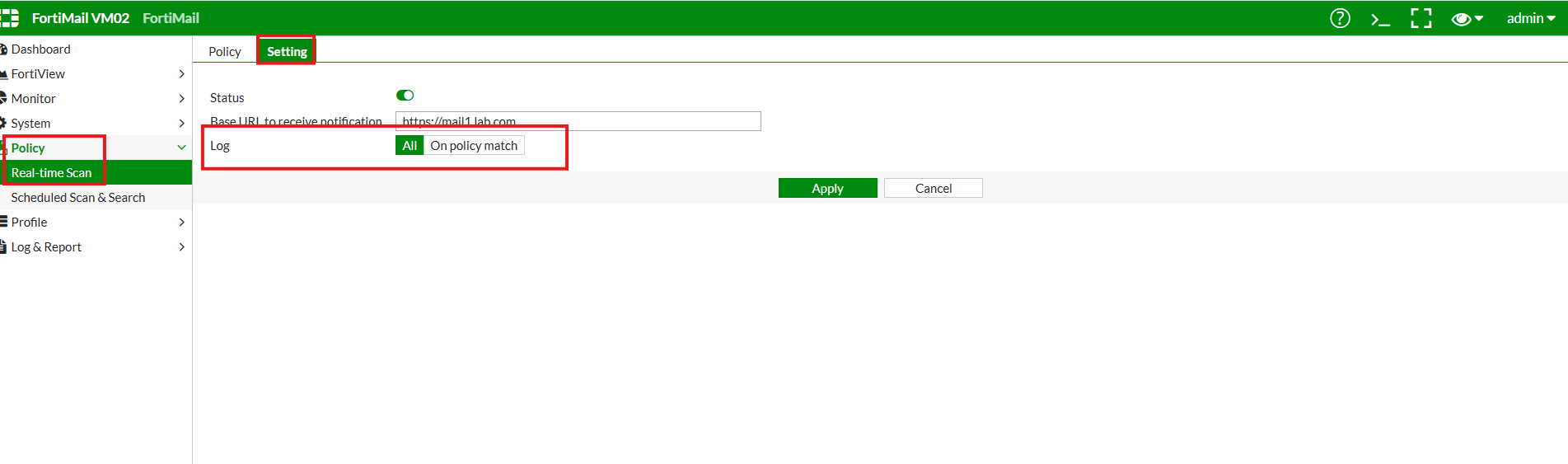
When logging is configured under All Events below Policy -> Real time scanning -> Settings -> Log, the logs will start to appear under History -> Logs, and the applied policies column shows "0:0:0 System", although there is a Real-time scanning policy in place for Internal-to-Internal mail-flow. When the logging option is changed to "On-Match Policy," no logs are generated.
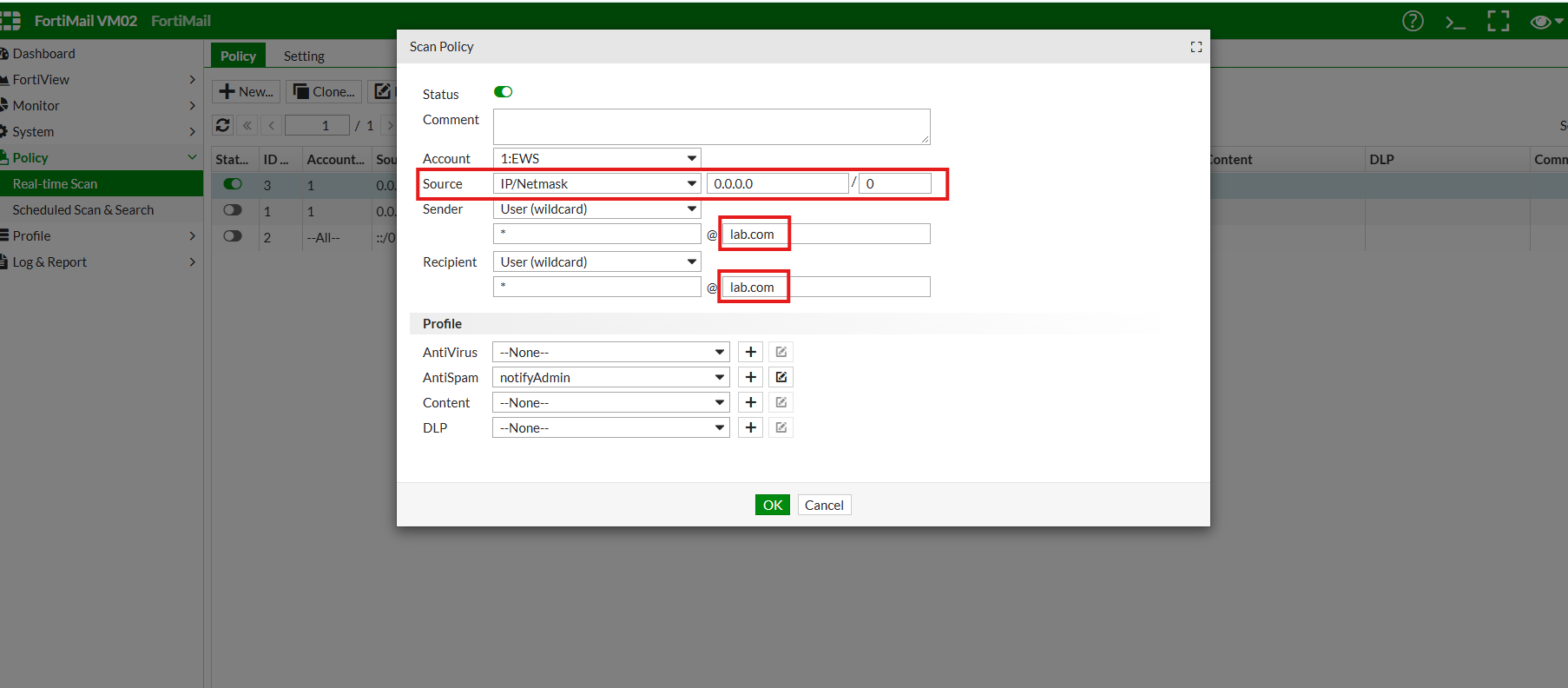
The Real-Time Scan policy was configured to match IPv4 traffic, while the internal-to-internal email flow was traversing over IPv6.

Due to the IP version mismatch, the email traffic was not matching the configured Real-Time Scanning policy.
To resolve the issue:
Create a separate real-time scan policy that matches IPv6. The logs will start to appear below History -> Logs afterwards.
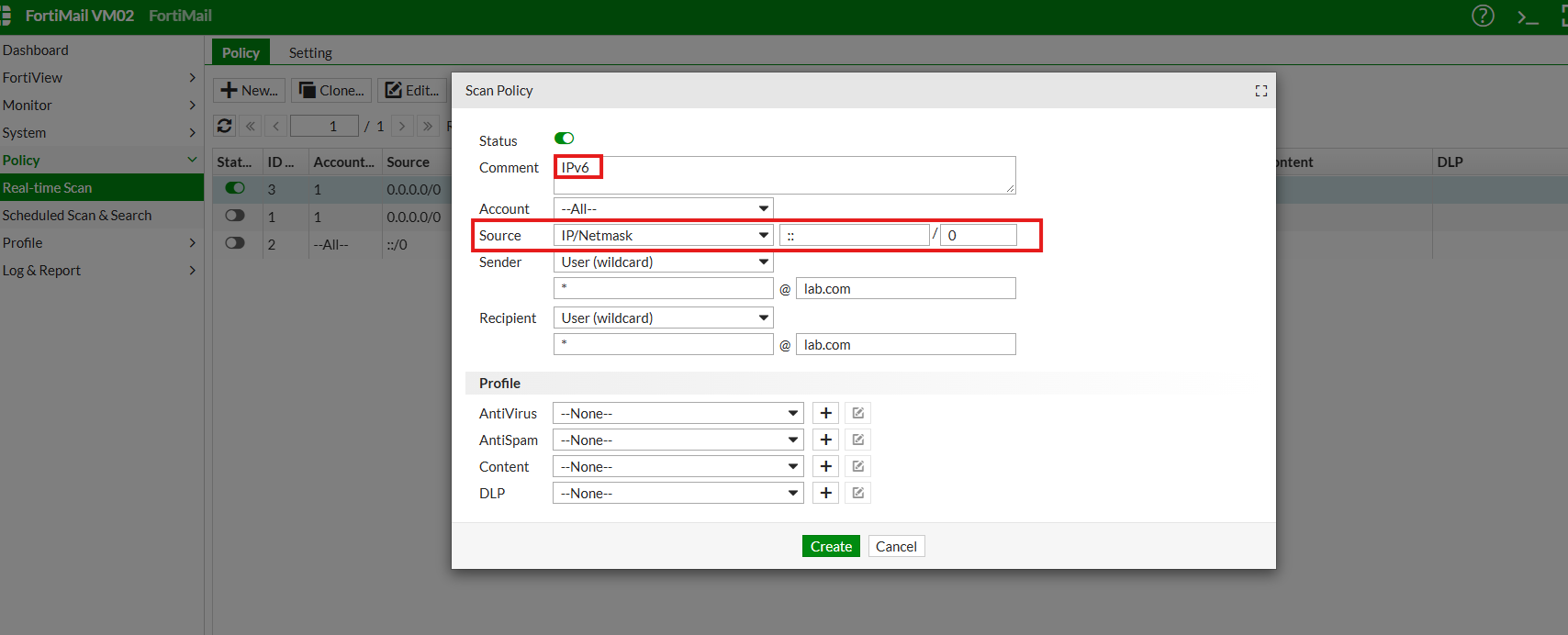

Note: The 0:0:0 System entry alone does not confirm an IPv4/IPv6 mismatch. Verify the IP version used by the internal to internal traffic and compare it with the IP version configured in the Real Time Scan policy. In this example, the traffic used IPv6 while the policy matched IPv4.
