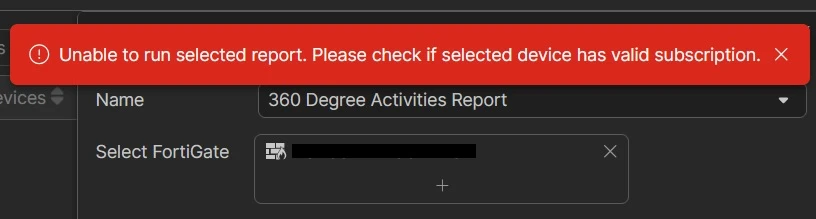
Technical Tip: Unable to run 360 Degree Activities Report
| Description | This article describes the error 'Unable to run selected report. Please check if the selected device has a valid subscription', which is received when running the 360 Degree Activities Report in FortiGate Cloud. |
| Scope | FortiGate Cloud. |
| Solution | The 360 Degree Activities Report is the only report available for FortiGates that can be generated in FortiGate Cloud without a paid subscription. This report provides general activities summary of FortiGates.
However, an error may show up saying, 'Unable to run selected report. Please check if selected device has valid subscription.' may show up whenever a FortiGate Cloud user tries to generate a 360 Degree Activities Report.
The error is due to recent changes for FortiGates provisioned to FortiGate Cloud without active subscriptions.
It will be required to upgrade to latest patch release build in order to continue using FortiGate Cloud services including report generation. Always check the FortiOS release notes to determine the latest patch availability.
Related articles : Technical Tip: How to check whether a FortiGate has a paid FortiGate Cloud Service Subscription |