johnathan
Staff
Staff
May 9, 2026 3:05 PM UTC

Using the FortiGate API to retrieve the RADIUS or TACACS+ secret key

  • Oct 19, 2026 6:46 AM UTC
  • 2 replies
  • 431 views
  • Translate All

Description

This article describes how to recover the RADIUS or TACACS+ secret key via the FortiGate CLI.

Scope

FortiOS.

Solution

If the secret key for a RADIUS or TACACS+ server is forgotten, it is possible to view the decrypted form by querying the FortiGate's API.

The query will be done with '?plain-text-password=1', similar to what is done to see the IPsec PSK:
Technical Tip: Use the FortiGate API to recover an IPsec pre-shared key in plain text format.

The correct path to query for RADIUS would be as follows:


https://[FortiGate IP]/api/v2/cmdb/user/radius/[RADIUS server name]?plain-text-password=1


This is the output without '?plain-text-password=1', the secret is encrypted:


4cfba054.png


This is the output with '?plain-text-password=1', the secret is visible:


1bd41e70.png


The correct path to query for TACACS+ would be as follows:

https://[FortiGate IP]/api/v2/cmdb/user/tacacs+/[TACACS+server name]?plain-text-password=1


Encrypted output:


6d1a796e.png


Decrypted output:


915851d0.png


The secondary server's secret will NOT be visible with this method, but there is a workaround:

6e19145a.png


The encrypted password can be copied to a new RADIUS / TACACS+ server entry, where the same trick can be performed. 

Here is the correct password to copy:
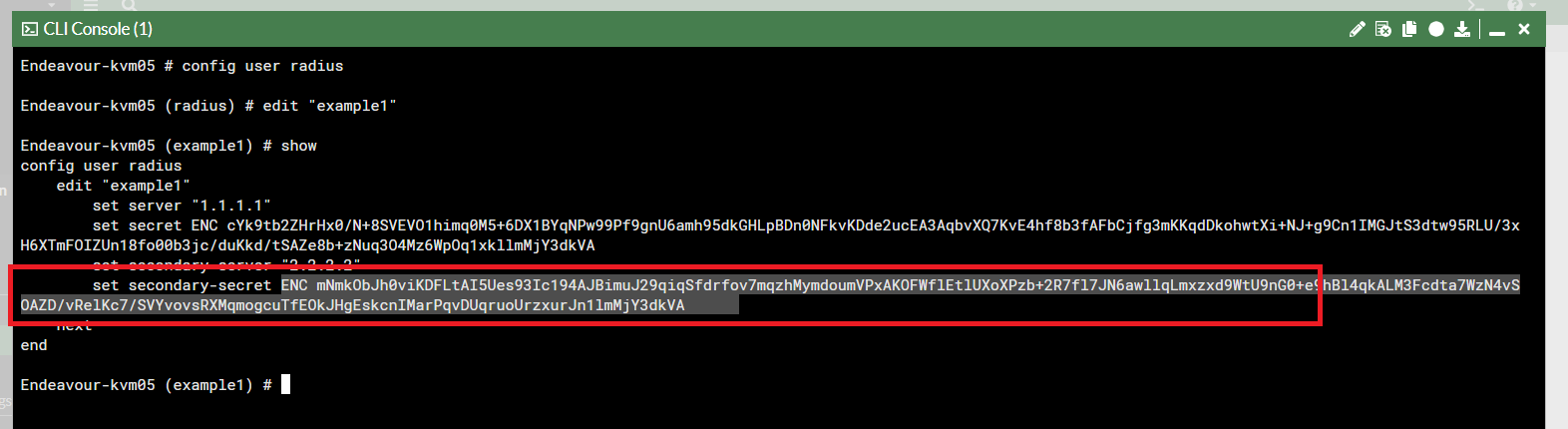
862b5af7.png


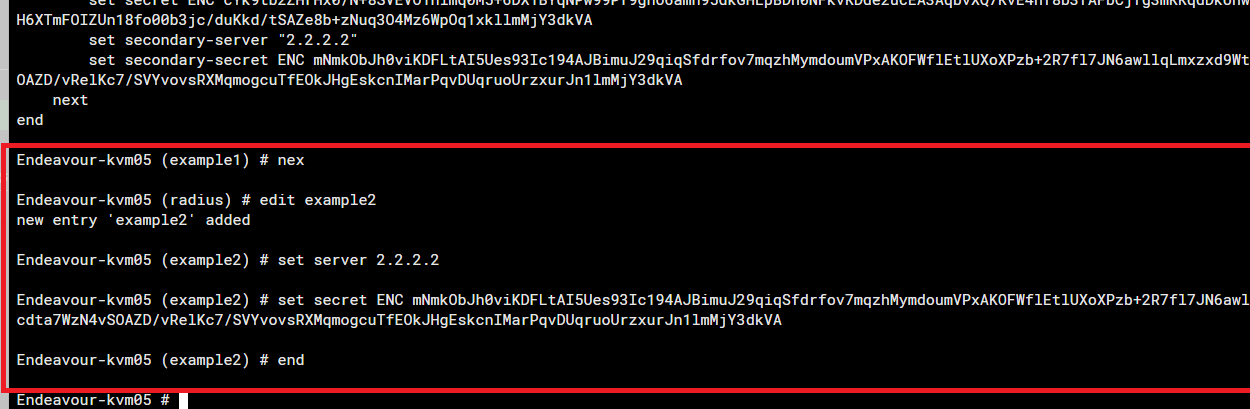
Simply make a new server, then paste the password in the right place:

77decdf8.png


The name of the server is 'example2', and when the same trick is performed, the secret is visible:

b05eccd0.png


    2 replies

    kanes39
    Visitor III
    Oct 16, 2026 1:14 AM UTC

    ​@johnathan is there a way to see the secondary server;s secret. The primary works well but not secondary. 

    Translate
    johnathan
    Staff
    johnathanAuthor
    Staff
    Oct 16, 2026 9:51 PM UTC

    I didn’t even notice that! Looks like you can copy the encrypted secondary password in the CLI, make a new RADIUS server, paste the encrypted secret into the new RADIUS server entry in the CLI, and then do the same trick. I have submitted an edit to this article for these steps, you should see it once approved. 

    Translate
    Never trust a computer you can't throw out a window.
    Risk and Resilience in the Age of AI. An OT Thought Leadership Summit for Houston's Critical Infrastructure Leaders. Date: Thursday, December 3, 2026. Time: 8:30 am - 1:30 pm (CT). Location: The Westin Houston, Memorial City | 945 Gessner Road, Houston, TX 77024