ZTNA tags are synced when FortiClient EMS is added to Security Fabric To add FortiClient EMS to Security Fabric, follow this related document: Configuring FortiClient EMS.
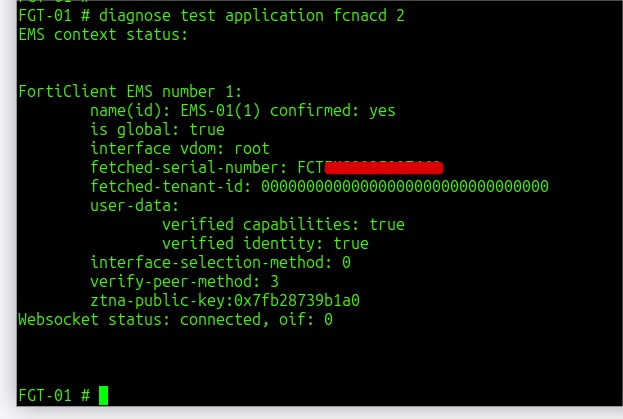
To synchronize ZTNA tags, FortiClient EMS sends info to WEBSocket on HTTPS port 8015. FortiGate uses the fcnacd process to fetch info from the web socket. To check the fcnacd status and the web socket connection, use the following command. This command works under 'config system global' in the VDOM environment:
diagnose test application fcnacd 2
 Verify if the tag is being synced: diagnose firewall dynamic list | grep <tag_name>
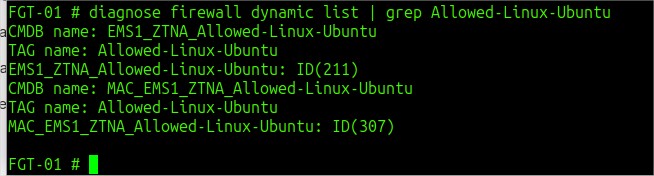
In the example above, it was checked if the tag named 'Allowed-Linux-Ubuntu' was synced with FortiGate.
If ZTNA tags are not being synchronized properly, enable the following debugs and make some changes to tags on some endpoints:
diagnose debug application fcnacd -1
diagnose debug console timestamp enable
diagnose endpoint filter show-large-data yes
diagnose debug en
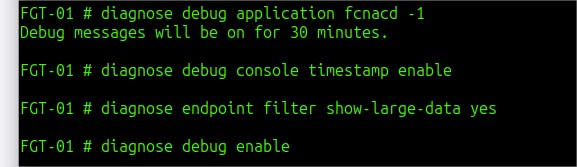 Restart the fcnacd process or make changes to endpoints to check the logs. To restart the fcnacd process use the following command: diagnose test application fcnacd 99
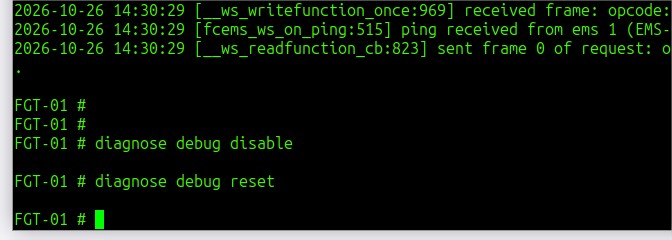
 Stop the debugs after reproducing the issue using the following commands: diagnose debug disable
diagnose debug reset
 To force the tag sync without restarting the fcnacd, terminate the WebSocket connections: diagnose test application fcnacd 11
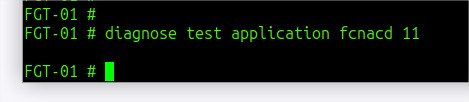 General syntax: diagnose test application fcnacd
1. dump debug flag
2. dump EMS info
3. reinit fcems
4. unset report version
5. schedule host_tags call
7. dump ztna cache
8. dump route cache
9. disable rest api
10. enable rest api
11. force terminate WebSocket connections
12. dump long lived socket clients
13. retry all rest-apis immediately
14. dump ztna cache info
15. dump record connection status
16. dump ZTNA entries with no connection
99. restart
In scenarios where the issue manifests randomly yet persists over time, an automation script can be used to mitigate the behavior. However, upgrading the FortiClient EMS server to the latest available patch is recommended. config system auto-script
edit "refresh_ztna_tags"
set interval 600
set repeat 0
set start auto
set script "
diagnose test app fcnacd 4
diagnose test app fcnacd 5"
next
end
Related article: Technical Tip: Automated scripts (auto-script). Execution, testing and verification explained with examples | 


