Troubleshooting Tip: Workaround for remote users unable to access a multicast server via dial-up IPsec VPN
| Description | This article describes a workaround to access multicast servers using a VPN for remote users. |
| Scope | FortiGate, VPN, IPsec, SSL VPN. |
| Solution | When trying to access a Multicast server via a dial-up IPsec VPN, the multicast client receives traffic from the multicast server, but the service does not run.
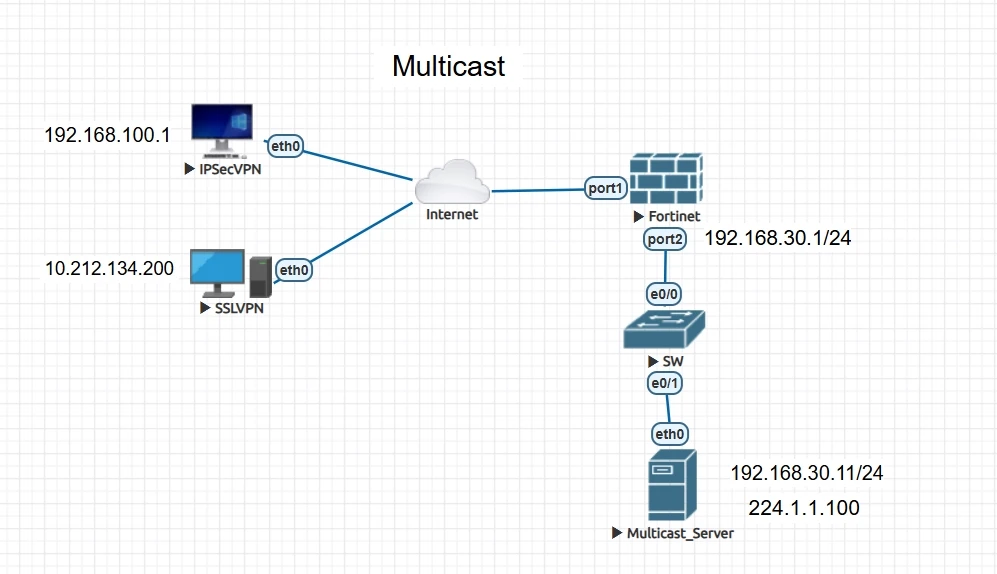
Topology:
Related document: Configuring multicast forwarding
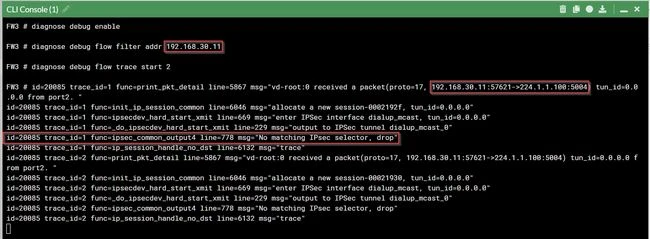
Debugging the flow, the following information can be found: 'No matching IPsec selector, drop'
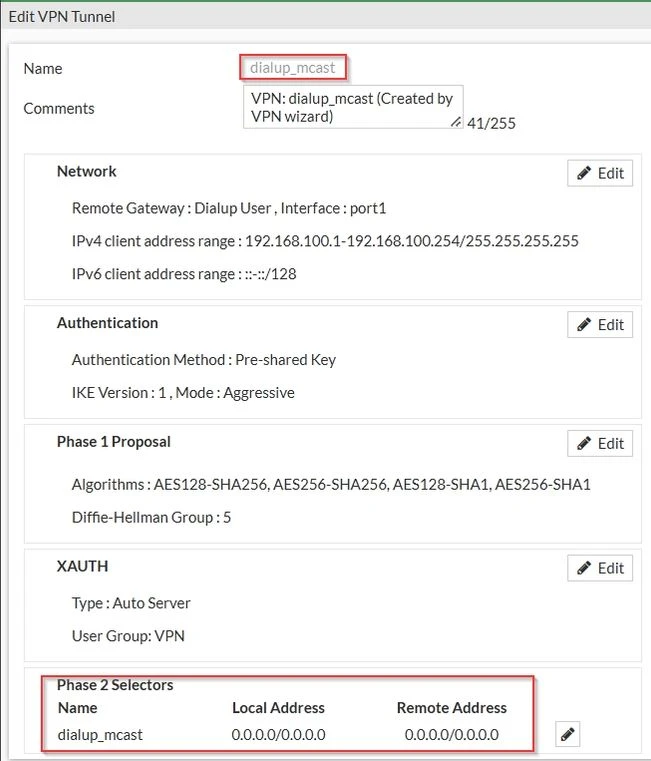
The curious point of this log is that all sources and destinations are allowed in the phase 2 selectors.
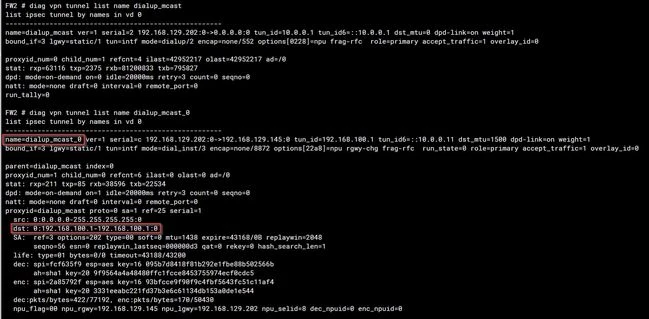
When using a dial-up VPN with FortiClient, FortiClient will always use its IP address as the destination address in the phase 2 selector. Therefore, the return traffic from its IP to the multicast address via the dial-up VPN will be dropped because the destination address in the phase 2 selectors does not match:
As a workaround, SSL VPN can be used and it will work properly:
|