Troubleshooting Tip: When doing Deep Inspection on Chromebook devices, a network connection failure appears
Description | This article describes how to resolve an issue where doing Deep Inspection on Chromebook devices causes a network connection failure to appear. |
Scope | FortiOS, Chromebook. |
Solution | 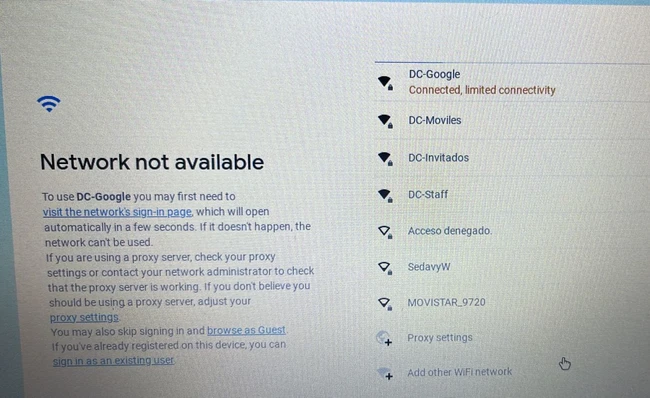
To prevent this from occurring, it is necessary to exempt Google domains from Deep Inspection under Security Profile -> SSL/SSH Inspection -> Deep Inspection Profile -> Exempt from SSL Inspection -> Addresses.
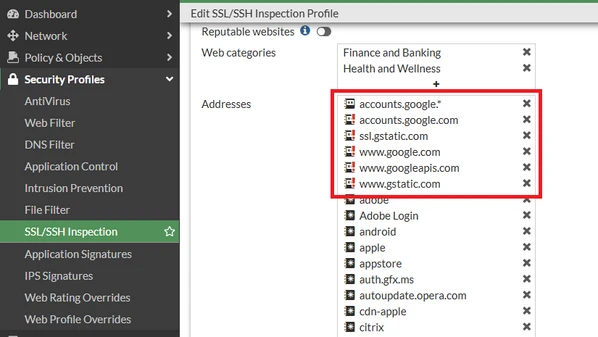
Based on recent testing in 2026, connectivitycheck.gstatic.com should also be exempted from SSL Deep Inspection, as inspecting this domain may cause Chromebook devices to report a network connection failure.
See this Google support article for a full list of hostnames to allow: Set up TLS (or SSL) inspection on Chrome devices Set up a hostname allowlist |