Troubleshooting Tip: SAML authentication is failing but the username and password are correct
| Description | This article describes how to handle an issue where the user is trying to authenticate with the IDP portal <Forti-Authenticator> with the correct credentials, but the IDP prompts with a <Please enter correct credentials> message. |
| Scope | FortiGate and FortiAuthenticator. |
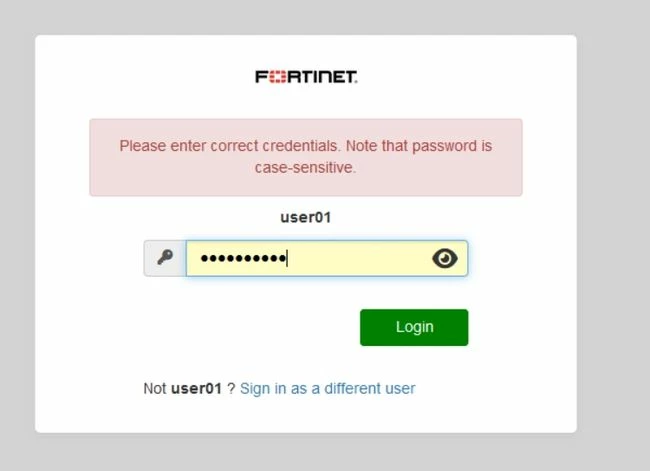
| Solution | From the attached image, it can be noted that the IDP is prompting the message that please enter the correct credentials.
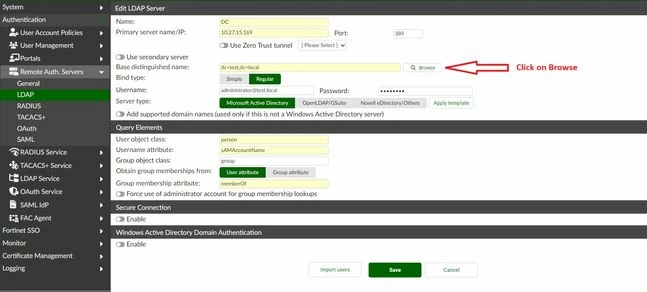
On the FortiAuthenticator, the remote LDAP server is configured and the users are imported. The user database is located on the LDAP server and there the user credentials are validated and found to be correct. Check the LDAP server binding on FortiAuthenticator to validate the current reachability to the LDAP server and its directory to fetch the users.
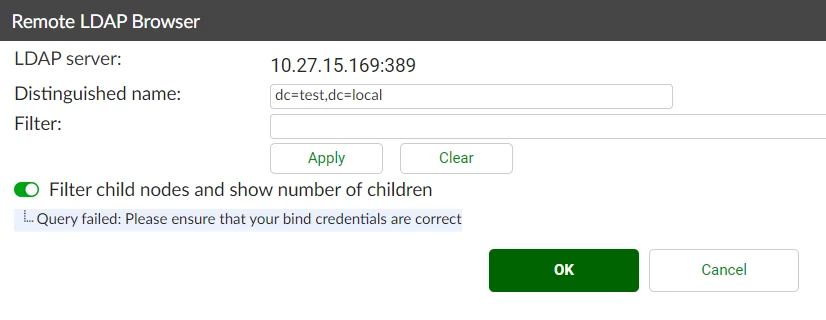
Then, a new page will appear and illustrate that the query is failing with the LDAP server.
If the query and binding fail, correct the binding credentials and then test the authentication again.
After correcting the binding credentials, the user will be able to authenticate successfully. |