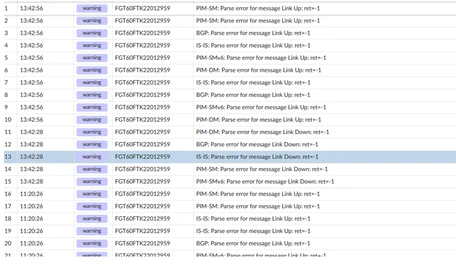
Troubleshooting Tip: Resolving IS-IS and BGP Parse Error Alarms on FortiGate
| Description | This article describes the steps to troubleshoot and resolve IS-IS and BGP parse error alarms on FortiGate devices. The alarms may appear after a firmware upgrade, and the cause can be related to neighbouring devices sending unexpected or malformed IS-IS packets. |
| Scope | FortiGate. |
| Solution |
To resolve the IS-IS and BGP parse error alarms on FortiGate, follow these steps:
FGT # diagnose ip router isis level info
To stop the debug-type output :
If continuing to experience issues, refer to the FortiGate documentation for additional troubleshooting and configuration guidance: |