


Troubleshooting Tip: Renew the IP address of a FortiGate WAN interface in DHCP or PPPoE mode
Description
This article describes how to renew the IP address of a FortiGate WAN interface configured for DHCP or PPPoE in the GUI.
Scope
FortiGate.
Solution
In some situations, it may be necessary to renew the IP address obtained by a FortiGate WAN interface configured for DHCP or PPPoE.
To renew the IP address from the Fortinet GUI, navigate to Network -> Interface and edit the required WAN interface. On the Edit Interface page, select the 'Renew' button for Obtained IP/Netmask.
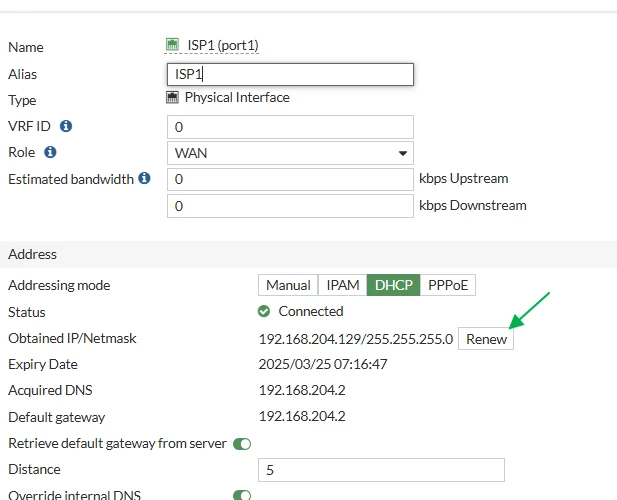
The Renew option allows the IP address of a WAN interface to be refreshed directly from the FortiGate GUI without modifying the existing interface configuration.
For the corresponding CLI procedure, refer to Technical Tip: CLI commands to renew DHCP and DHCPv6 leases and reconnect PPPoE.
