


Troubleshooting Tip: LDAP Server Connection status shows Invalid credentials
Description | This article describes how to troubleshoot when the Server Connection status shows Invalid credentials. |
Scope | FortiGate. |
Solution | While implementing the LDAP server in FortiGate with Bind Type as regular, provide the LDAP server admin credentials to authenticate the LDAP server to perform a user search. While implementing, consider the following points regarding the Username configured in the FortiGate.
It is possible to use the query username '<full_user_name>' to find the complete DN of the user.
Example:
In FortiGate, Username will be CN=ldap test,CN=Users,DC=t3sophialab,DC=net.
If Common Name Identifier is set as sAMAccountName, mention the domain\logon name (do not use domain extensions such as .net, .com, .local).
Example:
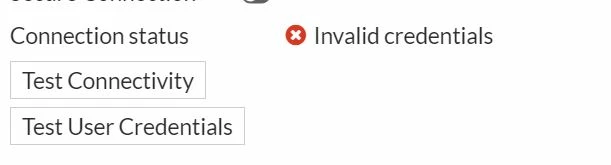
Note: If the LDAP server connection status shows Invalid credentials, verify not only the username format configured on the FortiGate, but also whether the bind account is still active and allowed to perform LDAP queries. In Active Directory environments, this issue can also occur if the password of the bind account has expired, the account is locked out, disabled, or restricted by logon policies. In those cases, the FortiGate may still report the issue generically as Invalid credentials. The “Invalid credentials” message is frequently misleading. Always verify both the FortiGate configuration and the actual status of the bind account on Active Directory. |
