


Troubleshooting Tip: How to trigger Intrusion Prevention logs (traffic inbound) with a controlled test
Description | This article describes how to use Intrusion Prevention logs (traffic inbound) with a controlled test to an internal service/server. |
Scope | FortiGate, Intrusion Prevention Security Profile. |
Solution | There are scenarios where is needed to see logs at the Intrusion Prevention level applied over a specific policy, but it is important to know that it will not trigger any logs the policy and security profile until a signature matches the Intrusion Prevention profile configured.
To test and see logs as incoming traffic or inbound (for example, as a bad actor attempting to do something malicious to a web server, SQL server, or public service from the internet to an internal resource), the next test could be run to simulate malicious activity and trigger the security profile at the Intrusion Prevention level.
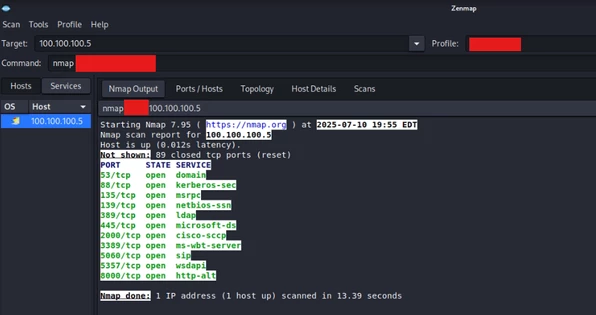
To accomplish this, one way to trigger a log is to perform a port scan with Nmap, having over the inbound policy with an Intrusion Prevention profile with Nmap.Script.scanner or with the 'Low' severity filter on the profile. Follow these steps:
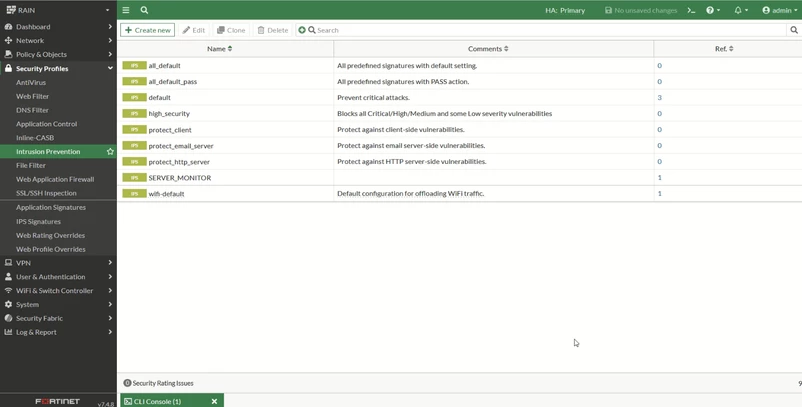
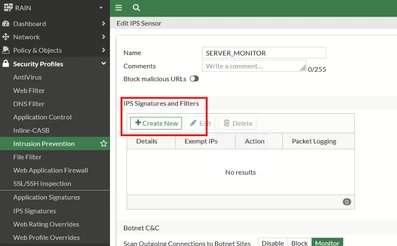
Select the next options: Type -> Filter. Action -> Monitor. Packet logging -> Enable. Status -> Enable. Filter -> SEV **.
After that, select 'OK'.
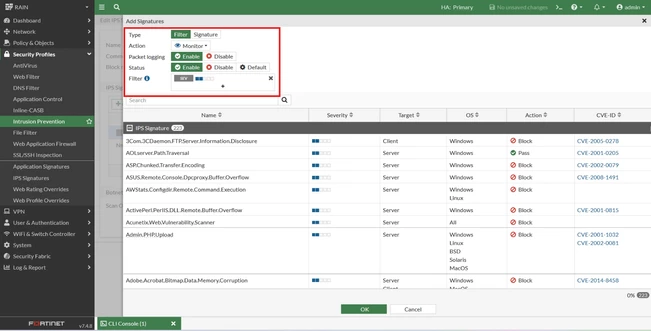
Then create another one by selecting 'Create new' again:
Select the next options: Type -> Signature. Action -> Monitor. Packet logging -> Enable. Status -> Enable. Rate-Based Settings -> Default. Exempt Ips -> 0. IPS Signature (Selected) -> Nmap.Script.scanner.
After that, select 'OK'.
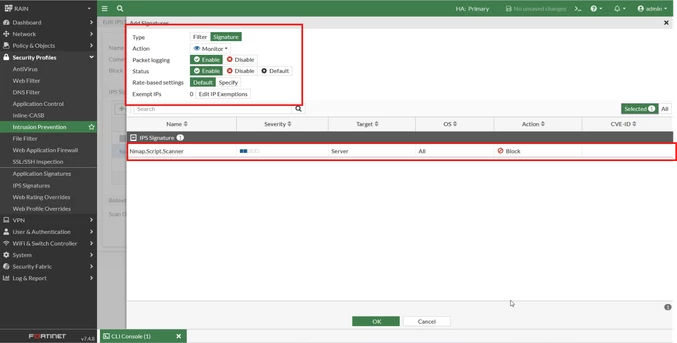
The profile has to be shown as follows:
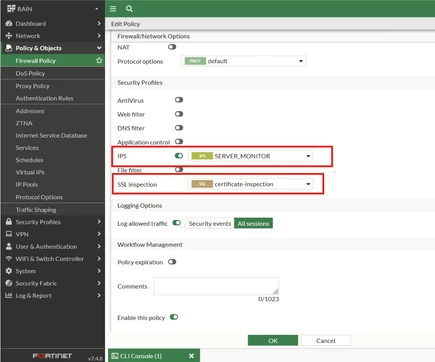
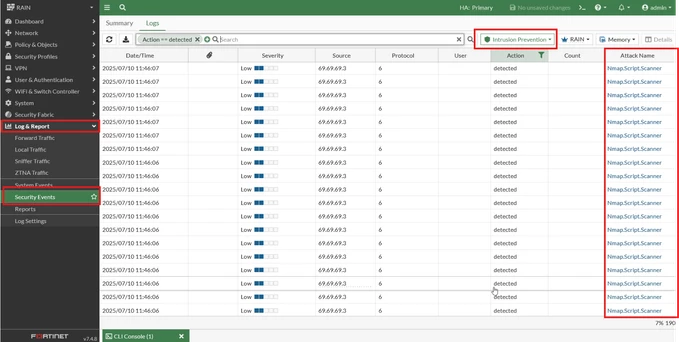
With this configuration, after sending a port scan, the signature 'Nmap.Script.scanner' will be triggered, and also a log will appear in Log & Report -> Security Events -> Intrusion Prevention.
Example of scan:
Log register:
 |
