Troubleshooting Tip: FortiSwitch Registration Status is displayed as 'not registered' after FortiGate’s upgrade to v7.4.4
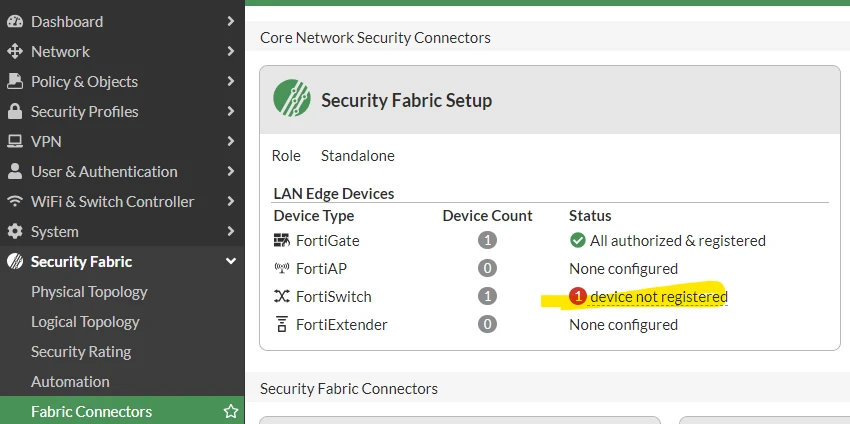
| Description | This article describes an issue where the FortiSwitches registration status is shown incorrectly as 'not registered' under System -> Firmware & Registration and Security Fabric -> Fabric Connectors. |
| Scope | FortiGate v7.4.4, FortiSwitch. |
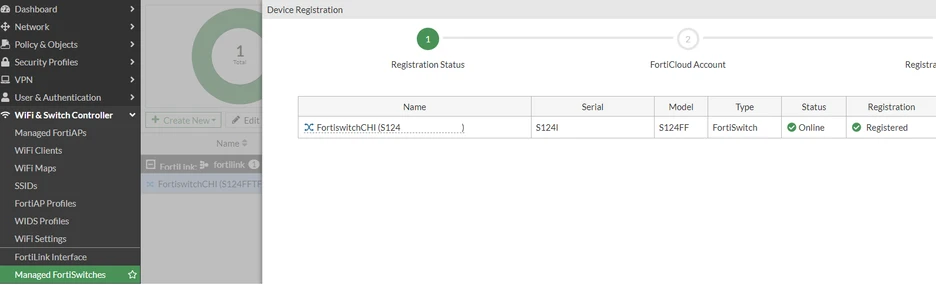
| Solution | After upgrading the FortiGate to v7.4.4, the FortiSwitch registration status is displayed as 'not registered'. However, the registration status is shown correctly under WiFi & Switch Controller -> Managed FortiSwitch and 'right-click' on the device and choose Registration.
This behavior is present when the name of the FortiSwitch does not match its serial number. This is just a GUI display issue and it has been resolved in FortiOS versions v7.4.5 and v7.6.1.
Workaround: |