

simonz_FTNT
Staff & Editor
Staff & Editor
Oct 12, 2026 7:07 AM UTC

Troubleshooting Tip : Fortigate Cloud activation - Error Getting FortiGate Cloud Domain

Description

This article describes an issue when attempting to activate or log in to FortiGate Cloud on a FortiGate for cloud logging, and the following error message may be displayed:
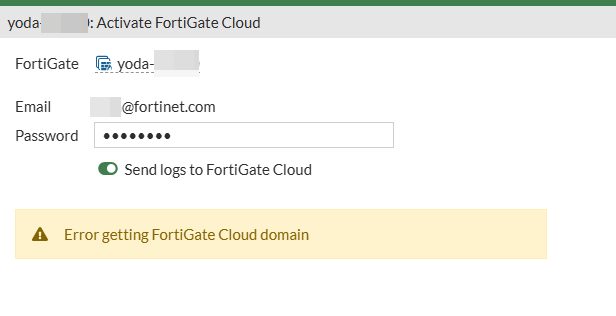
“Error getting FortiGate Cloud domain”


7423ab37.png

This error indicates that the FortiGate is unable to retrieve the required FortiGate Cloud domain information during the activation or login process.
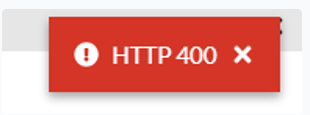

If the user continues the login process by entering the password and clicking “OK”, the FortiGate GUI may display an “HTTP 400” error notification in the top-right corner.

779cafac.png

Scope

 FortiGate.

Solution

If the above issue occurs, it is most commonly caused by a connectivity issue between the FortiGate and the FortiGate Cloud servers. Perform the following checks:


  1. Verify connectivity to FortiGate Cloud:

Verify that the FortiGate can reach the FortiGate Cloud service by running the following command:

execute ping globallogctrl.fortinet.net


Ensure that the ping is successful before proceeding.


  1. Verify the SD-WAN interface selection:

If SD-WAN is enabled on the FortiGate, ensure that FortiGate Cloud logging is configured to use the SD-WAN interface for connectivity.


Verify the configuration with the following commands:


config log fortiguard setting
        set interface-select-method sdwan
end


Once connectivity between the FortiGate and FortiGate Cloud is restored, the FortiGate Cloud domain/region selection option should become available, allowing the appropriate FortiGate Cloud server region to be selected.

    Risk and Resilience in the Age of AI. An OT Thought Leadership Summit for Houston's Critical Infrastructure Leaders. Date: Thursday, December 3, 2026. Time: 8:30 am - 1:30 pm (CT). Location: The Westin Houston, Memorial City | 945 Gessner Road, Houston, TX 77024
