dbhavsar
Staff
Staff
Mar 26, 2025 5:22 AM UTC

Troubleshooting Tip: DHCP server option not showing on the interface GUI

  • Sep 30, 2026 3:09 PM UTC
  • 0 replies
  • 1533 views
  • Translate All

Description

This article describes the resolution for the DHCP Server option not showing on interface via GUI.

Scope

FortiGate.

Solution

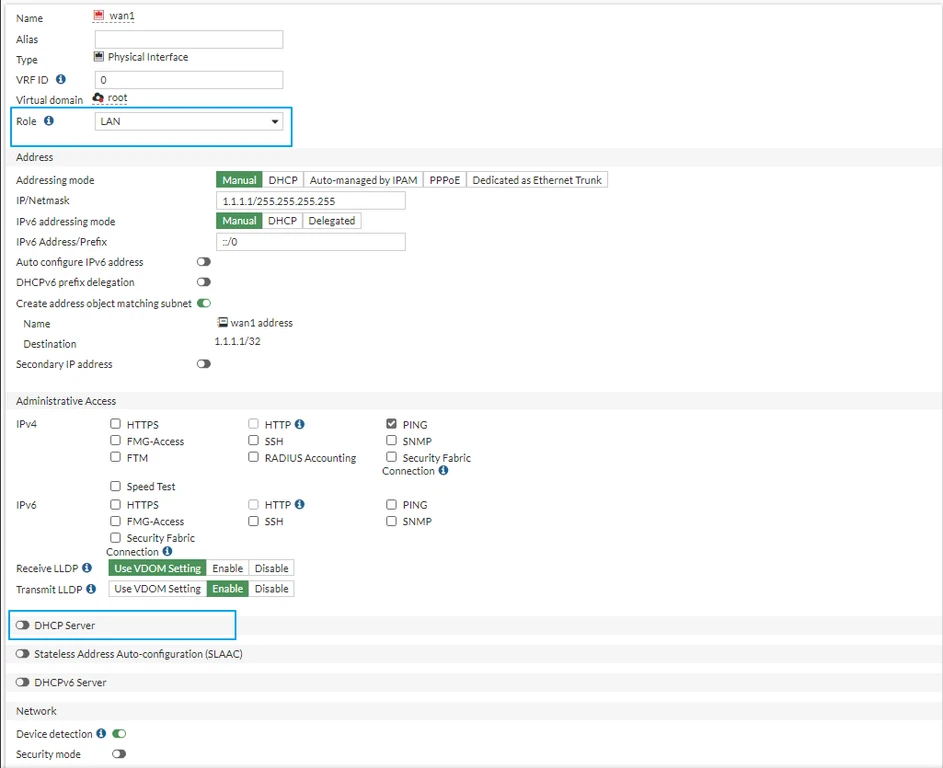
In scenarios like the one shown in the following screenshot, the 'DHCP' option is not visible in the interface:
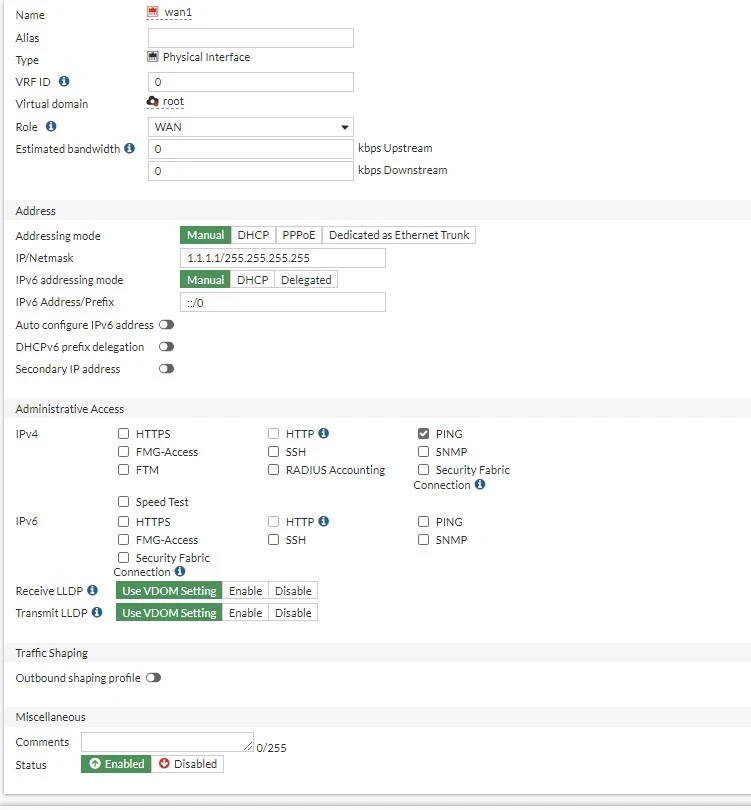
dhcp-gui.jpg


Resolution:

The interface role must be set to 'LAN' or 'Undefined' to enable the DHCP server. If the role is set to 'WAN' or 'DMZ', FortiGate will not allow setting the DHCP Server for that interface.

Verify the interface role from the CLI:

show system interface <interface_name>


dhcp-gui.png


Note: DHCP can still be enabled through the CLI even if the interface role is set to WAN or DMZ.

For instructions on how to configure DHCP through the CLI, see the FortiGate CLI reference: config system dhcp server.

    Risk and Resilience in the Age of AI. An OT Thought Leadership Summit for Houston's Critical Infrastructure Leaders. Date: Thursday, December 3, 2026. Time: 8:30 am - 1:30 pm (CT). Location: The Westin Houston, Memorial City | 945 Gessner Road, Houston, TX 77024