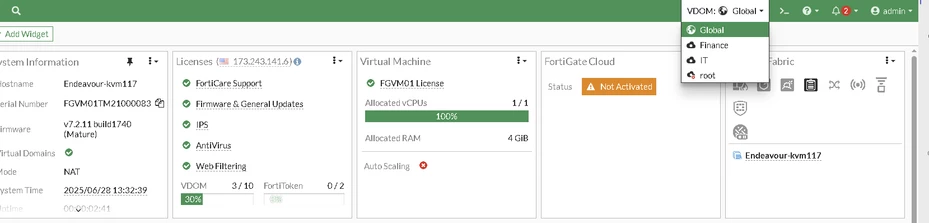
Configure the SNMP community. For example, FortiGate has two VDOMs, Finance and IT, which are already set up. SNMP traps for both VDOMs should be sent to the SNMP server via the root VDOM.
VDOM setup:
SNMP configuration:
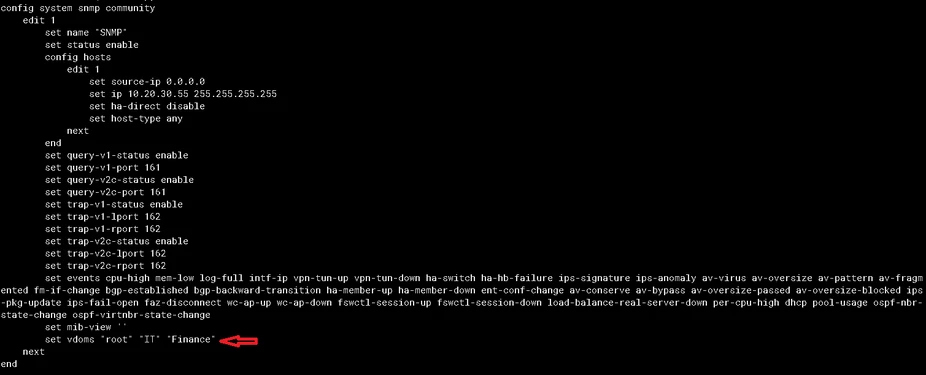 In the SNMP configuration, include the VDOMs using the set vdom option. This ensures that all traps for the IT and Finance VDOMs are sent to the SNMP server through the management VDOM, root.
CLI configuration:
config system snmp community
    edit 1
        set name "SNMP"
        set status enable
        config hosts
            edit 1
                set source-ip 0.0.0.0
                set ip 10.20.30.55 255.255.255.255
                set ha-direct disable
                set host-type any
            next
        end
        set query-v1-status enable
        set query-v1-port 161
        set query-v2c-status enable
        set query-v2c-port 161
        set trap-v1-status enable
        set trap-v1-lport 162
        set trap-v1-rport 162
        set trap-v2c-status enable
        set trap-v2c-lport 162
        set trap-v2c-rport 162
        set events cpu-high mem-low log-full intf-ip vpn-tun-up vpn-tun-down ha-switch ha-hb-failure ips-signature ips-anomaly av-virus av-oversize av-pattern av-fragmented fm-if-change bgp-established bgp-backward-transition ha-member-up ha-member-down ent-conf-change av-conserve av-bypass av-oversize-passed av-oversize-blocked ips-pkg-update ips-fail-open faz-disconnect wc-ap-up wc-ap-down fswctl-session-up fswctl-session-down load-balance-real-server-down per-cpu-high dhcp pool-usage ospf-nbr-state-change ospf-virtnbr-state-change
        set vdoms "root" "IT" "Finance"
    next
end
Note: Starting from FortiOS v7.6, SNMP queries to interfaces in non-management VDOMs are supported when the following setting is enabled:
config global
    config system snmp sysinfo
        set non-mgmt-vdom-query enable
end
Related article:
Technical Tip: Configuring SNMP when VDOM is enabled
| 


