With certificate inspection in proxy mode, FortiGate opens its own TLS connection to the server to retrieve the server certificate. This connection follows the global SSL settings, not the SSL/SSH profile. With the following setting in place, this connection offers TLS 1.3 only:
config system global
    set ssl-min-proto-version TLSv1-3
end
A server that supports only TLS 1.2 rejects the handshake. FortiGate cannot retrieve the certificate and closes the session as a UTM block. Servers that support TLS 1.3 are not affected. Some external HTTPS websites become unreachable, while other HTTPS sites keep working through the same policy. The browser shows a generic connection error, not a FortiGate replacement page. The affected sessions match a proxy-mode firewall policy with certificate inspection. The forward traffic log shows the session blocked by UTM with msg="Connection Failed":
type="traffic" subtype="forward" dstip=149.134.170.74 dstport=443 action="close"
policyid=43 policyname="internet access" appcat="unscanned" duration=1
sentbyte=216 rcvdbyte=212 utmaction="block" countssl=1 msg="Connection Failed"
countssl=1 shows that the block comes from the SSL/SSH inspection profile, not from AV, IPS, or web filter.
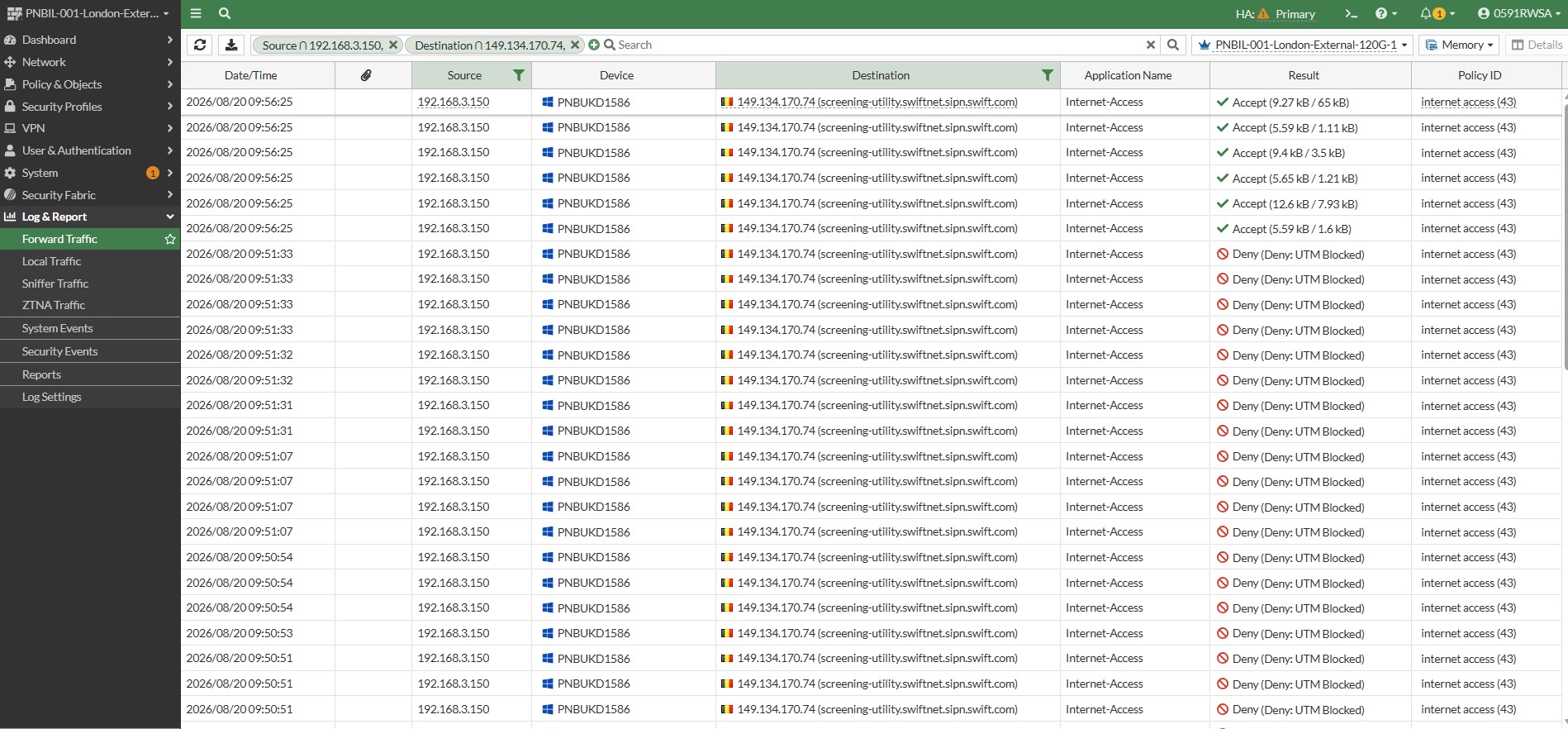
Set the global minimum TLS version back to TLS 1.2, the FortiOS default:
config system global
    set ssl-min-proto-version TLSv1-2
end
No reboot is needed; the change applies to new sessions. Administrative access stays restricted to TLS 1.3, because admin-https-ssl-versions is a separate setting.
Confirm the setting:
show full-configuration system global | grep -i ssl
Open the affected website again and check the forward traffic log. The session should no longer show utmaction="block" or msg="Connection Failed".
If TLS 1.3 remains the global minimum, leave the setting unchanged.
Instead, please create a dedicated policy above the internet access policy for the TLS 1.2-only destinations, without SSL inspection, limited to those address objects and HTTPS. | 

