


Technical Tip: Viewing FortiGate interface bandwidth in the 'Device Manager' dashboard
Description
This article described how to view the FortiGate interface bandwidth in the 'Device Manager' dashboard for FortiManager.
Solution
1) The FortiGate Interface bandwidth data viewing only support in FortiGate version 6.4.
2) Enable the following via CLI command only in the FortiGate, by default it is disabled.
This article described how to view the FortiGate interface bandwidth in the 'Device Manager' dashboard for FortiManager.
Solution
1) The FortiGate Interface bandwidth data viewing only support in FortiGate version 6.4.
2) Enable the following via CLI command only in the FortiGate, by default it is disabled.
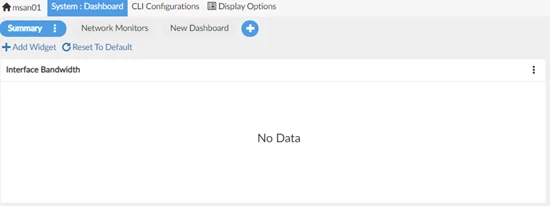
# config system interface3) Before enable the CLI, no data in FortiManager 'Device Manager' dashboard will be visible.
edit <interface name>
set monitor-bandwidth enable
end
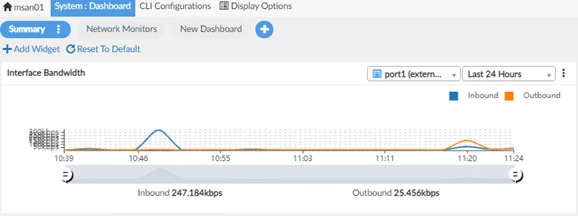
4) After enable the CLI, it will be possible to to view the same for both inbound and outbound interface traffic in bps, example as follows, it is possible to select multiple interfaces in the drop-down list as well as the duration of Last 1 Hour, Last 24 Hours and Last Week as a filter.

