


Technical Tip: U-turn traffic from SSL VPN to IPsec site-to-site tunnel
Description
This article describes how to U-turn traffic from the remote SSL VPN client to an IPsec site-to-site tunnel.
Scope
FortiOS versions that support SSL VPN tunnel mode. SSL VPN tunnel mode is no longer supported starting from FortiOS version 7.6.3.
Solution
Users may face issues while accessing remote subnets across IPsec tunnels from the local SSL VPN users as the source, as shown in the following topology.
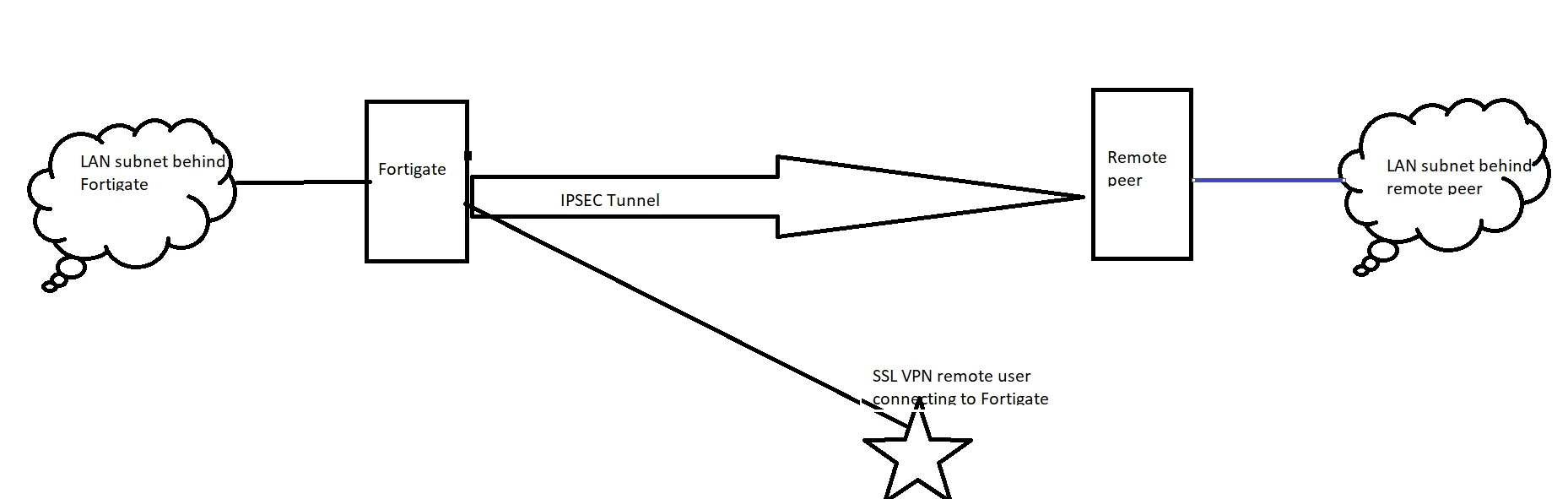
The requirement is to send traffic from SSL users to the remote subnet across the IPsec tunnel and vice versa. It can be achieved through the following configurations:
Configuration:
If the split tunnel is enabled in SSL VPN, make sure the subnet of the remote peer (192.168.1.0/24) is included in the 'Routing Address' field of the split tunneling configuration in the 'Edit SSL VPN Portal' configuration of the local FortiGate. If it is a full tunnel, then no change is required in SSL VPN portal settings.
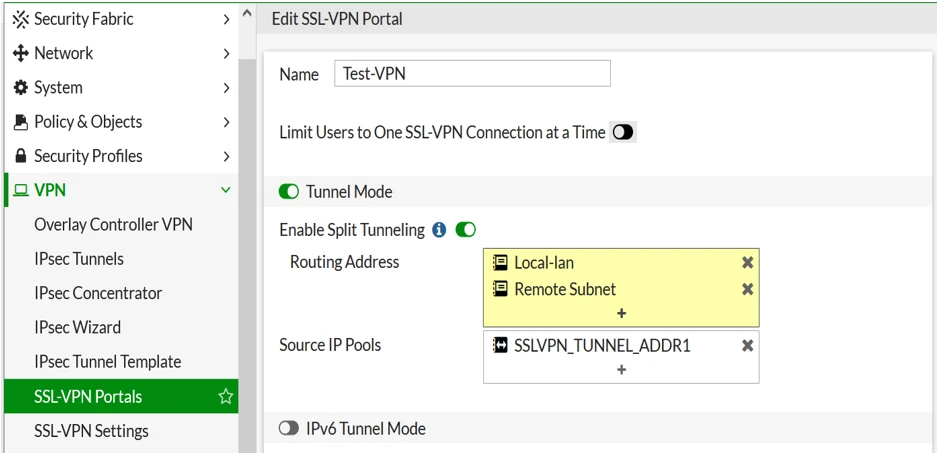
Once the user is connected to the SSL VPN, open Command Prompt on the Windows PC and run the following command to verify the routing table:
route print
Ensure the traffic is allowed in the traffic selectors in the Phase 2 configuration of the site-to-site tunnel.
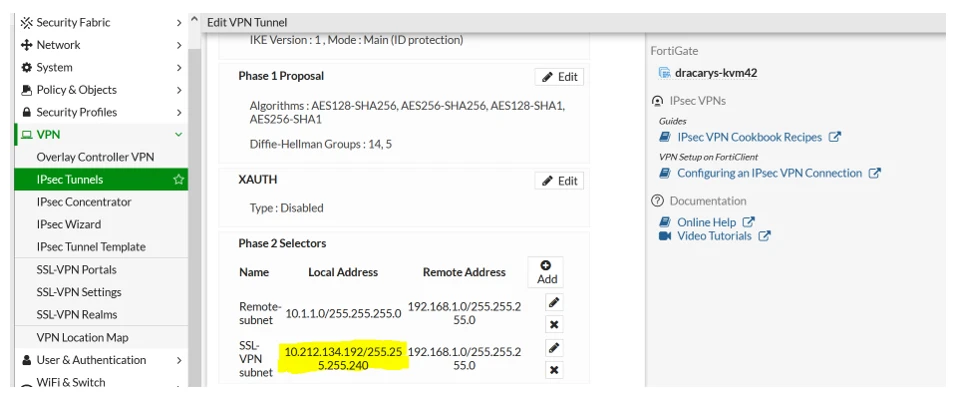
The highlighted IP range is the assigned IP range for SSL VPN.
Note: A dedicated Phase 2 selector for the SSL VPN client subnet is required only when specific traffic selectors are configured. If the existing Phase 2 selectors already include the SSL VPN subnet, such as when 0.0.0.0/0 selectors are used, an additional Phase 2 selector is not required. In the example above, since the selectors are defined, there is a need to configure a phase-2 selector in the remote peer with the local address being 192.168.1.0/24 and the remote address being the SSL VPN IP range/subnet: 10.212.134.192/28. Not configuring this will prevent the connection from being established between the two subnets.
Ensure the IPv4 policy is in place for U-turn of traffic. The traffic should be allowed between the ssl.root interface and the site-to-site tunnel interface.
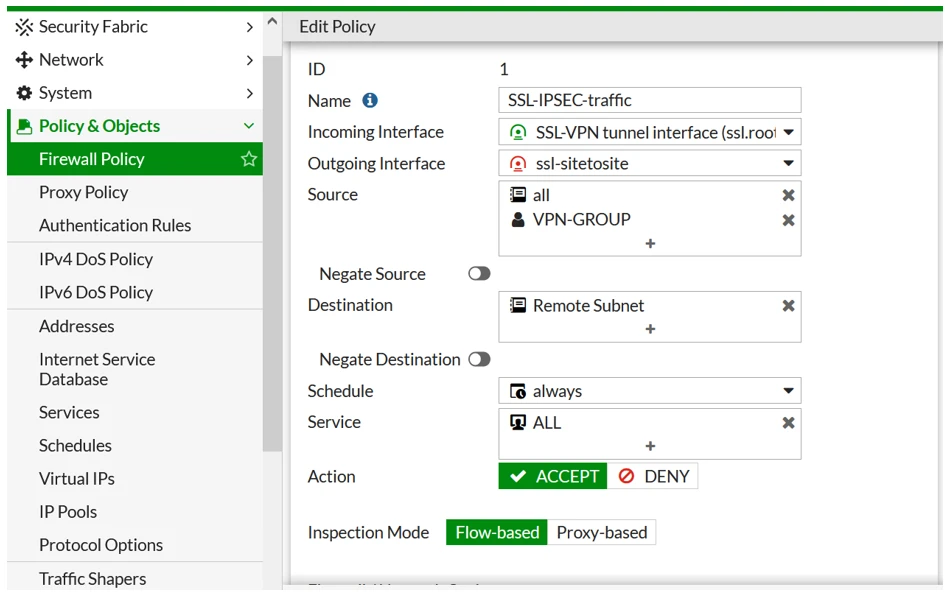
Ensure NAT is disabled and a route for the remote subnet 192.168.1.0/24 is present. On the peer side, ensure the route for the SSL VPN subnet is configured.
The traffic will be able to U-turn the SSL traffic into the IPsec tunnel.

