


Technical Tip: Management VDOM should have Internet connection
Description
This article explains why Management VDOM should have an internet connection.
When VDOMs are used, VDOM managers might encounter problems that FortiGate is not working as expected.
The typical VDOM setup:
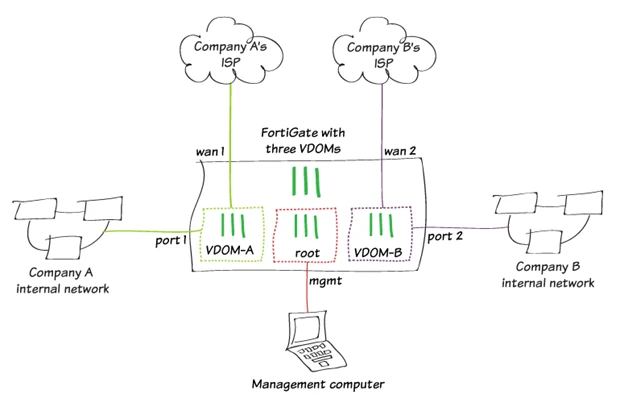
Solution
The FortiGate uses DNS, FortiGuard and other servers through the management VDOM.
Make sure the FortiGate has Internet access from the management VDOM to ensure that services like Web Filtering works.
Now the Web Filter debug shows the expected behavior:
msg="received a request /tmp/.ipsengine_214_0_0.url.socket, addr_len=37: d=facebook.com:443, id=13, cat=255, vfname='VDOM-A', vfid=2, profile='cust-vdom-A-webfilter-profile', type=1, client=10.188.3.239, url_source=3, url="/"
msg="Cache miss" user="N/A" src=10.188.3.239 sport=50505 dst=185.60.216.35 dport=443 service="https" hostname="facebook.com" url="/"
action=10(ftgd-block) wf-act=3(BLOCK) user="N/A" src=10.188.3.239 sport=50505 dst=185.60.216.35 dport=443 service="https" cat=37 hostname="facebook.com" url="/"
On FortiOS 7.2.3+ is added a new feature that allows Fortiguard services and updates to be used with a non-management VDOM:
Technical Tip: How to use non management VDOM for Fortiguard services and updates
Related Articles
Technical Note: Traffic Types and TCP/UDP Ports used by Fortinet Products
