Technical Tip: Learning policy in IPv4 policy
Description
This article describes how to learn policy in IPv4 policy.
Scope
FortiGate.
Solution
When installing a new FortiGate, the first policy set up is usually one that goes from the inside to the Internet with fairly little in the way of restrictions.
After all, make sure to be able to connect to things before the access is limited for policy reasons.
Once this first connection is verified and that everyone can access the Internet it is time to start locking things down.
Take that first policy, the one that most outbound traffic will be going through.
When it was first set up, the action field was set to ACCEPT.
The options for this field are ACCEPT, DENY, LEARN, and IPsec.
- ACCEPT allows all match traffic to go through the policy.
- DENY drops all of the matching packets.
- IPsec is for setting up IPsec VPN policies.
The option that interests us now is LEARN.
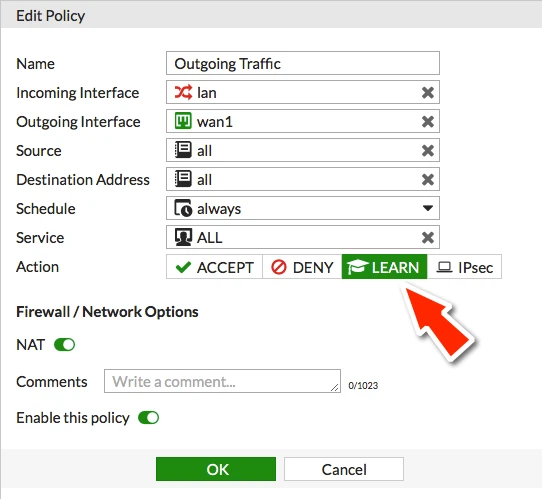
When the LEARN option is selected, a few things will be going on in the background.
-
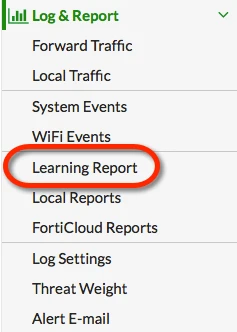
Learn mode allows the firewall to observe and record traffic without blocking it.
-
The Learn option allows traffic but also records application and traffic details in the background.
-
This helps administrators understand which applications and services are being used on the network.
-
Learn allows traffic and logs information like application name, port, and destination IP.
-
Learn mode works only in NGFW Policy-Based mode.
-
This mode allows FortiGate to identify applications directly in the firewall policy.
-
It helps identify unknown or unnecessary applications.
-
It helps administrators create better security policies.
-
It improves network visibility.
-
It is useful during initial firewall deployment.
These profiles:
- Are all flow-based.
- Are static and cannot be changed.
- Have SSL inspection disabled. So encrypted HTTPS traffic is not fully inspected.
- Are configured to monitor all the traffic that goes through the policy.
Profiles not included are:
- DNS Filter – There is no Flow mode for this profile.
- Web Application Firewall – There is no Flow mode for this profile.
- Flow-based inspection allows FortiGate to analyze traffic in real time with low CPU usage.
- These profiles are used only for monitoring, not for blocking traffic.
Note:
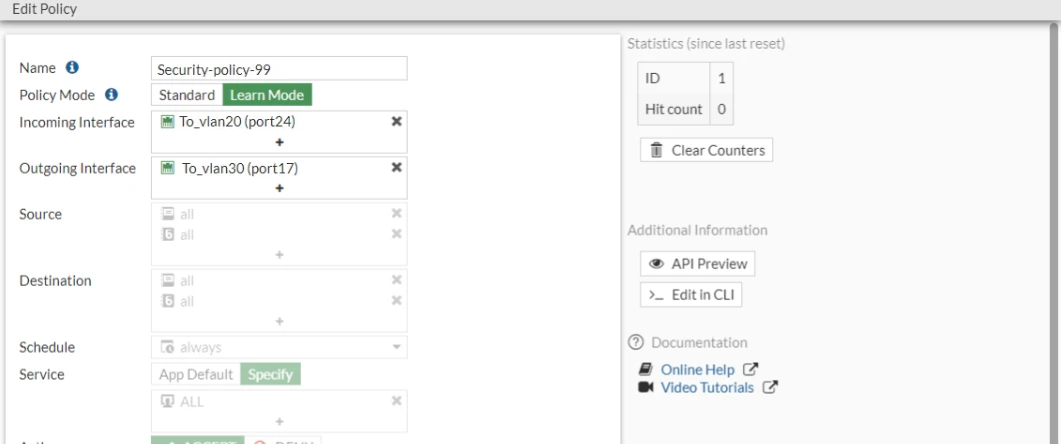
This is not available now in the NAT mode, to achieve the learn mode in the security policy the FortiGate should be in NGFW mode.
The NGFW mode should be set to Policy-Based. In the security policy changed the policy mode to learn mode.