
Technical Tip: How to start a Dial-up IPsec tunnel from commadline on Windows with FortiClient
| Description | This article describes how to establish a dial-up VPN with FortiClient using command prompt on Windows. |
| Scope | FortiClient, Windows, FortiGate. |
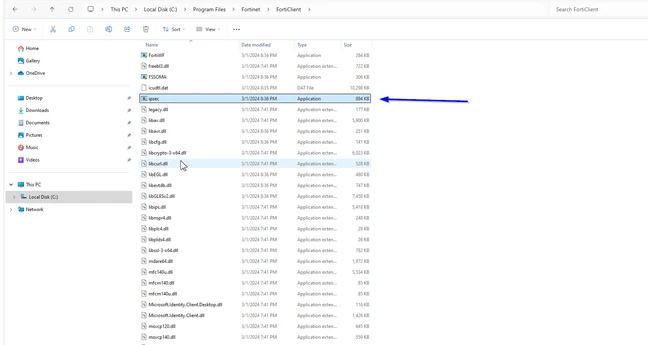
| Solution | FortiClient on Windows runs a process on the background called FortiTray that performs most the task like establishing SSL VPN tunnel. However, for IPsec, it uses another binary called 'IPsec.exe' to spawn a child process.
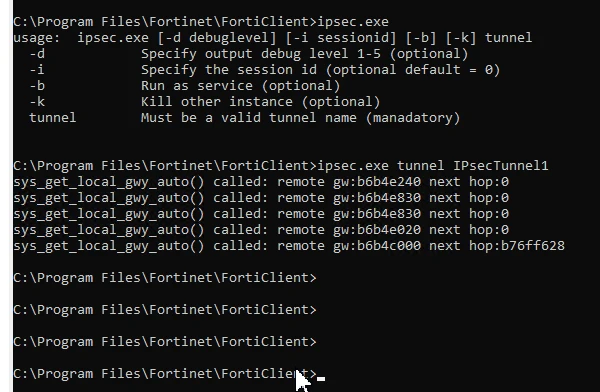
This binary can be executed with elevate privileges from the command prompt as shown in the picture below:
The command syntax is:
ipsec.exe tunnel <Tunnel_name_here>
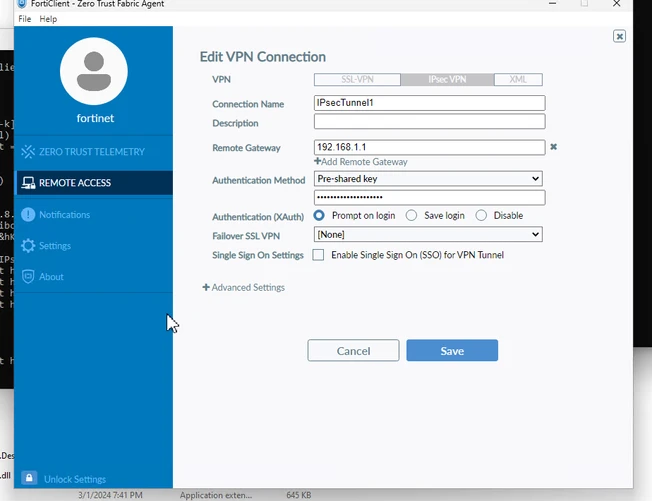
In this case, the tunnel name is IPsecTunnel1 and it is configured either on the EMS server or on FortiClient console.
|