Technical Tip: How to send a notification from FortiGate Cloud Premium when FortiGate goes offline
| Description | This article describes how to send an alert from FortiGate Cloud Premium when FortiGate goes offline. |
| Scope | FortiGate, FortiGate Cloud Premium. |
| Solution | The following trigger types can be used to configure the stitch and when the event is triggered, the user can be notified with the configured email as an action:
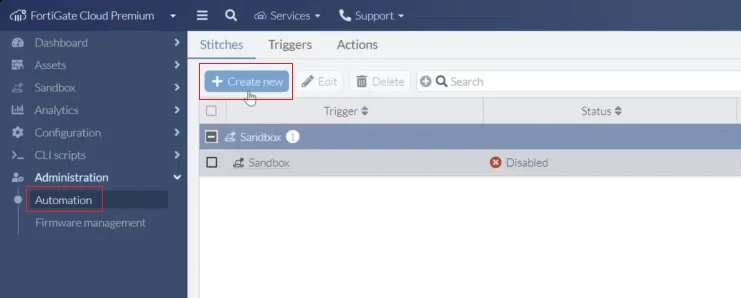
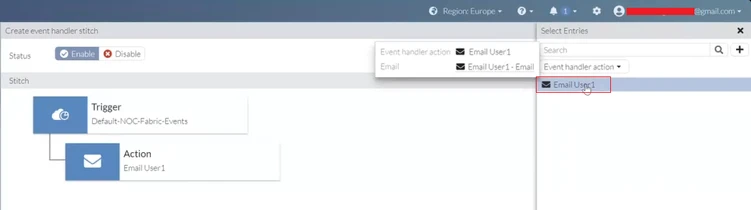
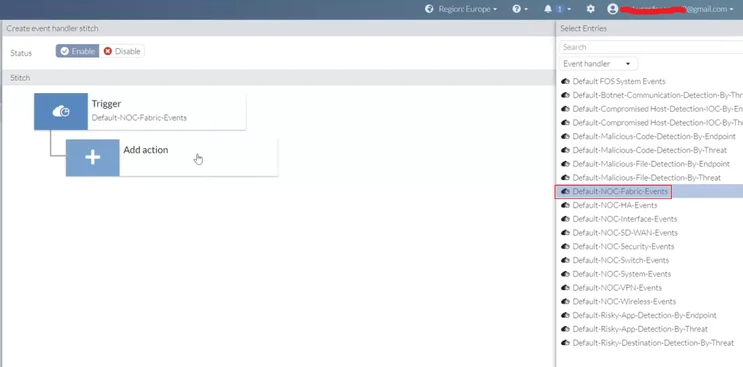
Method 1: Go under Automation -> Stitches -> Create New, select Trigger: Default-NOC-Fabric-Events -> Action: Email User -> OK.
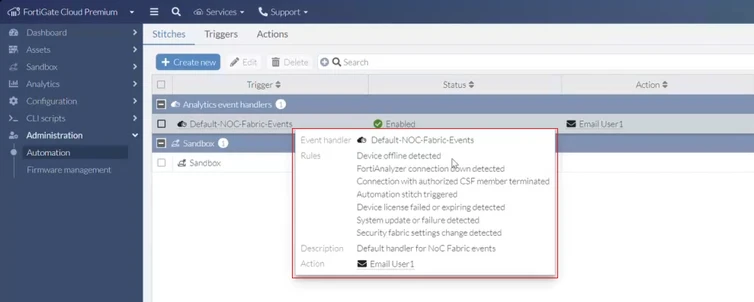
Triggers when it detects the following:
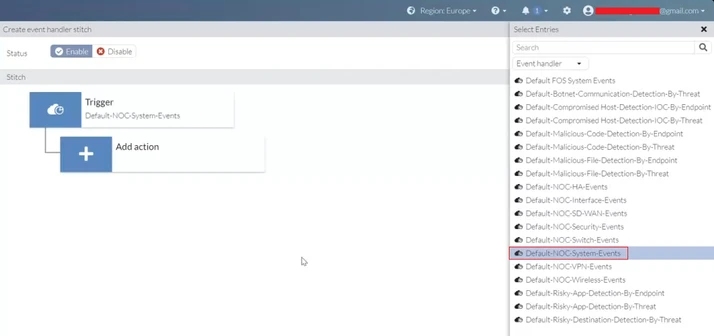
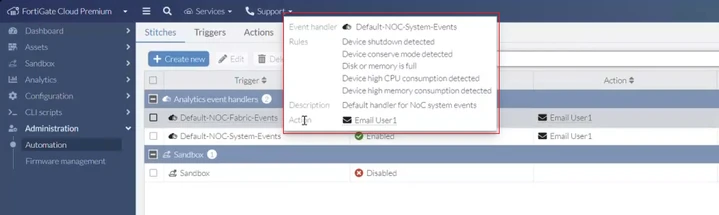
Method 2: Go under Automation -> Stitches -> Create New, select Trigger: Default-NOC-System-Events -> Action: Email User -> OK.
Triggers when it detects the following:
Hover over the Stitches name to view the rules. The stitches are configured in a group of events and there is no way to configure it individually (i.e. device status only). |