FortiOS 8.0.1 introduced the 'pqc-policy' parameter in the LDAP configuration.
This provides granular control so that FortiGate can offer hybrid or pure PQC key-exchange groups during the TLS handshake used by secure LDAP. Note: In 7.4.12 and 8.0.0 the PQC algorithms were disabled globally. FortiOS 8.0.1 re-enabled them by default for LDAP but added the per-server pqc-policy knob so administrators can disable them only where needed.
The default setting is 'set pqc-policy enable':
config user ldap
    edit "AD"
        set uuid 097db692-bdbb-51f1-e23a-bd51fe2426b3
        set server "192.168.7.10"
        set cnid "sAMAccountName"
        set dn "dc=fortinet,dc=br"
        set type regular
        set username "FORTINET\\Administrator"
        set password ENC XXXXXXXXXX
        set secure ldaps
        set port 636
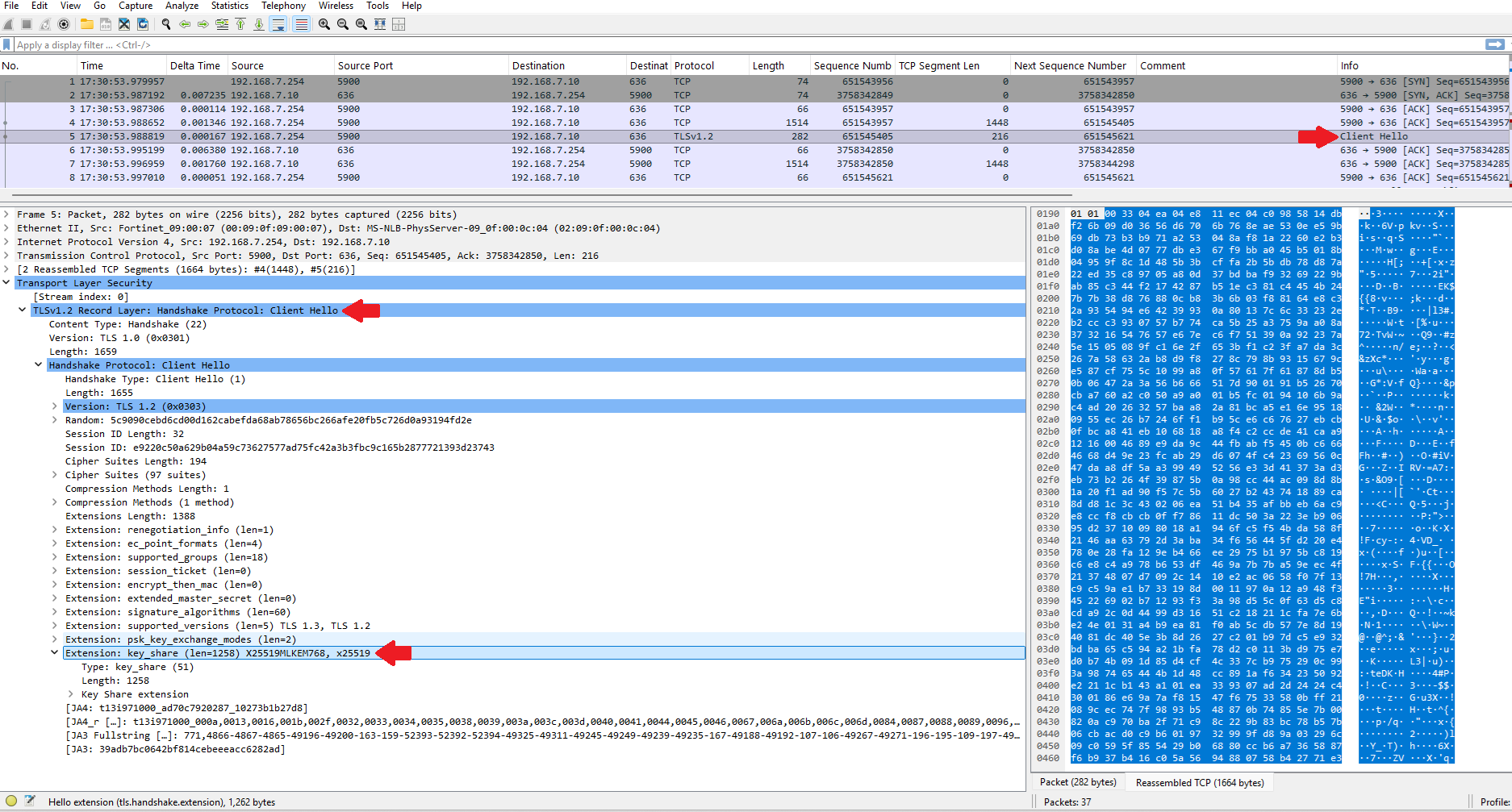
        set pqc-policy enable <<<<
    next
end
The PQC algorithms are added to the Client Hello packet:
When the 'pqc-policy' is disabled, the algorithms are not added:
config user ldap
    edit "AD"
        set uuid 097db692-bdbb-51f1-e23a-bd51fe2426b3
        set server "192.168.7.10"
        set cnid "sAMAccountName"
        set dn "dc=fortinet,dc=br"
        set type regular
        set username "FORTINET\\Administrator"
        set password ENC XXXXXXXXXX
        set secure ldaps
        set port 636
        set pqc-policy disable
    next
end
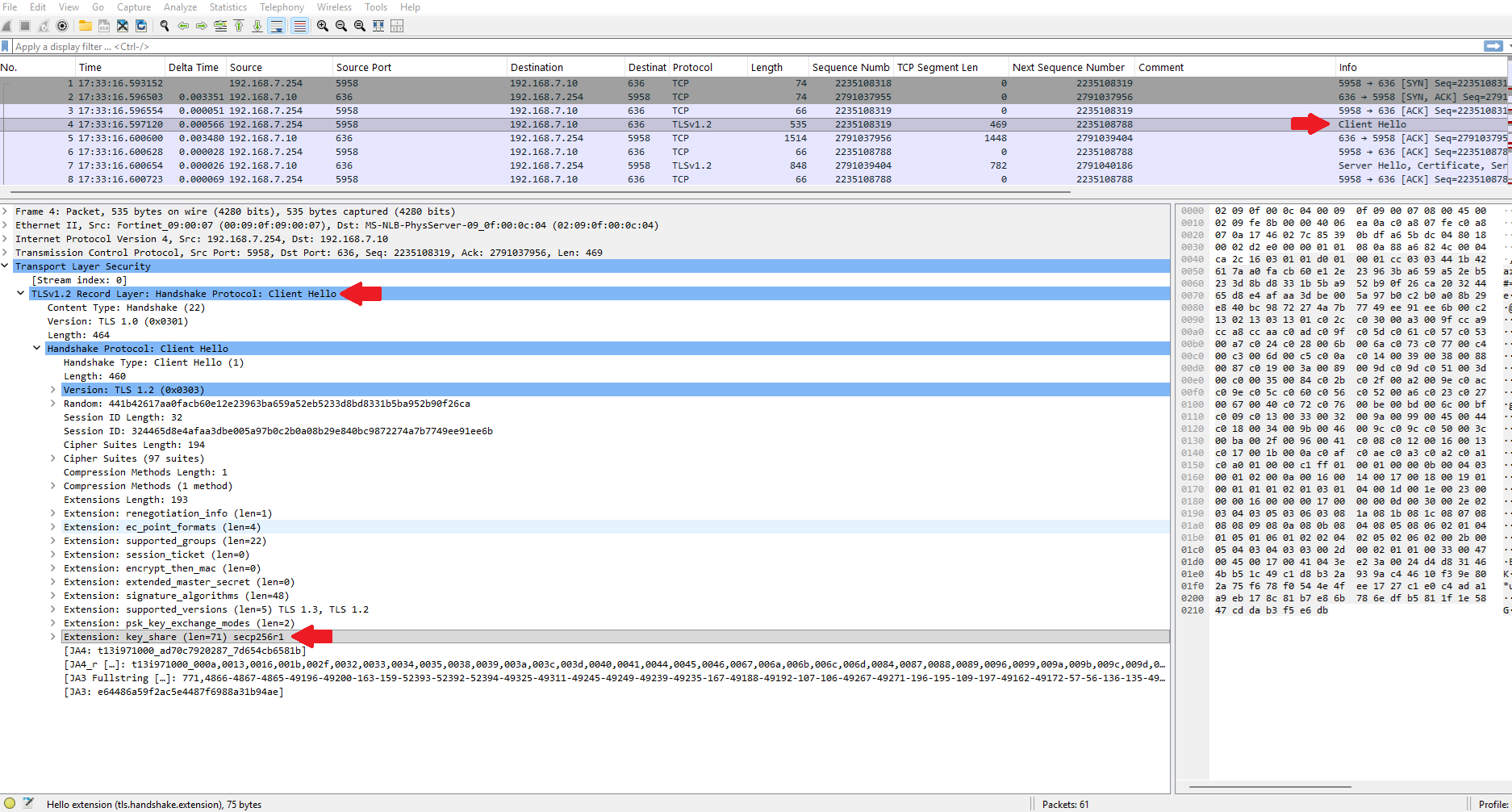
Some older servers might not recognize the PQC algorithms, which affects TLS negotiation and, as a consequence, the LDAPS connection is not established. This feature provides flexibility to disable PQC algorithms in such situations.
| 



