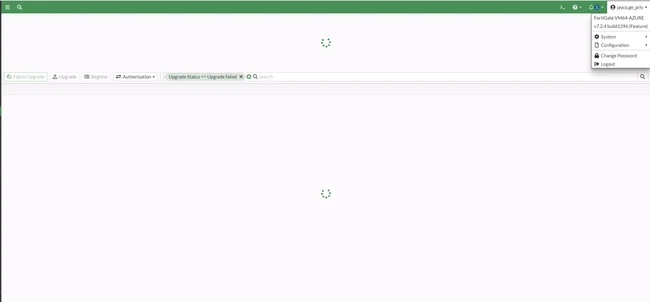
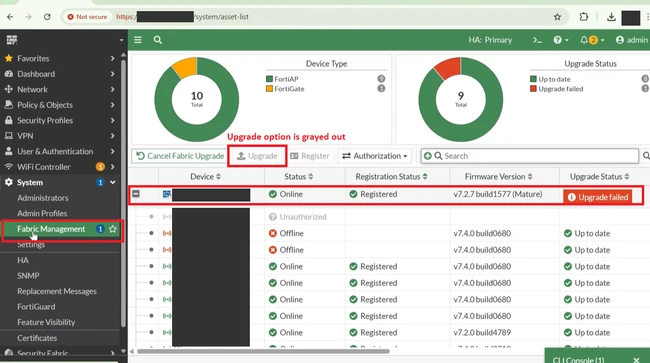
Cancel the ongoing Fabric upgrade. To cancel the upgrade, use the CLI command below:
execute federated-upgrade cancel
This will cancel the upgrade. If the upgrade is immediate or scheduled to happen very soon, some nodes may have already gone down for an upgrade.
Do you want to continue? (y/n)
More options for these commands are below:
execute federated-upgrade
cancel
initialize
quick-fortigate-upgrade
quick-full-upgrade
restart
status
cancel <----- Cancel the currently configured upgrade. initialize <----- Set up a federated upgrade. quick-fortigate-upgrade <----- Set up a 15-minute immediate mode upgrade for all FortiGates in the CSF tree. quick-full-upgrade <----- Set up a 15-minute immediate mode upgrade for all CSF devices. restart <----- Restart the currently configured federated upgrade. status <----- Show the current status of the federated upgrade.
More details about Fabric Upgrade on:
Upgrading all device firmware by following the upgrade path (federated update) Note: Starting with v7.4.8 and v7.6.4, a new behavior has been introduced on unlicensed or end-of-support FortiGate devices. See Automatic firmware upgrades for FortiGate appliances with invalid support contracts or that have reached End of Support.
config system federated-upgrade
    set source forced-upgrade
end
If source reads forced-upgrade, the upgrade was triggered by the license-enforcement mechanism.
For example, if the device has an expired support contract or is running EOL firmware, it may be forced to upgrade to the latest patch version.
This upgrade cannot be cancelled; it can only be postponed for 7 days, and this can be done an unlimited number of times.
execute auto-upgrade delay-installation
For example, if the FortiGate has an expired support contract and is running v7.6.4, but the latest FortiOS from branch v7.6 is v7.6.8, the FortiOS will follow the recommended upgrade path.
Additional note on automatic upgrades and cancel errors (v7.4.8+):
In some cases, upgrading to FortiOS v7.4.8 (or later) before registering a valid support contract may incorrectly flag the device as unlicensed, triggering a forced auto-upgrade.
When attempting to cancel the upgrade using:
execute federated-upgrade cancel
The following error may be displayed:
The existing upgrade cannot be changed.object check operator error, -39, discard the setting.
Or:
execute federated-upgrade cancel
The existing upgrades cannot be cancelled.
Command fail. Return code 1
As a workaround, it is possible to boot the device using the secondary firmware image running a version before v7.4.8: Technical Tip: Selecting an alternate firmware for the next reboot. After booting into the alternate image, the Upgrade button in the GUI should become available again instead of remaining grayed out.
If a device is received with only a single firmware image or does not have a secondary firmware image, the scheduled upgrade process cannot be cancelled. In such cases, performing a factory reset resolves the issue.
Important: As an alternative workaround, perform a backup of the FortiGate configuration, modify the system federated-upgrade setting in the configuration file as shown below, and then restore the modified configuration to the FortiGate.
config system federated-upgrade
    set status disabled
end
Related articles:
|