
Technical Tip: How to add a replacement message for a single website on the AI Category
| Description | This article describes the steps on how to add a Replacement Message to only one specific Website on the AI Category, and not the whole Category. |
| Scope | FortiGate. |
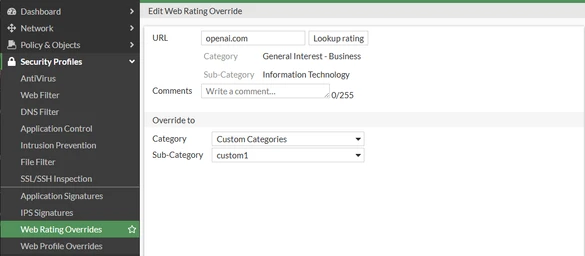
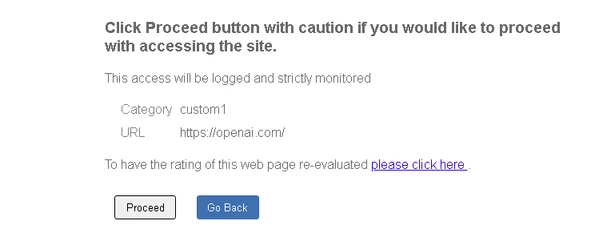
| Solution | If it is needed to use a replacement message for specific Websites/URLs, or if the Replacement Message is not showing for a specific URL within the Category for any reason, a custom category under this Web filter profile can be used. This can be done as follows:
get webfilter categories g01 Potentially Liable:
edit 35
Related articles: Technical Tip: Custom warning page when accessing an AI website Technical Tip: Unable to change Web Filter Category 'Artificial Intelligence Technology' |