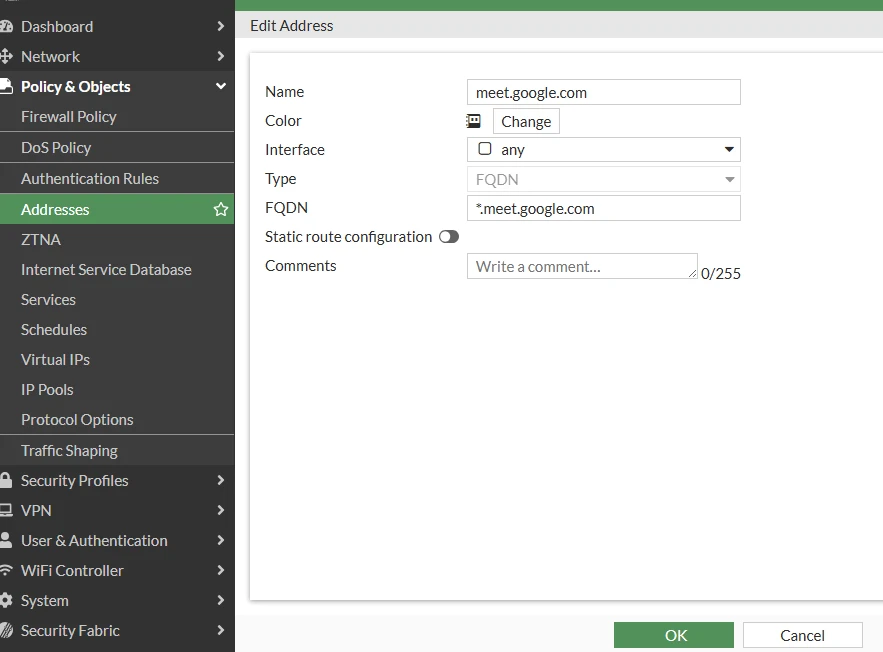
- Exempt Google Meet from SSL Inspection: Access the FortiGate GUI. Some Google Meet FQDN is not added to the address list. Configure on Address list with FQDN as below. Go to Policy & Object -> Create a New Object -> Addresses -> Wildcard with FQDN Type as below list:
- *.meet.google.com.
- *.hangouts.google.com.
- *.talk.google.com.
- clients4.google.com.
- clients5.google.com.
- clients6.google.com.
 - Go to Security Profiles -> SSL/SSH Inspection: Edit the SSL inspection profile in use. Example: SSL Deep Inspection; make it a clone of Customs Deep Inspection and edit it.
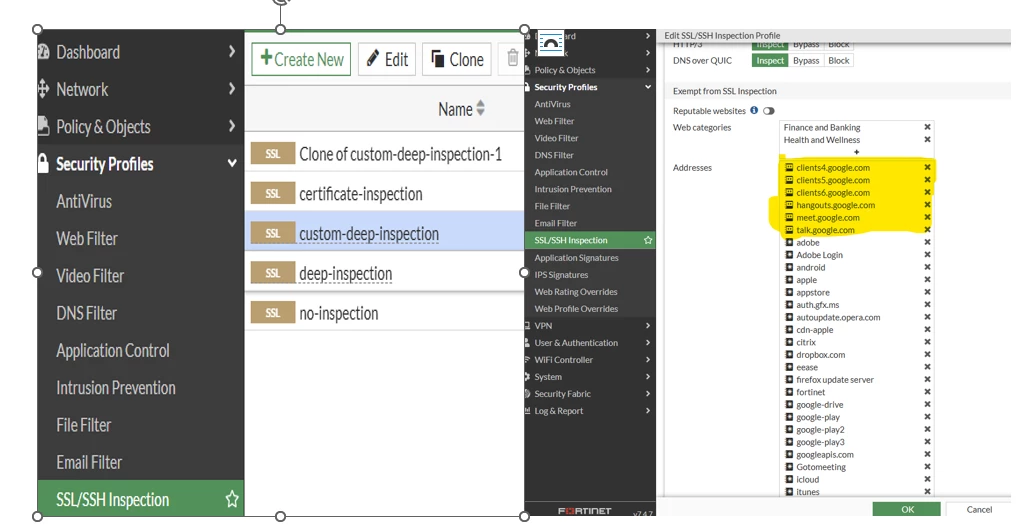 Save the changes to the SSL inspection profile. -
Download the FortiGate certificate from Customs Deep Inspection and install it on the client PC or domain server so it will work on the user's PCs. Download the FortiGate certificate used for SSL inspection. Import it as a trusted root CA in the web browser or PC. This can help prevent certificate warnings. - Apply an App control profile as well to bypass this traffic: Since the IPS engine requires some protocol decoders in deep inspection mode to run so it can use them for web filter profiles. Technical Tip: How does the IPS engine determine if a packet contains an attack or anomaly
-
Apply on the Firewall Policy: Ensure that the updated SSL inspection profile is applied to the relevant firewall policies.
It will work fine without blocking Google Meet.
Related articles:
Troubleshooting Tip: A guide to FortiGate and certificate issues
Technical Tip: How to download the right certificate for SSL/SSH deep inspection
|