Technical Tip: FortiGate VRF support for IPv6 (FortiOS 7.0.1 and later)
| Description | This article discusses VRF support for IPv6 on the FortiGate before and after FortiOS v7.0.1. |
| Scope | FortiOS v7.0.0 and earlier, FortiOS v7.0.1 and later. |
| Solution | Prior to FortiOS v7.0.1, FortiGate did not support the usage of Virtual Routing and Forwarding (VRF) for IPv6. When VRF is enabled on a FortiGate interface, the IPv6 routing table would not show connected networks related to that interface. Additionally, adjacencies for dynamic routing protocols (such as BGP, OSPF, etc.) may fail to establish.
As of Change #700840 in FortiOS v7.0.1 the FortiGate now supports VRF for IPv6, which also includes BGP-based VRF route leaking and VRF assignment for individual static routes. See also: VRF support for IPv6.
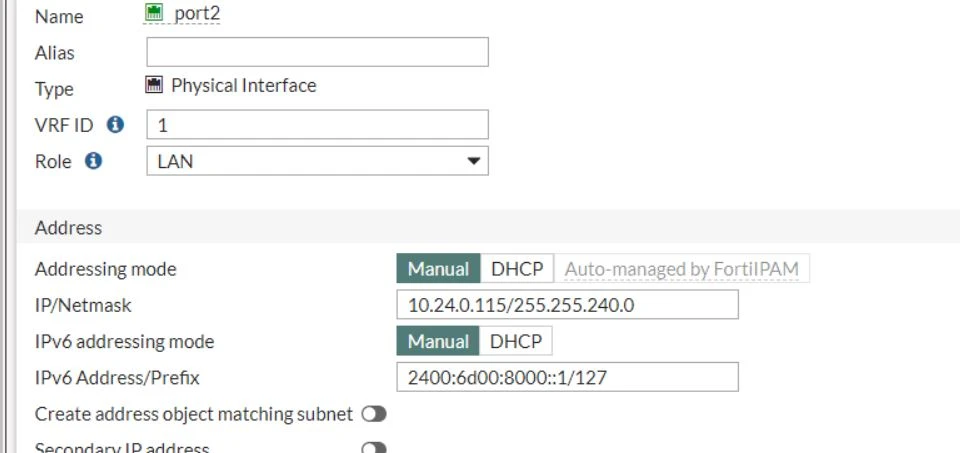
As an example of behavior before v7.0.1, consider the following interface configuration for port2, which is assigned to VRF 1 (0 being the default) and has an IPv6 address of 2400:6d00:8000::1/127:
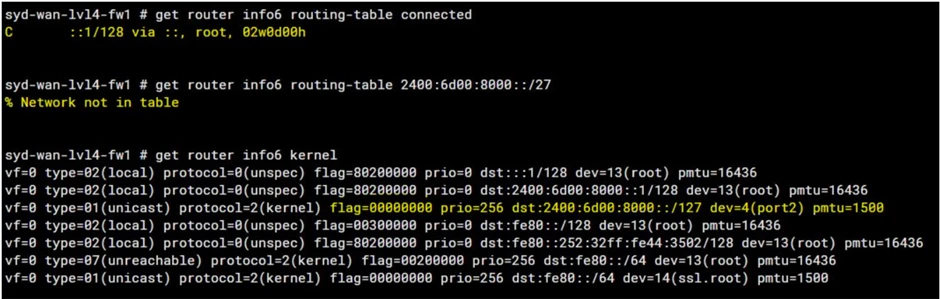
When checking the output of get router info6 routing-table connected, the IPv6 prefix associated with port2 is not present. However, checking the kernel routing table an entry is present for 2400:6d00:8000::/127 via port2:
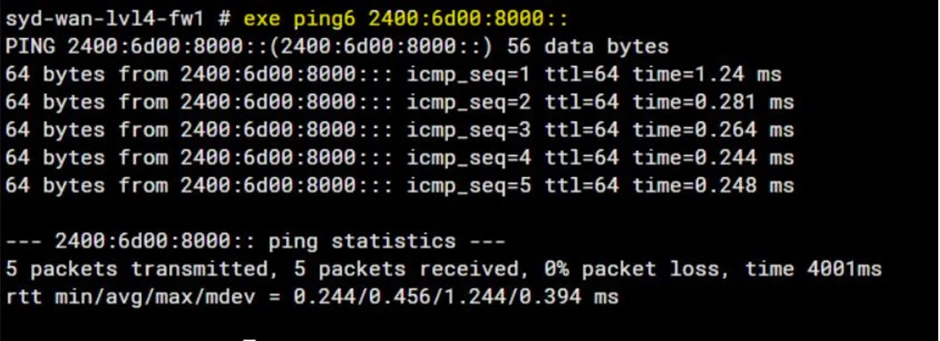
Notably, the FortiGate can successfully send and receive ICMPv6 pings to the remote device 2400:6d00:8000::, and a response is received as well.
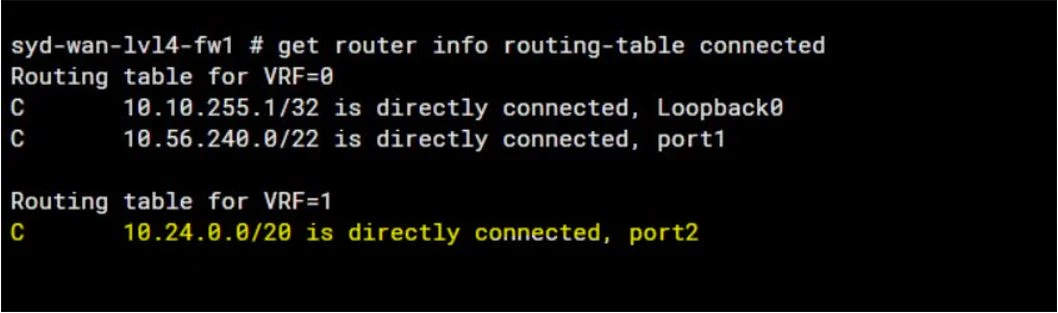
By comparison, the IPv4 routing table is correct for port2 and shows the IPv4 connected route for 10.24.0.0/20 in VRF 1:
Related documents: |