When a static route is configured with only an outgoing Ethernet interface, FortiGate may attempt to resolve the destination IP address directly through ARP instead of forwarding traffic to the appropriate next-hop router.
This behavior can affect traffic destined directly to FortiGate interfaces, including administrative access and other local services.
Scenario.
Consider the following network configuration: FortiGate interface: 192.168.100.10 (port5). Layer 3 switch gateway: 192.168.100.1. Remote subnet: 192.168.200.0/24. Remote endpoint: 192.168.200.25. Destination service: TCP/8443.
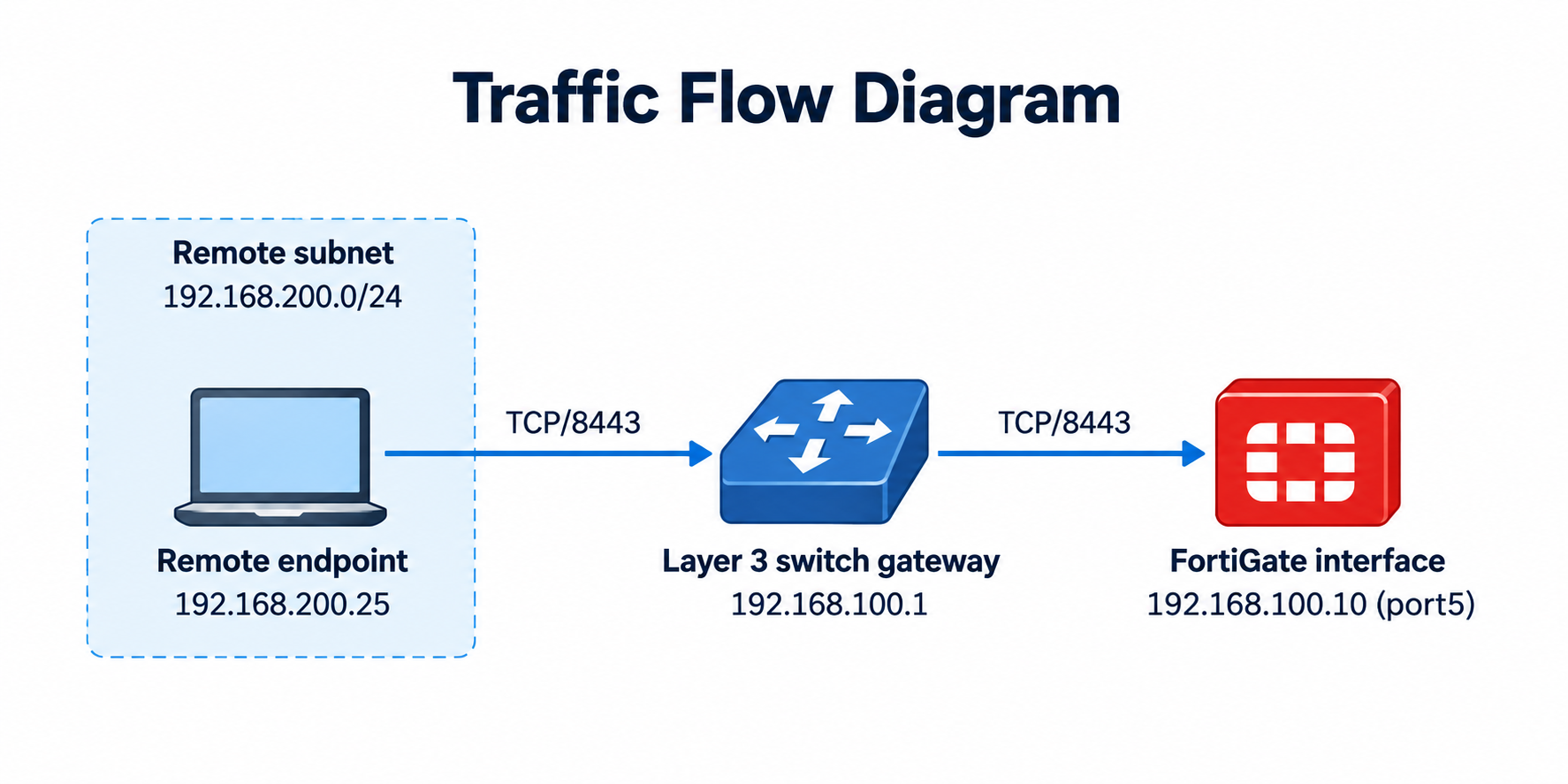
The remote endpoint attempts to establish a TCP connection to the FortiGate interface.
The following static route is configured:
config router static
    edit 36
        set dst 192.168.200.0 255.255.255.0
        set device "port5"
    next
end
Note that the route specifies the outgoing interface but does not define a next-hop gateway.
To verify the traffic, run the following command:
diagnose sniffer packet any 'host 192.168.200.25 and host 192.168.100.10' 4 0 l
The following behavior is observed:
port5 192.168.200.25.50891 -> 192.168.100.10.8443: syn 2828726442
port5 arp who-has 192.168.200.25 tell 192.168.100.10
port5 192.168.200.25.51978 -> 192.168.100.10.8443: syn 1957935993
port5 192.168.200.25.60285 -> 192.168.100.10.8443: syn 1542542154
port5 arp who-has 192.168.200.25 tell 192.168.100.10
The capture confirms that TCP SYN packets successfully reach the FortiGate.
However, the FortiGate generates ARP requests directly for '192.168.200.25', even though the endpoint belongs to a remote subnet.
Since the endpoint is not directly connected to the same Layer 2 segment, these ARP requests do not receive a response, preventing the FortiGate from communicating with the remote endpoint.
The issue happens because the static route does not specify a next-hop gateway. Static routes configured without a gateway can be appropriate for point-to-point interfaces, such as IPsec VPN tunnels, where a conventional Ethernet next-hop address is not required.
However, for remote networks reachable through an Ethernet interface, a next-hop gateway should generally be specified. Without a gateway, FortiGate attempts to resolve the destination MAC address directly instead of using the Layer 3 router responsible for reaching the remote subnet.
Resolution.
Configure the appropriate next-hop gateway in the existing static route. In this example, the Layer 3 switch at '192.168.100.1' is responsible for routing traffic toward '192.168.200.0/24'. Update the static route using the following commands:
config router static
    edit 36
        set gateway 192.168.100.1
    next
end
The result should look like this:
config router static
    edit 36
        set dst 192.168.200.0 255.255.255.0
        set gateway 192.168.100.1
        set device "port5"
    next
end
After configuring the gateway, FortiGate resolves the MAC address of the next-hop router instead of attempting direct ARP resolution for the remote endpoint.
Related articles:
Technical Tip: How to create or delete static routes via CLI on FortiGate Technical Tip: How to create a static route on FortiGate from the GUI Interface |