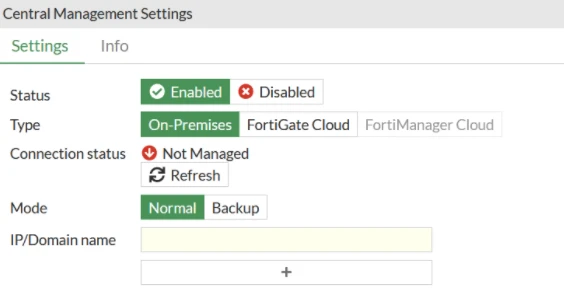
Technical Tip: FortiGate 'FortiManager Cloud' option is greyed out
| Description | This article describes the case when under UI -> Security Fabric -> Fabric Connectors -> Central Management -> edit -> FortiManager Cloud is greyed out.
|
| Scope | FortiGate. |
| Solution | Ensure that FortiGate entitlement is updated via FortiGuard Distribution Server(FDS), and perform the following CLI commands:
diagnose debug application update -1
It should show the output about 'FortiManager Cloud entitlement' as below:
2023-08-10 10:01:53 upd_status_extract_alci_info[1361]-Extracting account contracts...(UserID=110XXXX|SerialNumber=FMGVCLTMXXXXXXXX|Cont ract=FMGC-6-20240805-10-10
Once the license is being updated, it is possible to verify by running the CLI command 'diagnose test update info', it should show a valid FortiManager Cloud entitlement under account contracts as below:
Now it is possible to add the FortiGate to FortiManager Cloud. |