| FortiAuthenticator v6.4.4 introduced a Zero Trust Tunnel Feature, which is used to securely connect with an on-prem Active Directory Server(LDAP). Zero trust tunnels FortiAuthenticator v6.4.4
This article assumes that the initial setup for this feature has been completed:
Setting up a zero trust tunnel
If the ZTNA tunnel is failing on the FortiGate, check the ZTNA traffic logs on FortiGate: Log & Report -> ZTNA Traffic.
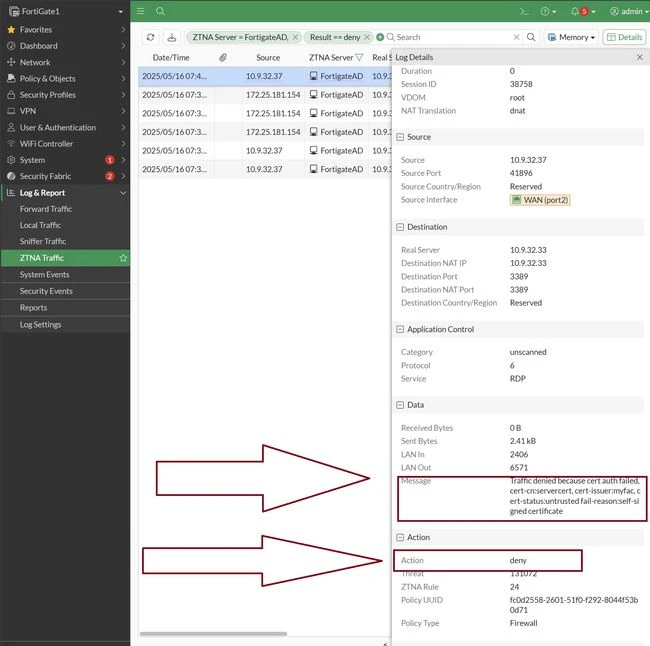
In the screenshot above, the error 'Traffic denied because cert auth failed' shows up.
To resolve this issue, ensure the ZTNA CA certificate has already been uploaded onto the FortiGate:
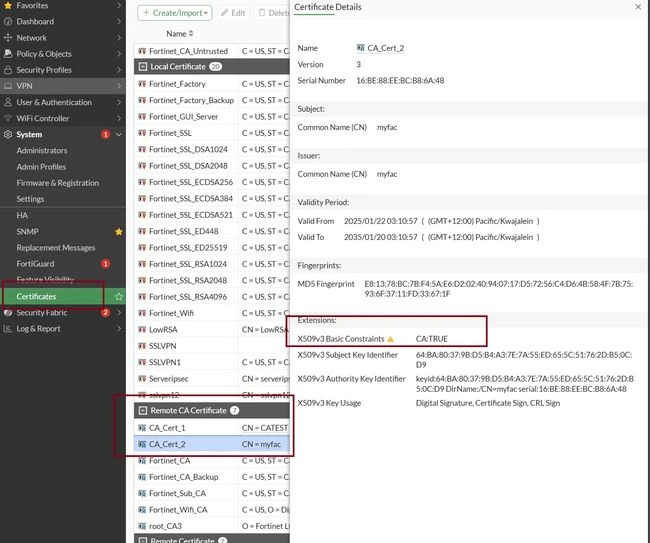
If the CA certificate does not exist, import it and make sure to take note of the name after importing the CA certificate. In the screenshot above, the name is 'CA_Cert_2'.
The FortiGate will need to use the CA certificate in order to trust the FortiAuthenticator certificate for the ZTNA tunnel.
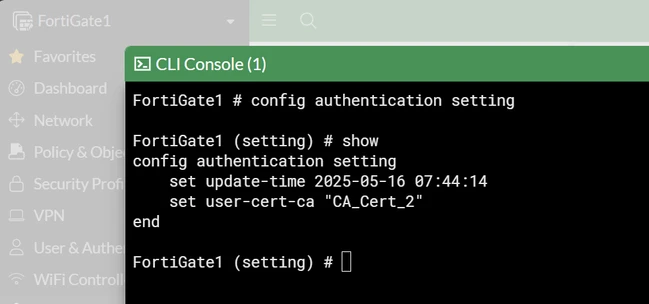
After confirming the CA certificate, configure the following option through the FortiGate CLI:
config authentication setting
set user-cert-ca <name of CA certificate>
end
Note:
The authentication rule and scheme settings should also be configured as described in the documentation below:
Configuring certificate authentication for FortiAuthenticator
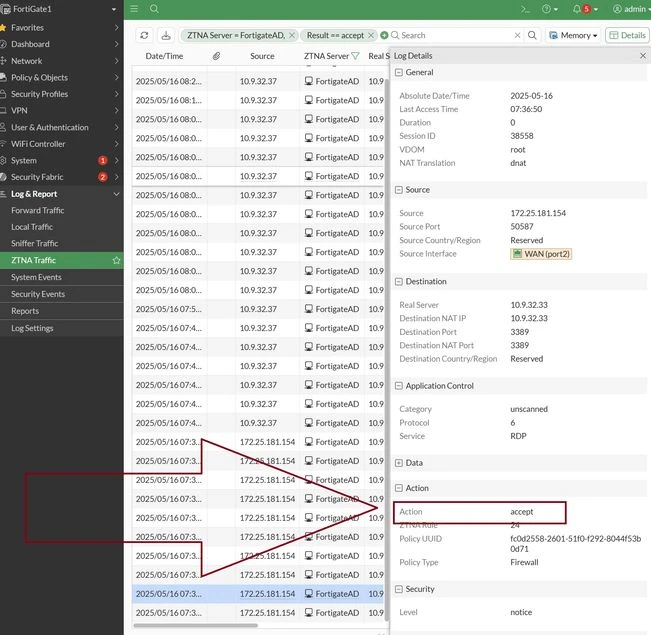
After confirming the CA certificate has been selected, re-attempt the ZTNA connection and check the ZTNA traffic logs again to verify it is successful:
Related Articles:
Configuring certificate authentication for FortiAuthenticator
Setting up a zero trust tunnel
What's new FortiAuthenticator v6.4.4 | 


