


Technical Tip: FortiAnalyzer Cloud is grayed out even though FortiAnalyzer Cloud entitlement is purchased or included in the license
Description | This article describes how to enable the FortiAnalyzer Cloud option for logging on the FortiGate. Even though FortiAnalyzer Cloud entitlement is included in the license, the FortiAnalyzer Cloud option is grayed out in the Logging Settings on the Fabric Connectors page of FortiGate. |
Scope | FortiGate v7.2 and above, FortiAnalyzer Cloud. |
Solution | 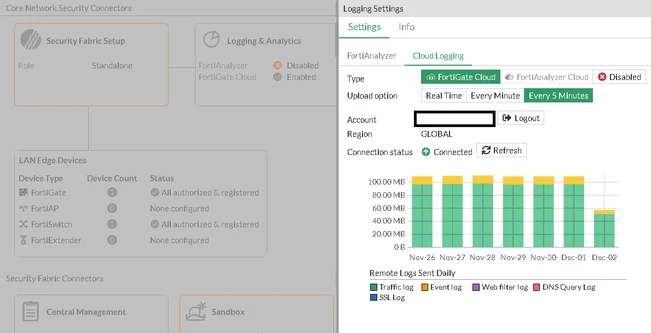
When trying to enable this option for CLI, it gives the following error:
FortiGate will not allow to have FortiGate Cloud and FortiAnalyzer Cloud at the same time. So FortiGate must log out from FortiGate Cloud. A confirmation with a warning message will appear as follows: 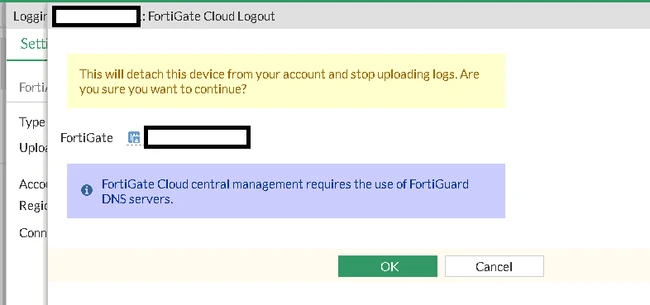
Once successfully logged out, FortiAnalyzer Cloud can be enabled through CLI as follows:
After this step, the FortiGate device must be authorized from FortiAnalyzer Cloud.
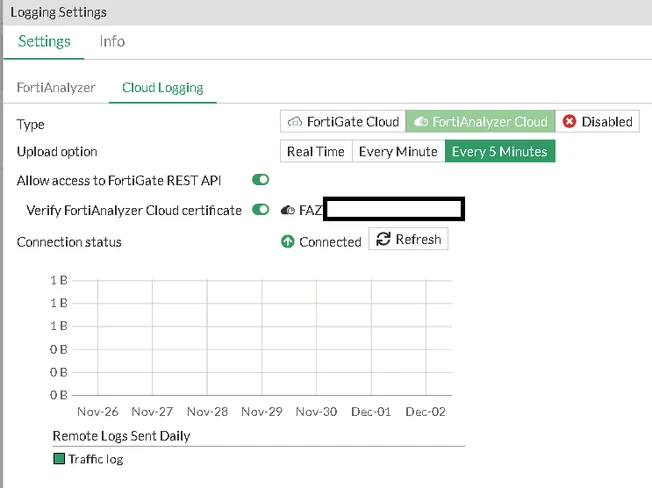
If not having a device level setting license for Fortianalyzer Cloud, this step will not fix the integration of FortiGate and FortiAnalyzer Cloud. It is possible to enable the FortiAnalyzer Cloud via CLI, however, it will not send OFTP to FortiAnalyzer Cloud. Hence, it is necessary to ensure having the FortiAnalyzer Cloud license (FAZC).
NOTE: In case of FortiGate HA, all units must have FortiAnalyzer Cloud entitlement. |
