Technical Tip: External threat feed connector not showing in the firewall policy
| Description | This article describes that the external threat feed connector is not showing in the firewall policy. |
| Scope | FortiGate v7.6.x. |
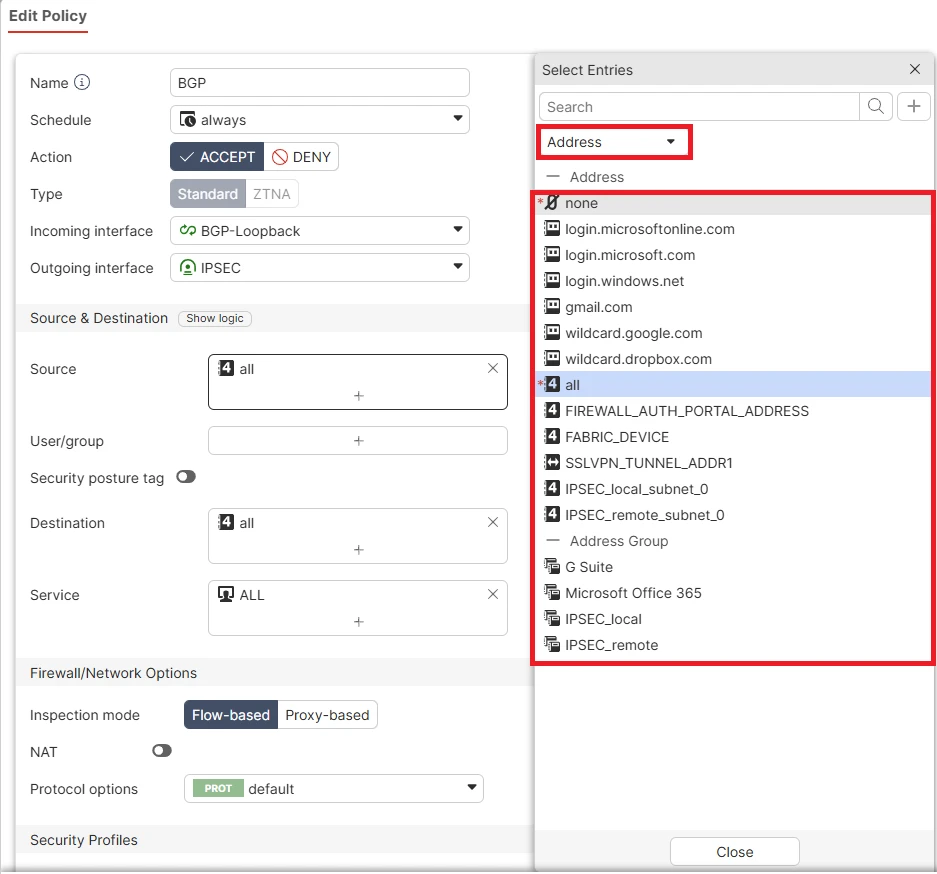
| Solution | When attempting to add an external threat-feed connector in recent versions of FortiOS, the external threat-feed object may not be available as an option in the Source field.
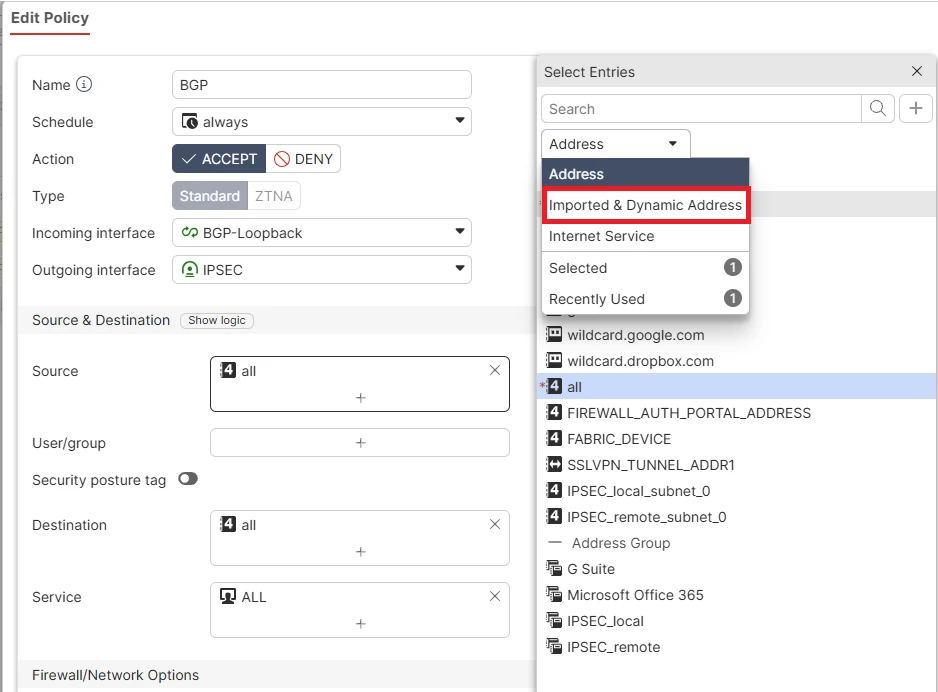
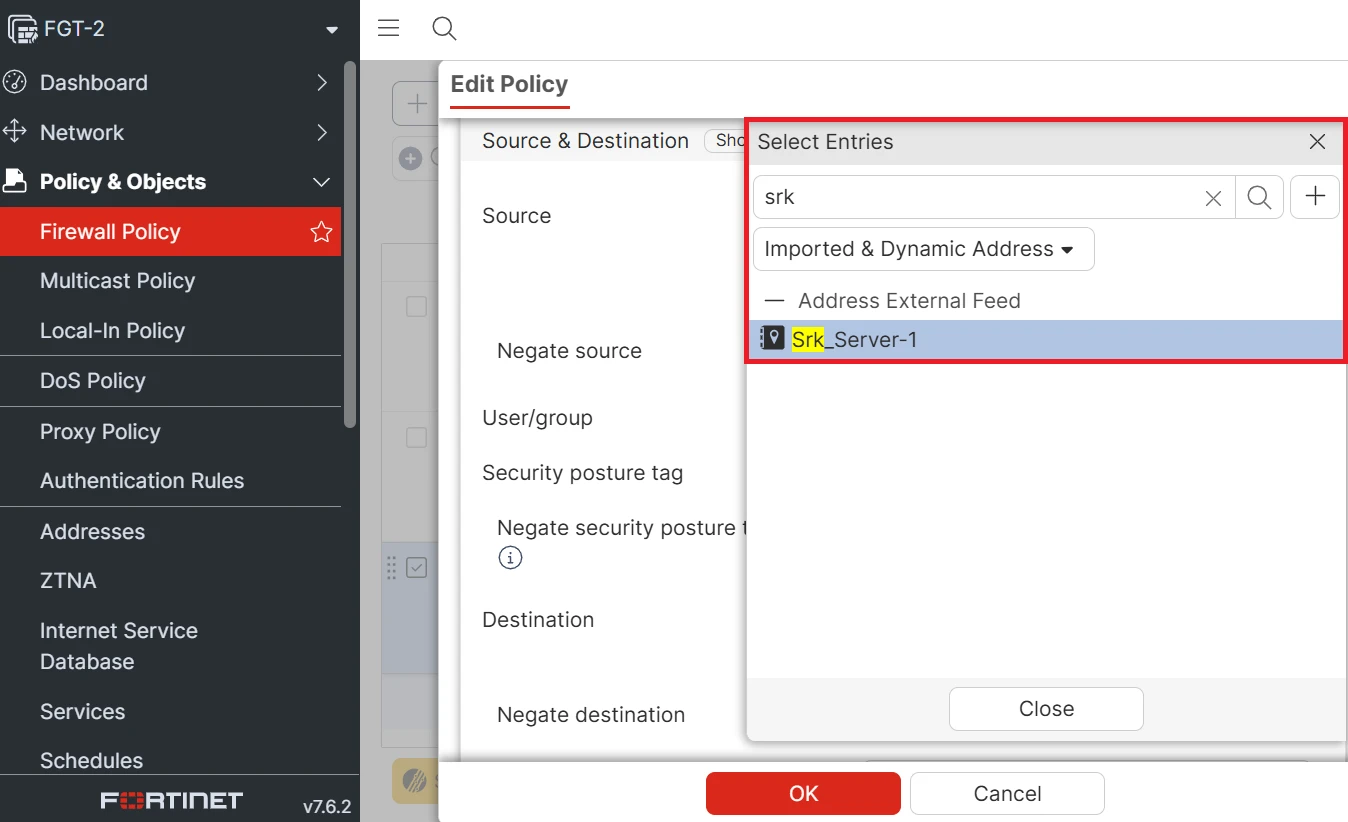
In the latest versions of FortiOS, the external threat feed connector does not appear by default because the Address view is displayed when adding a new entry. To locate it, navigate to the Imported and Dynamic Address section, where the external threat feed is listed
As shown in the attached image, the external threat feed address object becomes visible in the Source or Destination fields once Imported and Dynamic Address is selected.
|