


Technical Tip: Explaining 'diagnose traffictest' command limitation on FortiOS
Description | This article describes the limitations of the 'diagnose traffictest' command and how to properly test hardware throughput traffic |
Scope | All FortiGate models. |
Solution | IPERF is a tool used for active measurements of the maximum achievable bandwidth on IP networks. FortiGate does have the command 'diagnose traffictest' which is a reduced implementation of IPERF on FortiOS as described in Technical Tip: Use cases for the diagnose traffictest command.
The fact that IPERF implementation on FortiGate was reduced can affect the result of bandwidth and throughput tests when they were started from the FortiGate interface instead of having IPERF traffic crossing the FortiGate device.
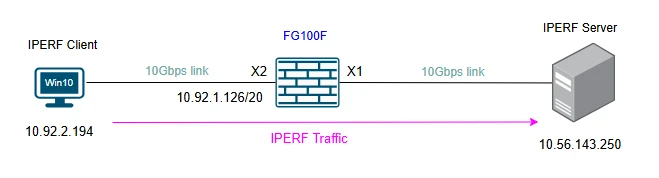
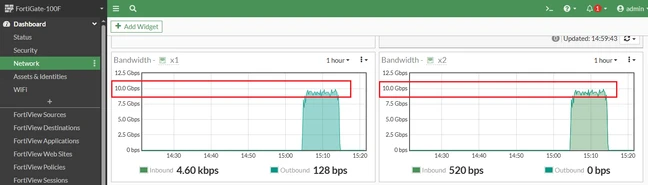
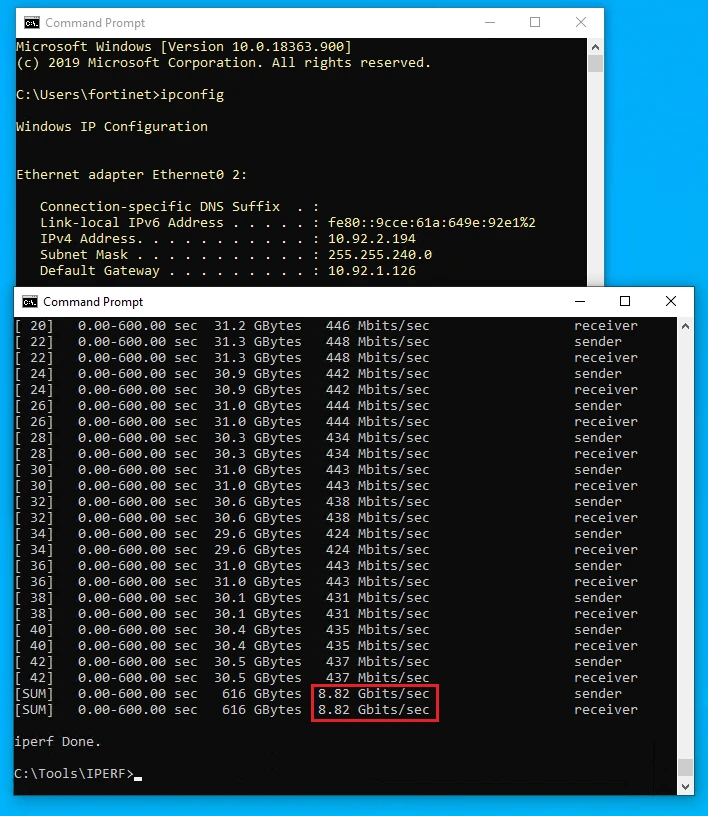
Using a Virtual Machine with Win10 Pro and a NIC of 10Gbps behind the FortiGate 100F for example, that has 2x 10Gbps ports (x1 and x2), is possible to reach ~9Gbps of throughput.
Checking the widget of bandwidth on FortiGate for interfaces x1 and x2.
Checking IPERF results on VM.
Now using the FortiGate 100F x1 interface as the source of the IPERF traffic (IPERF traffic is not crossing the FortiGate), the results are not the same.
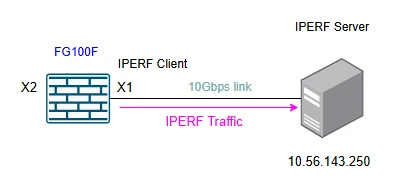
Checking the widget of bandwidth on FortiGate for interfaces x1 and x2 and IPERF output while the test is still running. The 10Gbps interface x1 cannot reach more than ~900Mbps not because of the hardware throughput, but because of the IPERF reduced implementation on FortiGate.
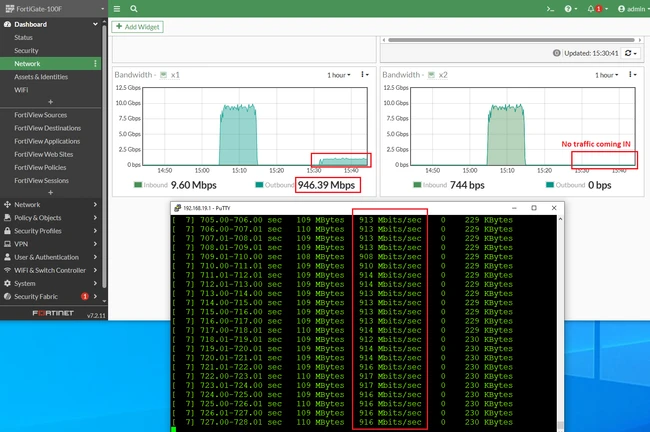
Conclusion: To validate the actual FortiGate throughput and set up the upload and download speed baseline, an external server and client are required to test the throughput with FortiGate in between as the first network diagram presented in this article. The iPerf3 server on the FortiGate cannot be used as a full-featured iPerf3 server. It can be used only for the interface tests between FortiGate ports or as a client towards a server. For tests where an iPerf3 server is required, use a Windows or Linux machine with iPerf3 configured as a server. |
