kumarh
Staff
Staff
Sep 6, 2023 2:58 PM UTC

Technical Tip: Configuring LAN port as WAN

Description This article describes how to switch 'WAN' interface traffic to the 'LAN' interface.
Scope FortiGate,
Solution

It is possible to configure any internal interface as 'WAN'.


Note:

Take the backup of the configuration file.


Follow the below steps: 

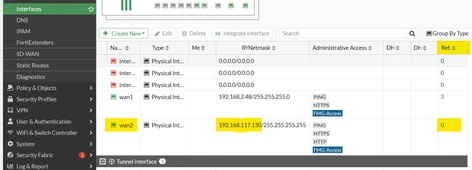
  1. Make sure to remove all the references from the WAN interface. 


kumarh_0-1694011290341.png


  1. Plug the ISP connection into the LAN interface.

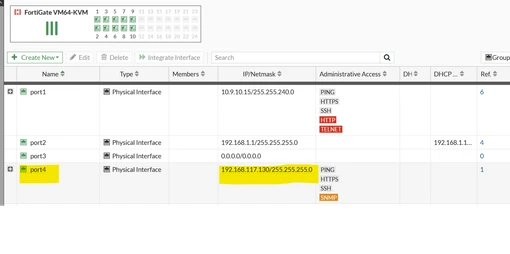
  2. Configure the WAN IP address to the LAN interface.


    kumarh_1-1694011290347.png

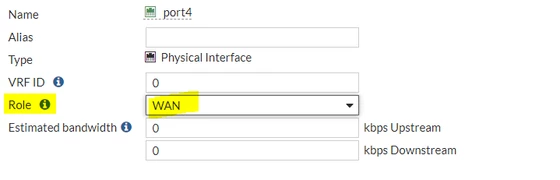
                                        MicrosoftTeams-image (67).png

  3. Change the role of the interface to WAN.
  4. Configure the static route for the LAN interface.

  5. In the firewall policy, change the interface from WAN to LAN.


Note:

If the target interface involves a software switch, follow this KB article: Technical Tip: How to add or remove physical interface from Hardware/Software switch

    Risk and Resilience in the Age of AI. An OT Thought Leadership Summit for Houston's Critical Infrastructure Leaders. Date: Thursday, December 3, 2026. Time: 8:30 am - 1:30 pm (CT). Location: The Westin Houston, Memorial City | 945 Gessner Road, Houston, TX 77024