Technical Tip: Change website webfilter category locally
Description
This article describes how to change websites category locally on the FortiGate.
Solution
The webfilter on the FortiGate can be configured to change locally the category of the websites.
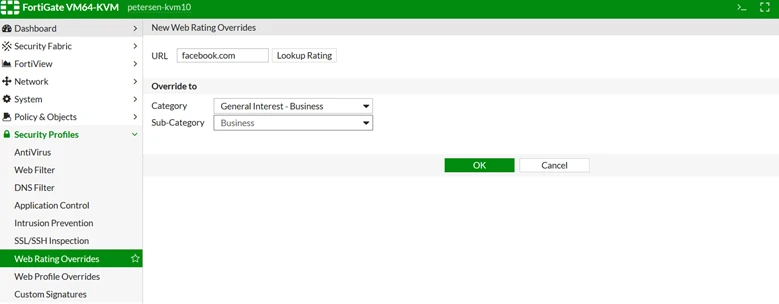
For example: It is require to block social websites in the organization. However 'Facebook' is used for Business. Thus, it will be needed to change it’s category from Social Networking to Business.
This can be achieved as follow :
Go to Security Profiles -> Web Rating Overrides -> Create NewAdd the URL and then change the required Category and click on 'Ok'.