Technical Tip: Blocking device based on OS detected using Dynamic address options under Firewall Policies
| Description | This article describes the feature to enable 'Dynamic address' under policies and block devices based on the OS detected. |
| Scope | FortiGate v7.4 and above. |
| Solution | This feature relies on device detection configured on the interface connected to user devices to determine device information. Only existing devices whose device information has already been detected by the FortiGate and is known can be added to this dynamic address subtype.
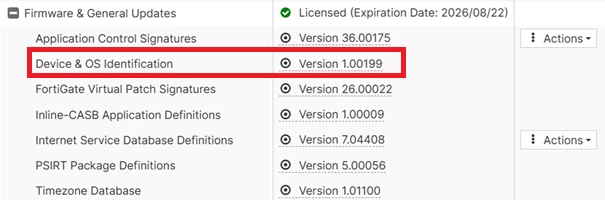
FortiGate requires General Updates Services for Device & OS Identification.
Note: Switching from profile-based to policy-based mode converts policies to policy-based. To avoid issues, create a new VDOM for the policy-based mode. Recommend backing up the configuration before switching modes.
The Software Version can be added. Depending on the hardware model, the address can be configured and settings adjusted as needed. The example below is for an iPhone mobile device.
Troubleshooting command:
Related document: |