In this example, the auto-script will be run when FortiGate enters conserve mode. This will be useful when troubleshooting the conserve mode issue. Create the auto-script:
config system auto-script
    edit "Collect logs"
        set script "
            get system status
            get system performance status
            get system session status

            diagnose sys top-mem 100
            diagnose sys top 1 99 10
            diagnose hardware sysinfo memory
            diagnose hardware sysinfo slab
            diagnose hardware sysinfo shm
                          "
    next
end
Important Note:
The auto-script output is stored in the RAM, so use with caution as improper use of the auto-script may trigger a conserve mode, especially if running multiple scripts with a maximum of 10MB (set output-size).
Starting from FortiOS v8.0.1-build 0185, the auto-script engine only allows information-gathering commands (get, diagnose); 'execute' commands are not permitted in auto-script. Thus, backup using the auto-script feature will fail with the message 'unknown action or command is unavailable in auto-script'. Note:
For more information on auto-script configuration, testing, and verification, check Technical Tip: Automated scripts (auto-script). Execution, testing and verification explained with examples. Create automation-action. In this example, the FTP server IP address is 10.207.2.82, the username is 'admin', and the password is 'password'. The FTP server can be changed to a TFTP server, and a username and password are not required for TFTP.
config system automation-action
    edit "Send to FTP server"
        set action-type cli-script
        set script "execute auto-script backup ftp \"Collect logs\" 10.207.2.82:21 admin password"
        set accprofile "super_admin"
    next
    edit "Run collect logs"
        set action-type cli-script
        set script "execute auto-script start \"Collect logs\""
        set accprofile "super_admin"
    next
end
Create an automation-trigger for conserve mode.
 config system automation-trigger
    edit "Conserve Mode"
        set event-type low-memory
    next
end
Note that the trigger can be every month, hour, daily, weekly, or once. 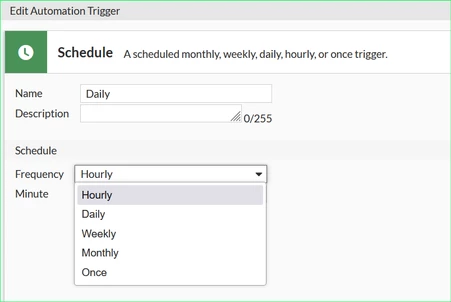 config system automation-trigger
edit "Daily"
set trigger-type scheduled
set trigger-frequency Daily
next
end
Create an automation stitch.
In this example, a delay of 15 seconds is added to wait for the output of the auto-script.
config system automation-stitch
    edit "Run auto-script"
        set trigger "Conserve Mode"
            config actions
                edit 1
                    set action "Run collect logs"
                    set required enable
                next
                edit 2
                    set action "Send to FTP server"
                    set delay 15
                    set required enable
                next
            end
    next
end
These can be configured in WebGUI under Security Fabric -> Automation:
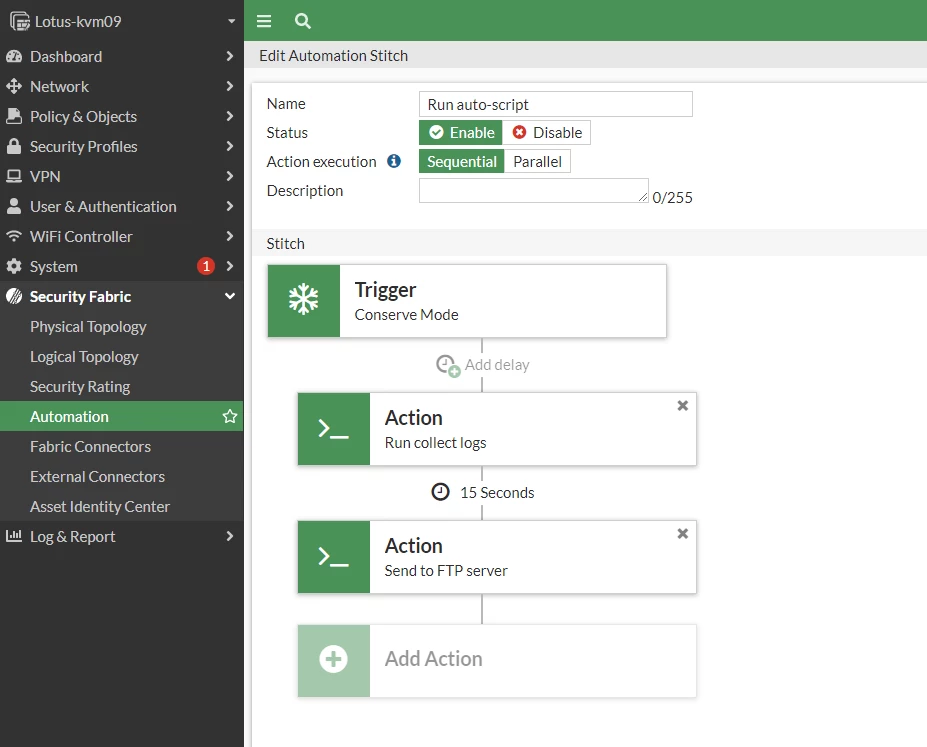
When the FortiGate enters conserve mode, the auto-script will be run, and the output will be sent to the FTP server.
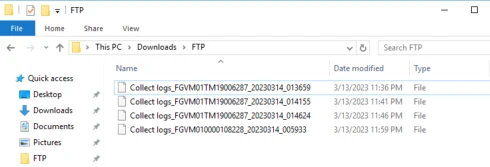
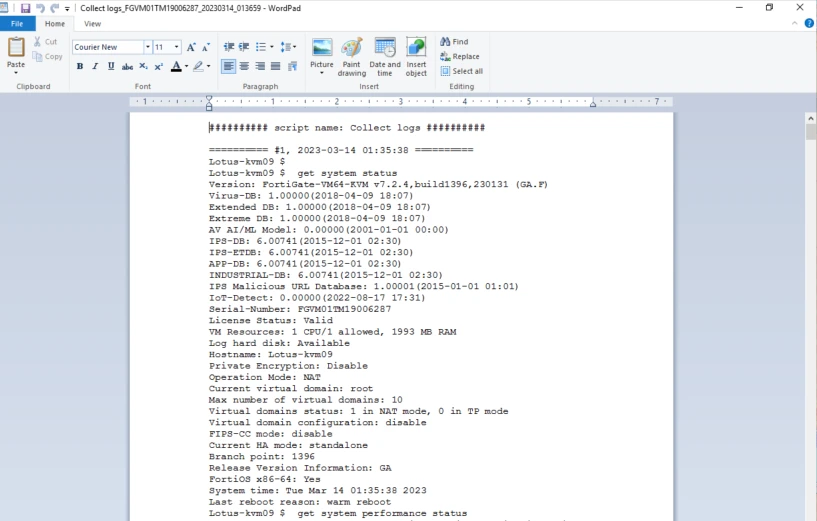
Sample of the output file:
 | 


