FortiGate can inspect DNS queries addressed to its own DNS service or DNS queries passing through a firewall policy with a DNS filter profile applied. The destination DNS server can be public or private. What matters is whether the DNS traffic is processed by FortiGate and whether the appropriate DNS filtering configuration is applied.
The following is an explanation of why FortiGate was unable to block a filtered domain even if a DNS filter is applied in the firewall policy. Setup: Test-PC (10.162.13.127) ---------> (port3) FortiGate ----> Internet. The gateway IP for the PC is Port3 IP on firewall 10.162.8.44. Firewall policy has been configured from Port3 towards the internet, where a DNS filter is applied:
config firewall policy
    edit 3
        set name "Internet"
        set uuid d8199616-3247-51f0-dba8-ba699be3c3c6
        set srcintf "port3"
        set dstintf "port1" "port2"
        set action accept
        set srcaddr "all"
        set dstaddr "all"
        set schedule "always"
        set service "ALL"
        set utm-status enable
        set ssl-ssh-profile "certificate-inspection"
        set dnsfilter-profile "default"
        set logtraffic all
        set nat enable
    next
end
The following is the DNS filter to block a Yahoo domain: 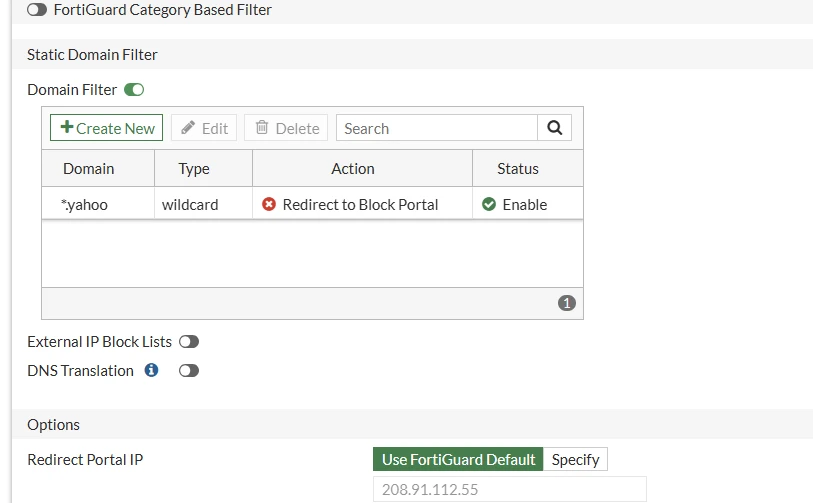 In this example, the DNS filter configured on firewall policy 3 did not block the queried domain. Possible reasons include a cached DNS response on the client or DNS queries being sent through a path that does not match the firewall policy.
When clients use an internal DNS server, DNS filtering depends on whether the DNS traffic passes through FortiGate and matches a firewall policy with a DNS filter profile applied.
If the client and DNS server communicate without traversing FortiGate, the firewall policy cannot inspect those queries.
If the DNS traffic between the client and the internal DNS server passes through FortiGate, it can be inspected by the matching firewall policy.
Similarly, if the internal DNS server forwards queries to an upstream DNS server through FortiGate, those forwarded queries can be inspected by a DNS filter profile applied to the matching firewall policy.
To test the behavior, FortiGate port3 interface IP has been selected as the DNS server on the local PC: 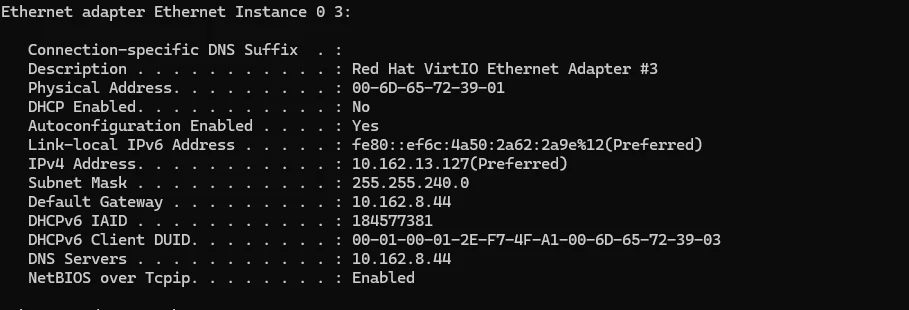
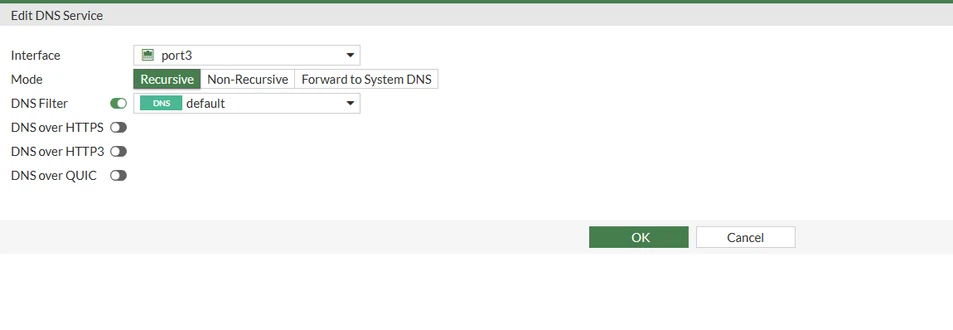 With the setup above, a DNS filter can be applied at the interface level as well.
The DNS query will be received on FortiGate:
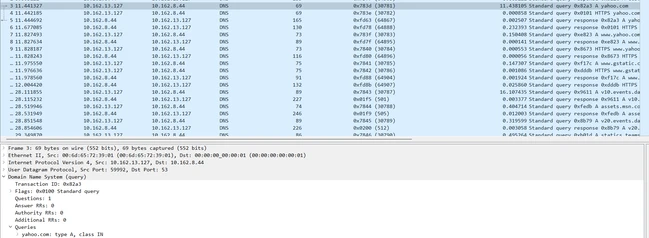 In this test, the DNS filter profile is applied directly to the FortiGate DNS service on port3.
The browser displays an HTTPS certificate warning when accessing the filtered domain. This behavior is consistent with DNS filtering configured to redirect blocked domains to the FortiGuard block portal.
The DNS response can be checked to confirm whether the queried domain resolves to the configured DNS block portal IP.
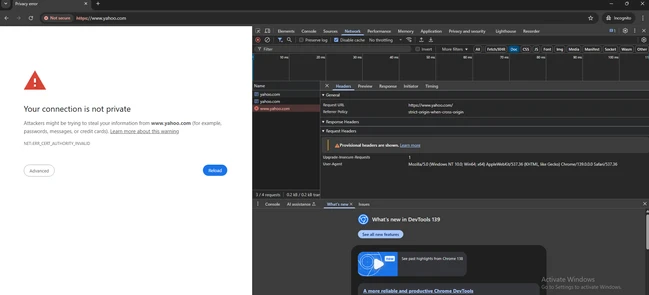
Note: When using a FortiGate interface as a DNS server, configure the DNS service mode according to the intended DNS resolution behavior.
DNS filter profiles can be applied in both Recursive and Forward to System DNS modes.
In Non-Recursive mode, FortiGate searches only the Public DNS database and does not forward unresolved queries to the system DNS servers. The DNS Filter option is not available in this mode.
Therefore, clients may experience DNS resolution failures for domains that are not present in the Public DNS database.
Related article:
Technical Tip: DNS filter behavior |