In the example below, internal mail clients on port2 send mail to the relay smtp.azurecomm.net on port1 using SMTP on port 587 with STARTTLS.
All profiles are named 'STARTTLS'.
Create the service object for port 587.
The predefined service 'SMTP' covers TCP/25 only. Create a custom service for TCP/587:
config firewall service custom
    edit "SMTP-587"
        set category "Email"
        set tcp-portrange 587
    next
end
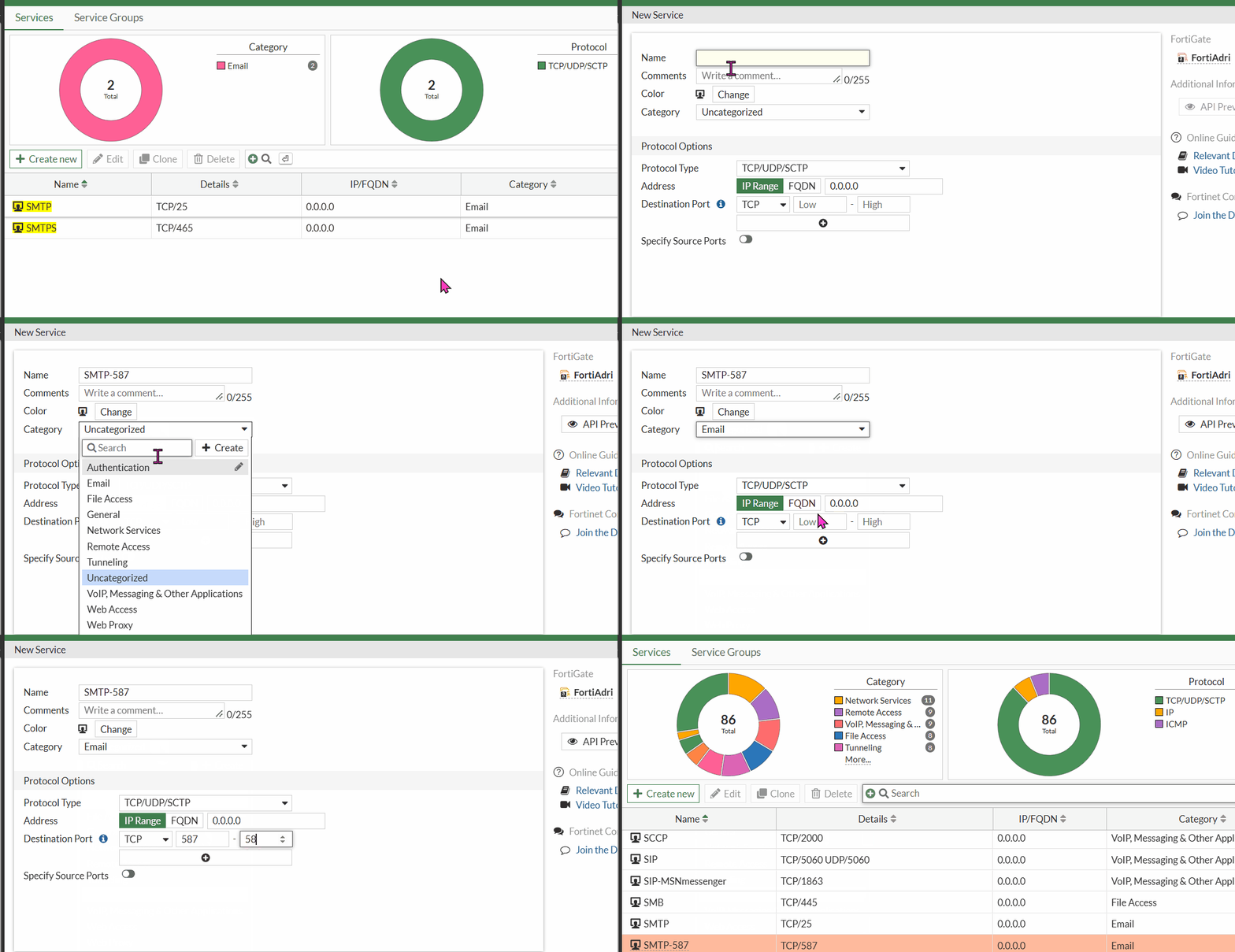
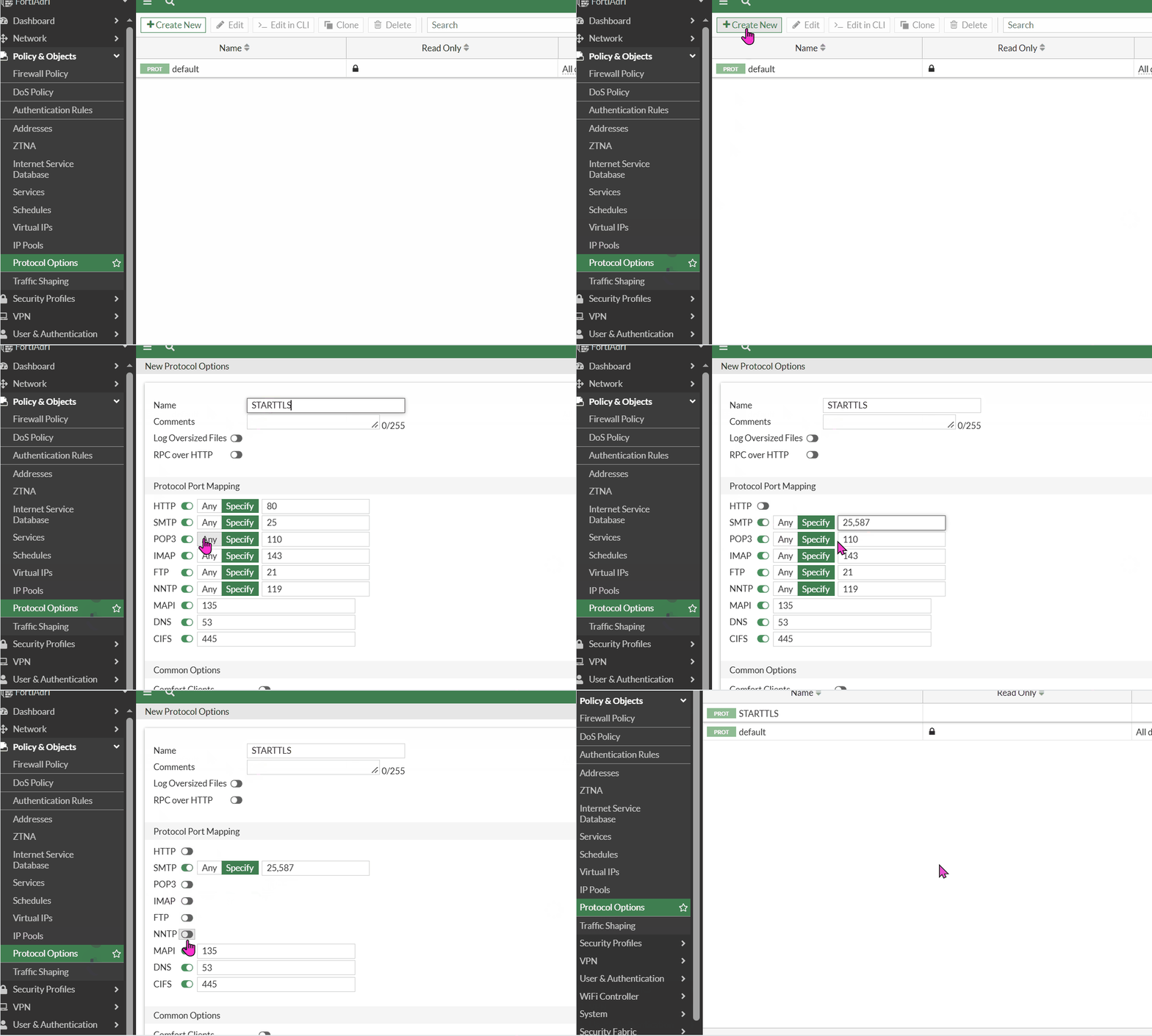
Configure the protocol options profile.
Add both port 25 and 587 to SMTP. All other protocols are disabled, as only SMTP is handled by this policy.
config firewall profile-protocol-options
    edit "STARTTLS"
        config http
            set ports 80
            set status disable
            unset options
            unset post-lang
        end
        config ftp
            set ports 21
            set status disable
            set options splice
        end
        config imap
            set ports 143
            set status disable
            set options fragmail
        end
        config mapi
            set ports 135
            set status disable
            set options fragmail
        end
        config pop3
            set ports 110
            set status disable
            set options fragmail
        end
        config smtp
            set ports 25 587
            set options fragmail splice
        end
        config nntp
            set ports 119
            set status disable
            set options splice
        end
        config ssh
            unset options
        end
        config dns
            set ports 53
            set status disable
        end
        config cifs
            set ports 445
            set status disable
            unset options
        end
    next
end
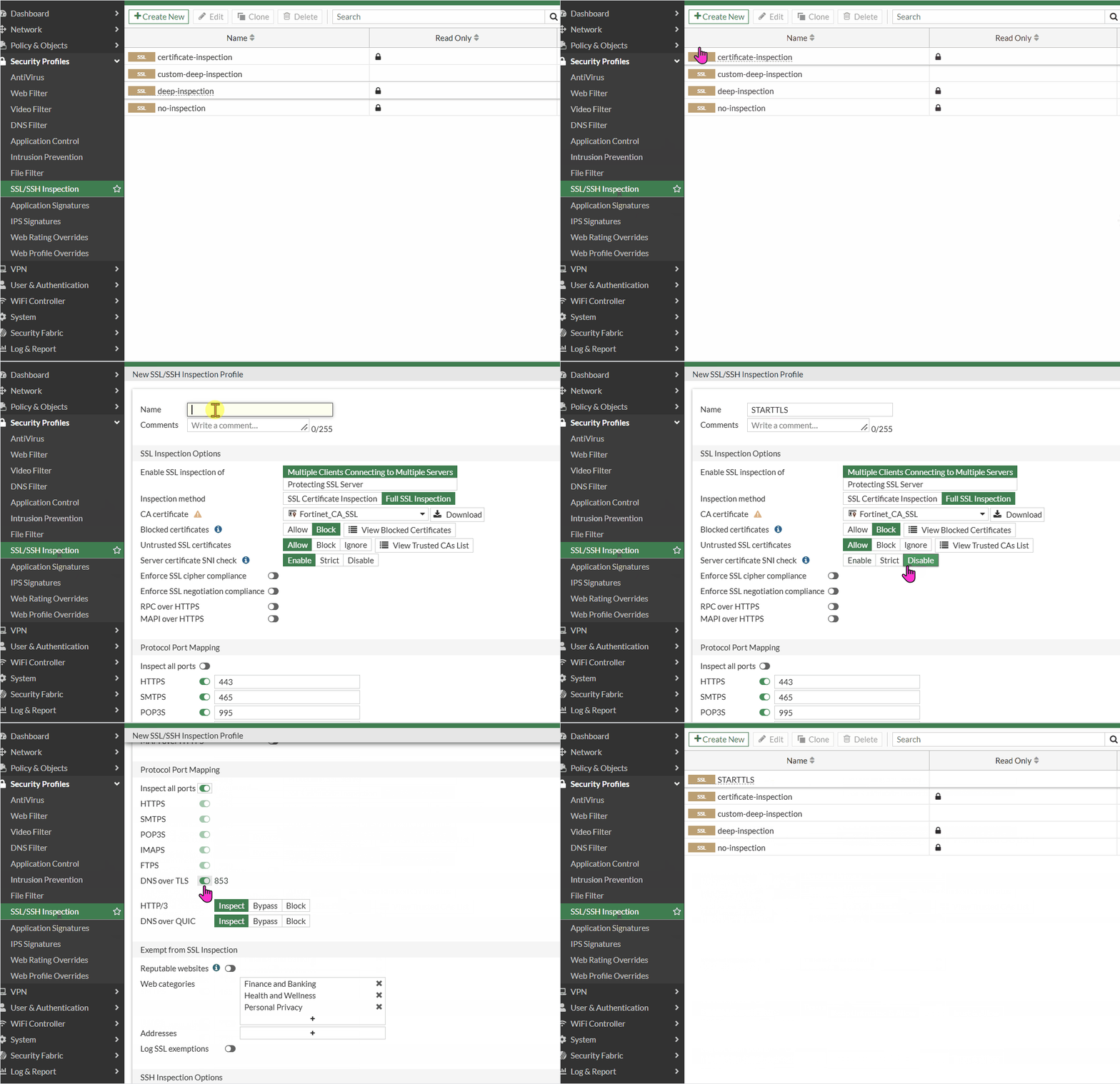
Configure the SSL/SSH inspection profile.
Set 'inspect-all deep-inspection'. This allows the FortiGate to intercept the TLS handshake that follows the STARTTLS command on port 25/587.
config firewall ssl-ssh-profile
    edit "STARTTLS"
        config ssl
            set inspect-all deep-inspection
            set expired-server-cert allow
            set revoked-server-cert allow
            set cert-validation-failure allow
            set sni-server-cert-check disable
            set min-allowed-ssl-version tls-1.0
        end
        config https
            set ports 443
            set quic inspect
        end
        config ftps
        end
        config imaps
        end
        config pop3s
        end
        config smtps
        end
        config ssh
            set ports 22
            set status disable
        end
        config dot
            set status deep-inspection
            set quic inspect
            set expired-server-cert allow
            set revoked-server-cert allow
            set cert-validation-failure allow
        end

    next

end
Note:
'config smtps' applies to SMTPS (implicit TLS, port 465) only. It does not need any port for STARTTLS on 25/587.
Configure the antivirus profile.
config antivirus profile
    edit "STARTTLS"
        set comment "Scan files and block viruses."
        set feature-set proxy
        config http
            set av-scan block
        end
        config ftp
            set av-scan block
        end
        config imap
            set av-scan block
            set executables virus
        end
        config pop3
            set av-scan block
            set executables virus
        end
        config smtp
            set av-scan block
            set executables virus
        end
        config mapi
            set av-scan block
            set executables virus
        end
        config cifs
            set av-scan block
        end
        config ssh
            set av-scan block
        end
    next
end
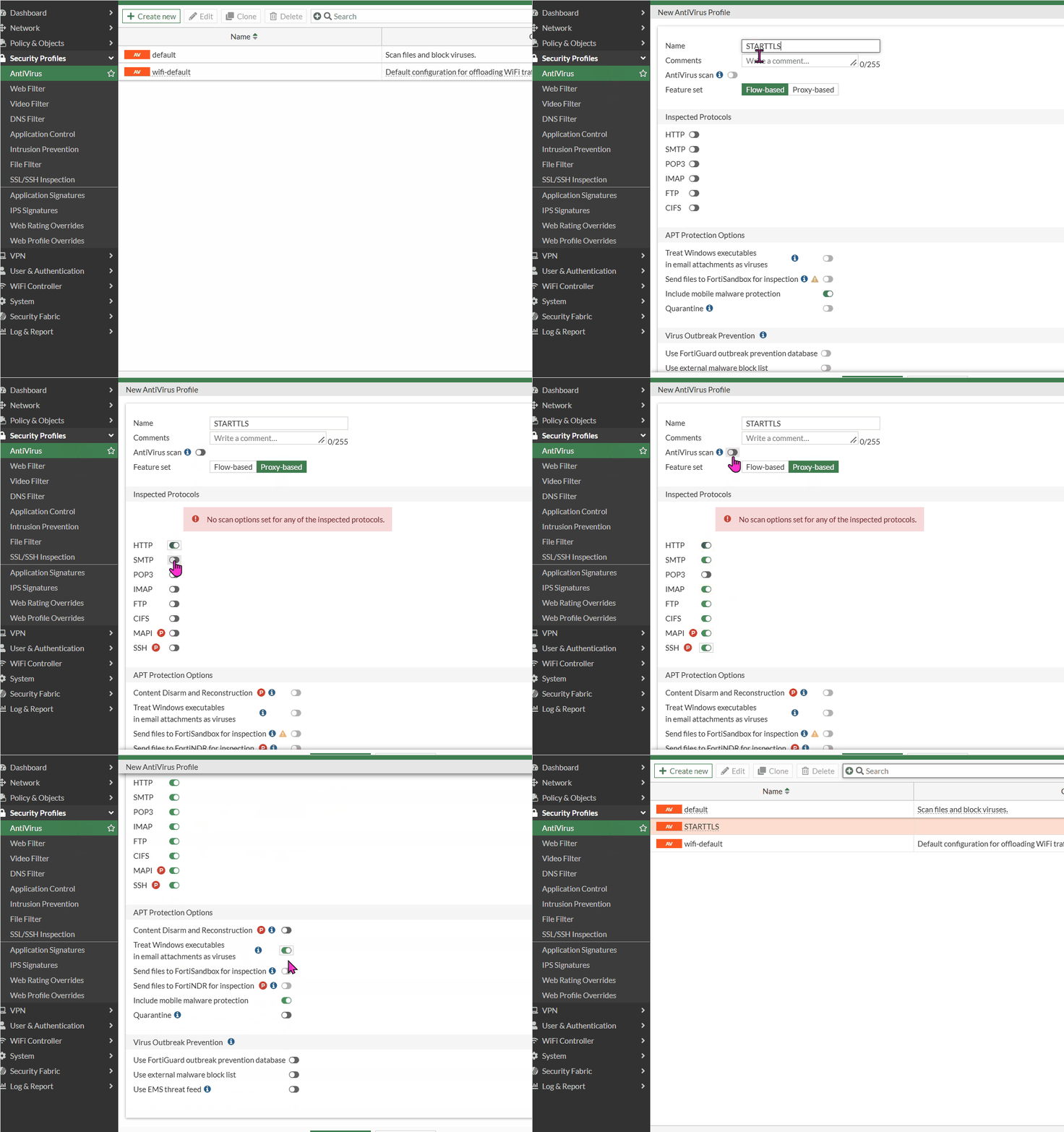
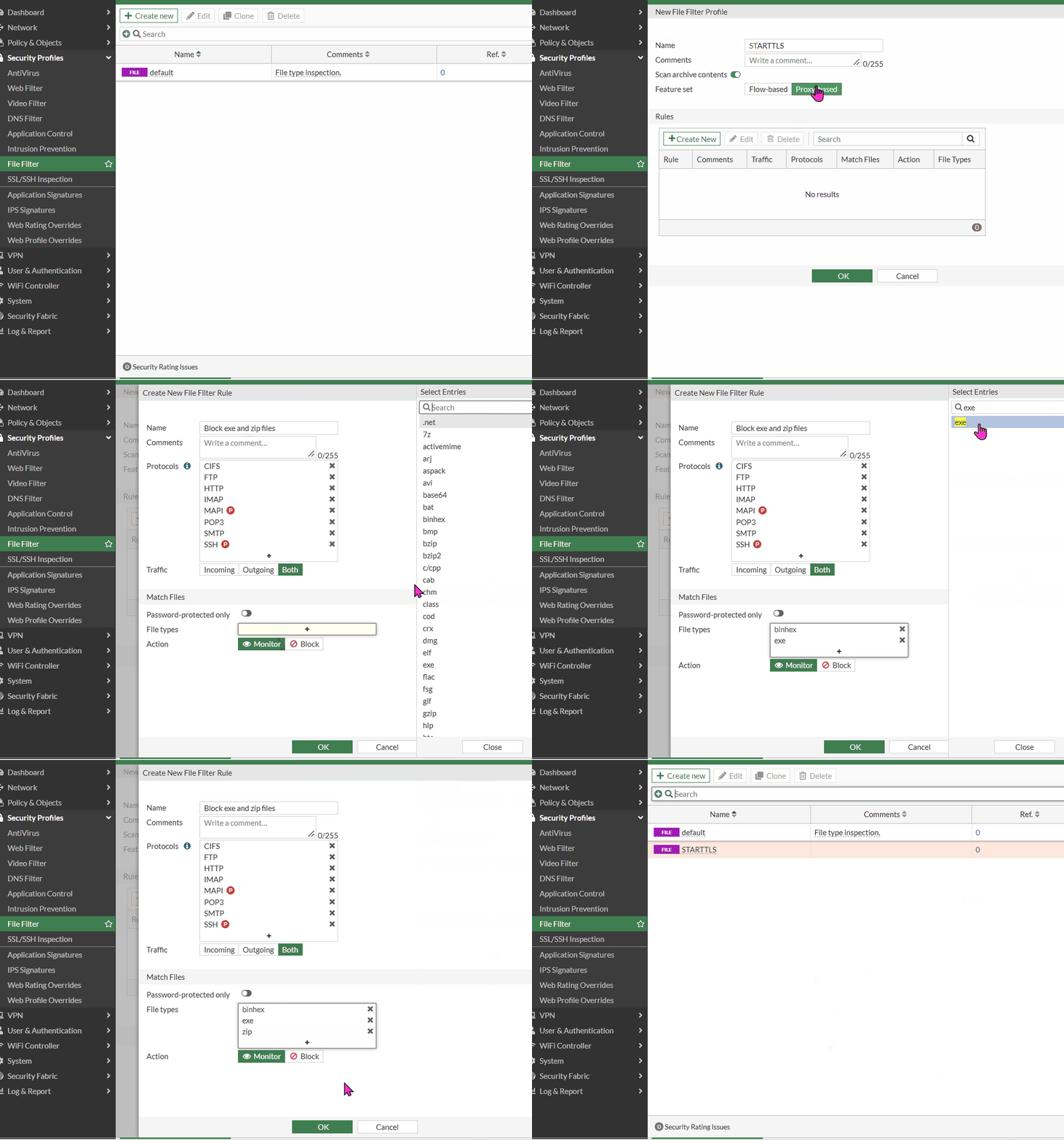
Configure the file filter profile.
config file-filter profile
    edit "STARTTLS"
        set comment "File type inspection."
        set feature-set proxy
        config rules
            edit "Block exe and zip files"
                set protocol http ftp smtp imap pop3 mapi cifs ssh
                set action block
                set file-type "binhex" "exe" "zip"
            next
        end
    next
end
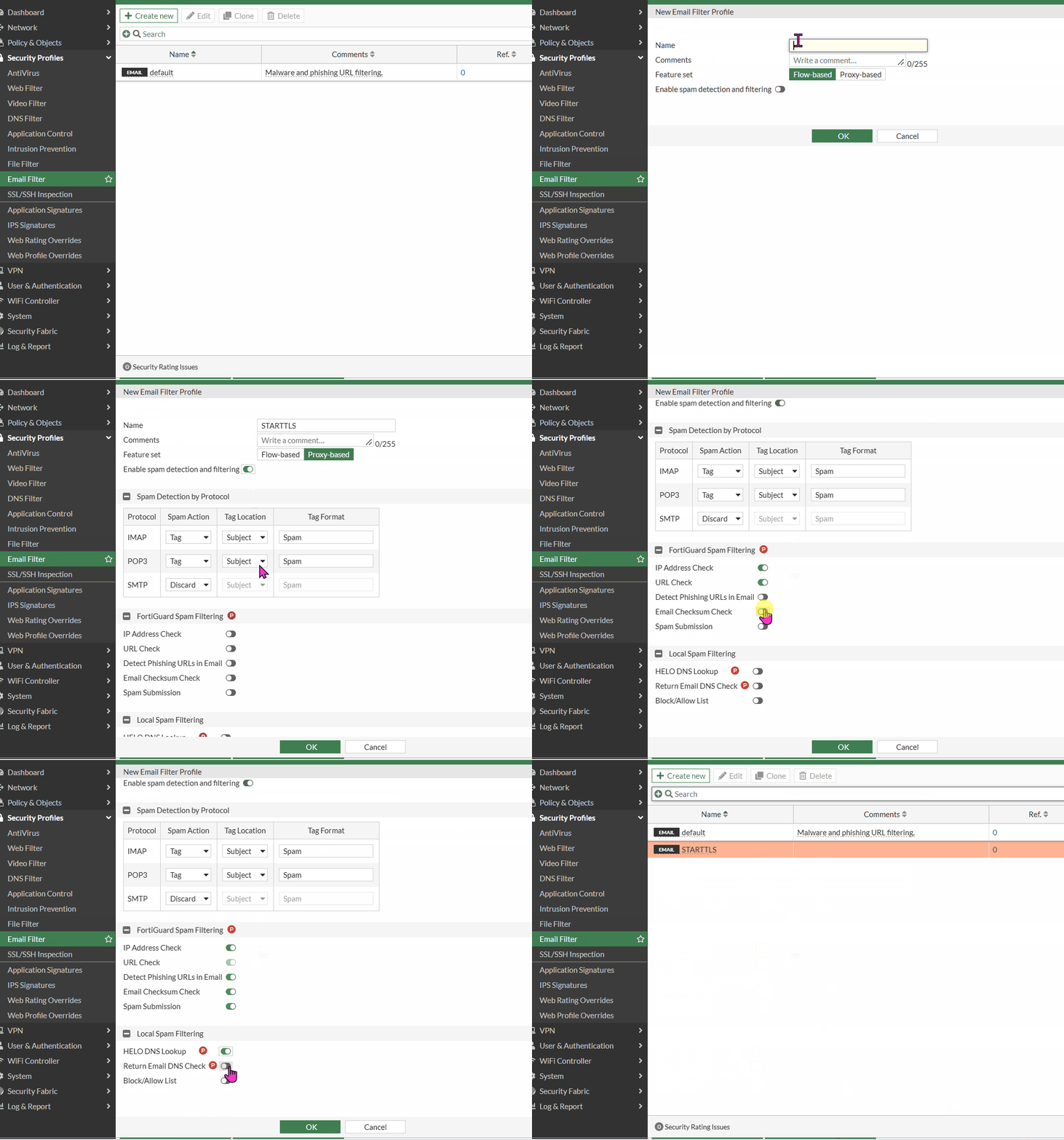
Configure the email filter profile.
config emailfilter profile
    edit "STARTTLS"
        set comment "Malware and phishing URL filtering."
        set feature-set proxy
        set spam-filtering enable
        set options spamfsip spamfssubmit spamfschksum spamfsurl spamhelodns spamraddrdns spamfsphish
        config imap
            set action tag
        end
        config pop3
            set action tag
        end
        config smtp
            set log-all enable
            set action discard
        end
        config mapi
            set action pass
        end
    next
end
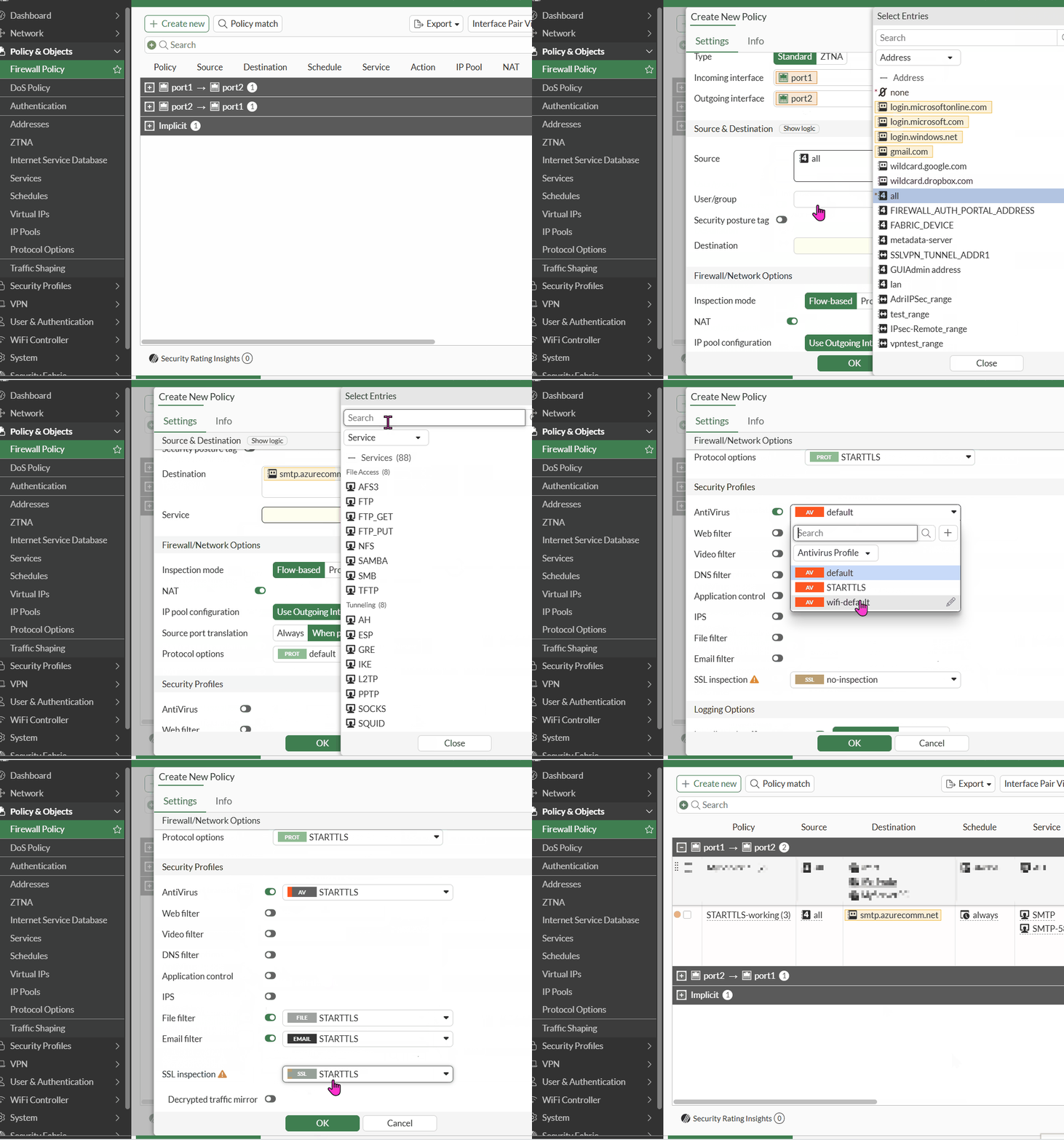
Configure the firewall policy.
The policy must use 'inspection-mode proxy' and reference all of the above profiles.
config firewall policy
    edit 4
        set name "STARTTLS-working"
        set srcintf "port2"
        set dstintf "port1"
        set action accept
        set srcaddr "all"
        set dstaddr "smtp.azurecomm.net"
        set schedule "always"
        set service "SMTP" "SMTP-587"
        set utm-status enable
        set inspection-mode proxy
        set profile-protocol-options "STARTTLS"
        set ssl-ssh-profile "STARTTLS"
        set av-profile "STARTTLS"
        set emailfilter-profile "STARTTLS"
        set file-filter-profile "STARTTLS"
        set logtraffic all
        set logtraffic-start enable
        set nat enable
    next
end
Verification.
Send an EICAR test file with swaks:
swaks -tls --server smtp.azurecomm.net --port 587 \
  --auth --auth-user <user> --auth-password <password> \
  --from donotreply@example.com --to user@example.com \
  --attach @eicar.com --tls-verify-ca --tls-ca-path forticert.cer
Expected result:
-> STARTTLS
<-  220 2.0.0 SMTP server ready
=== TLS peer[1]   subject=[/C=US/ST=California/L=Sunnyvale/O=Fortinet/OU=Certificate Authority/CN=FGTxxxxxxxxxxxxx/...]
[...]
<~* 554 5.7.1 Dangerous attachment removed.  The file "eicar.com" was infected with the "EICAR_TEST_FILE" virus.  It has been removed and quarantined as: "[disabled]"."https://fortiguard.fortinet.com/encyclopedia/virus/2172".
 ~> QUIT
*** Remote host closed connection unexpectedly.
The test confirms the setup works. After STARTTLS, the certificate chain shows the FortiGate CA instead of a public CA, which means the FortiGate is inspecting the encrypted SMTP session.
The test mail was blocked. The FortiGate detected the EICAR file, rejected the message with '554 Dangerous attachment removed', and closed the connection. The event is logged under Log & Report -> Security Events -> AntiVirus.
As deep inspection is being utilized, ensure that the CA certificate is properly installed on the end-user device.
Verify that the certificate is trusted and configured correctly to avoid any inspection-related issues.
Related Article:
Technical Tip: How to import a FortiGate deep SSL certificate (CA Certificate) in the system |