In this scenario, an administrator logged into the GUI and changed the CPU timeframe from 30 minutes to 1 hour under Dashboard -> Status.
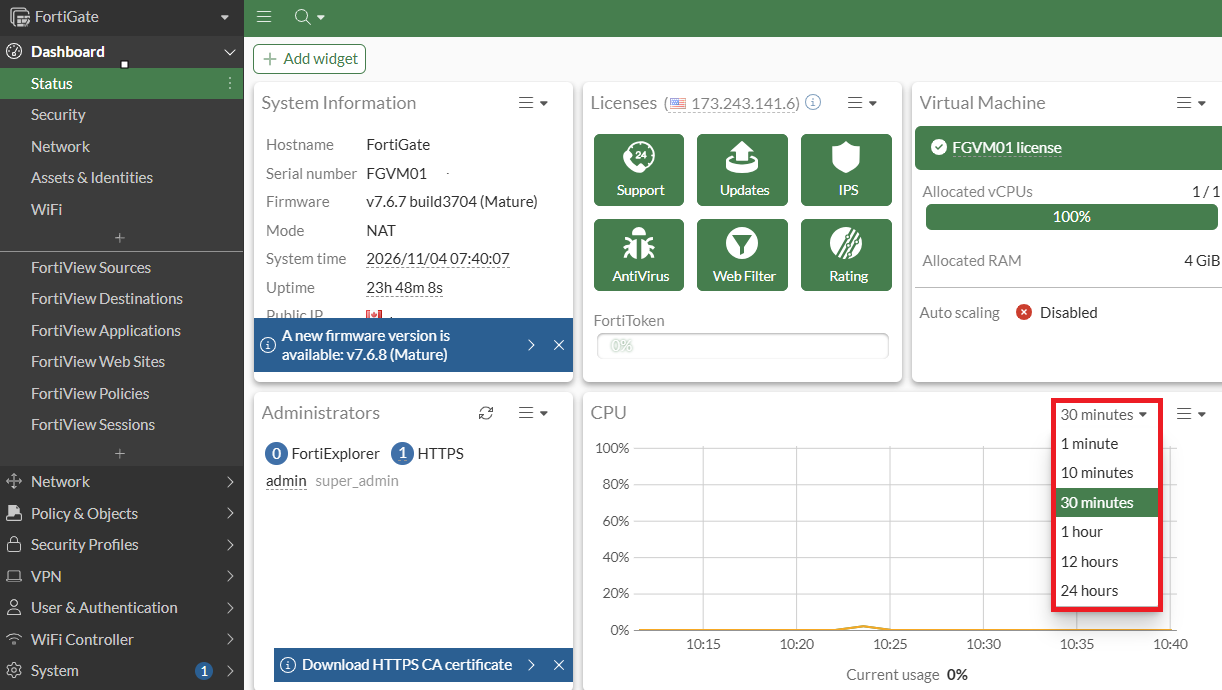
As a result, FortiOS logged "CMDB get request for sensitive information table" followed by an "Object attribute configured" log as shown below:
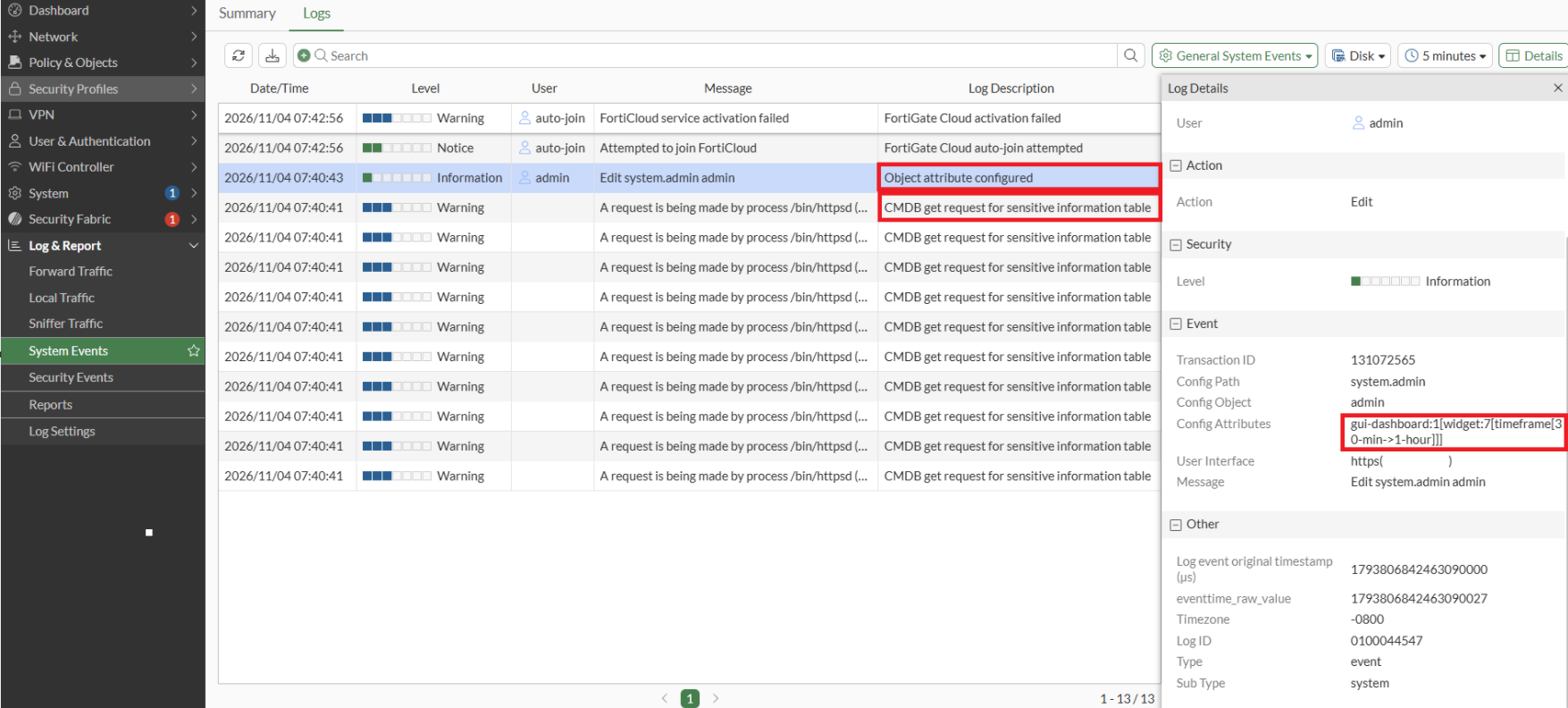
Example raw logs:
date=2026-11-04 time=07:40:41 eventtime=1793806840205720745 tz="-0800" logid="0100044562" type="event" subtype="system" level="warning" vd="root" logdesc="CMDB get request for sensitive information table" msg="A request is being made by process /bin/httpsd (pid 9242) to table system.admin"
date=2026-11-04 time=07:40:43 eventtime=1793806842463090027 tz="-0800" logid="0100044547" type="event" subtype="system" level="information" vd="root" logdesc="Object attribute configured" user="admin" ui="https(10.9.x.x)" action="Edit" cfgtid=131072565 cfgpath="system.admin" cfgobj="admin" cfgattr="gui-dashboard:1[widget:7[timeframe[30-min->1-hour]]]" msg="Edit system.admin admin"
This log message will appear when httpsd (the GUI/REST daemon) reads a sensitive CMDB table such as system.admin or system.accprofile. From the example above, because the config path is system.admin, the "CMDB get request for sensitive information table" message is logged.
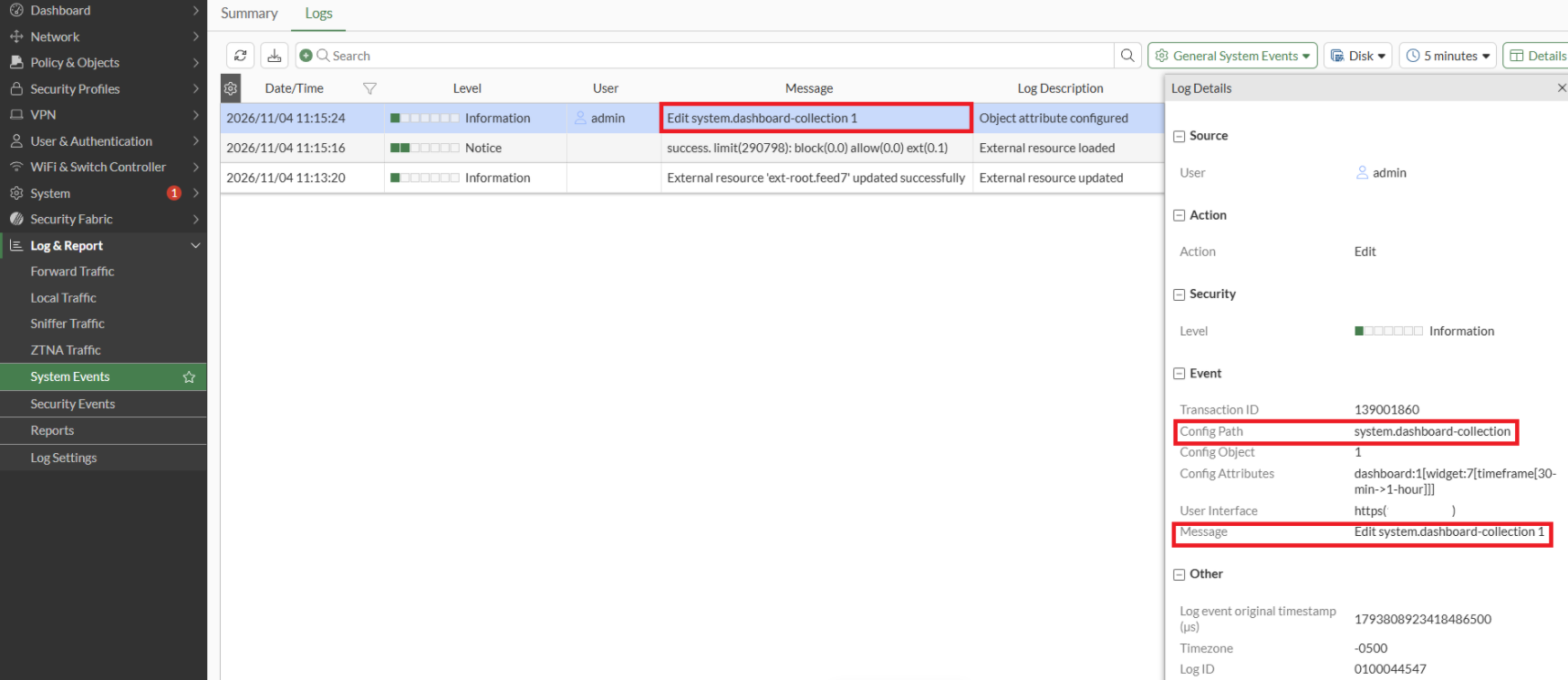
Starting from 8.0.0, the gui-dashboard sub-table is moved from system.admin and system.dashboard-collection, which means the "CMDB get request for sensitive information table" log message will no longer appear after making changes in the Dashboard.
Related article:
44562 - LOGID_EVENT_CONFIG_SENSITIVE_INFO |