Solution | When opening a FortiEndpoint ticket to investigate a possible false positive, providing complete event and endpoint information helps accelerate the investigation and enables the TAC AV team to perform a more effective analysis.
Section 1 - How to open the case:
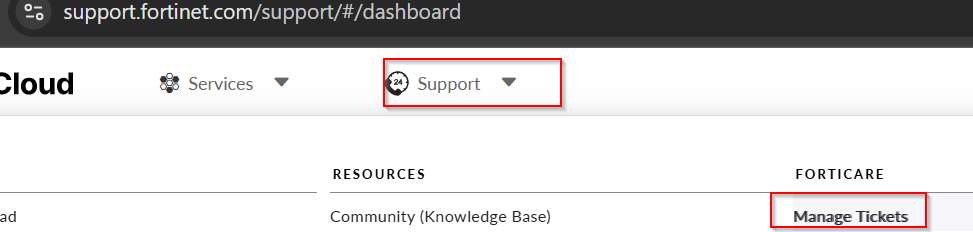
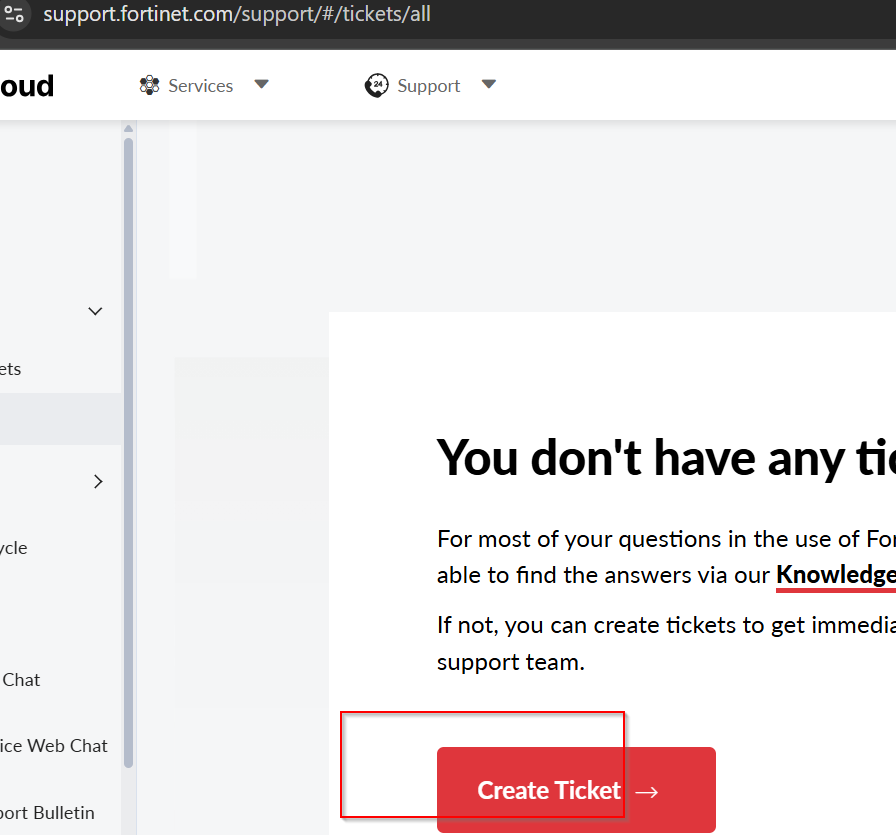
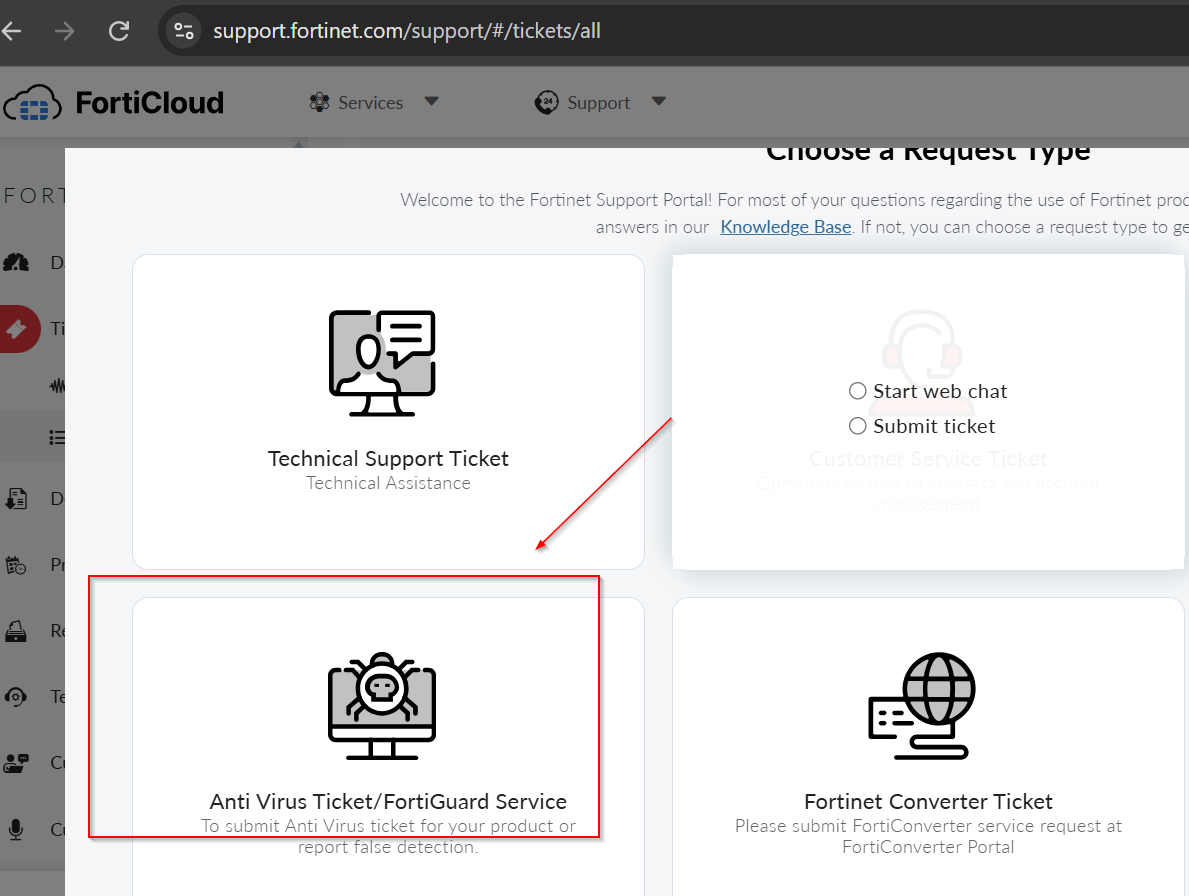 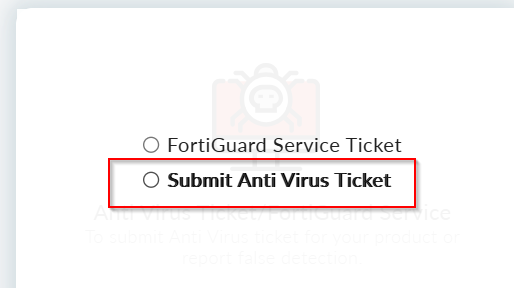
Section 2 - provide the following details:
Affected Endpoint Information:
Hostname Operating system Collector status HASH of the event
On the FortiClient EMS side:
EMS Server version FortiClient version AV build
On the FortiEDR side:
The FortiEDR Collector version installed on the affected endpoint The exported json file of the event The number of affected endpoints
Detection / Incident Details. Include the complete information for the detection:
Event/Incident ID Date and time of the event Detection name Security rule that triggered the event Event classification Action taken: Block, Allow, log, Quarantine, etc. Process name and full process path Parent process File HASH and, if possible, a sample of the file Screenshot of the detection details
Attach Collector Logs:
FortiClient logs: Set the client log level to debug in EMS profile, reproduce the issue and provide Diagnostic Tool output .cab file from the affected client. The diagnostic tool can be executed from the FortiClient About page.
Explain why it is believed to be a false positive. Provide a short technical explanation. For example:
The application is a known legitimate business application. The process is digitally signed by the expected vendor. The file hash matches the vendor-provided software. The activity is expected as part of a normal application operation. The behavior only occurs during a legitimate administrative task. The same application/process is deployed across multiple systems without malicious behavior. The application was recently updated and the detection started afterward, etc.
If an exception already exists, provide:
|



