Solution | Initial assessments and considerations:
If the endpoint/PC is already running a free/licensed FortiClient, uninstall it before running the FortiEndpoint install. If the PC has a FortiEDR collector from a previous service, uninstall it before running the FortiEndpoint install. Migration from FortiEDR to FortiEndpoint is not supported. Validate that there is no active GPO from the old FortiClient/FortiEDR. There is no .msi generated for the FortiEndpoint unified installer to use on a GPO deployment. For initial deployment, the .exe installer can be used for manual installation on the endpoint, or a GPO can be configured to run a script that executes the .exe installer.
Features available on the packet install. From the EMS-Server-Cloud, select:
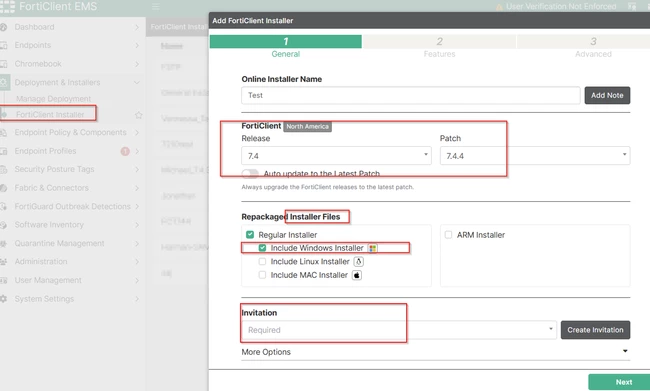 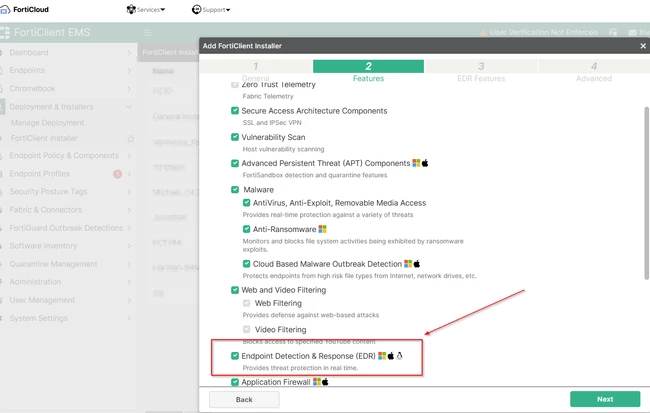
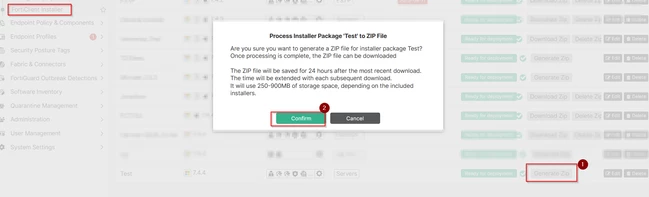
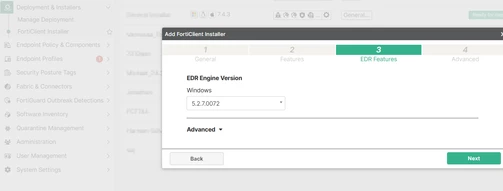 Download the installer .exe file. For initial deployments, available options are: manual deployment, GPO, MDM, or sending the link to the users for a manual installation from the user side. This will install FortiClient and FortiEDR on the endpoint/PC.
 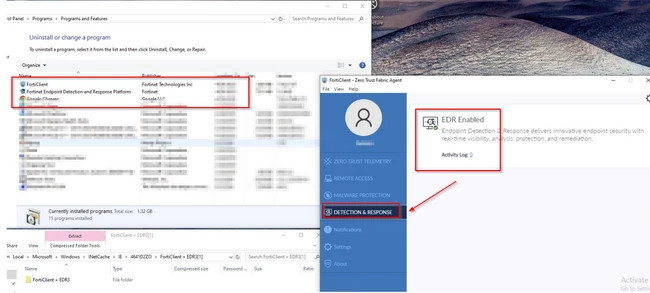 Troubleshooting possible issues during this process: In case FortiEDR is installed on the Control Panel but is disabled on the FortiClient GUI:
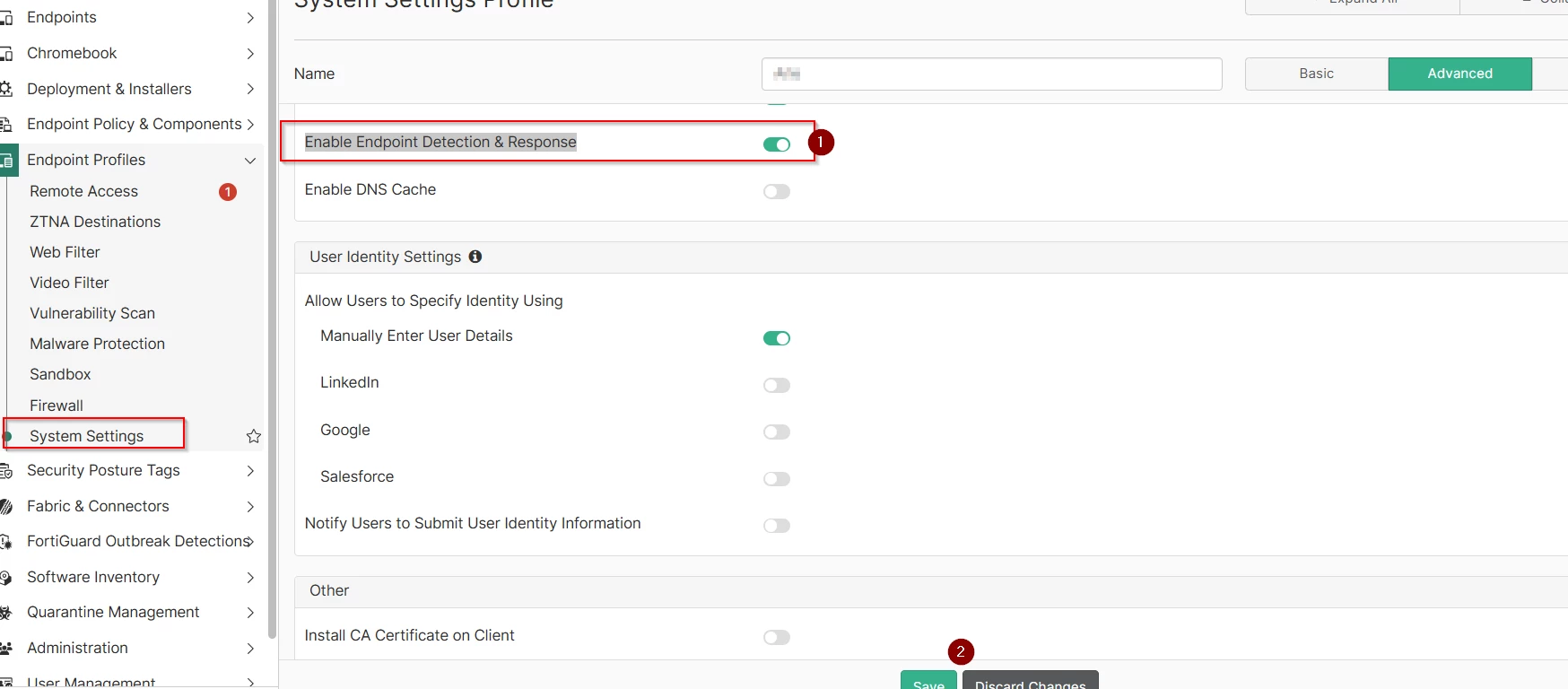
Open CMD as admin:
For Windows devices:
"C:\Program Files\Fortinet\FortiEDR\FortiEDRCollectorService.exe" --support
For macOS devices:
/Applications/FortiEDR.app/Contents/MacOS/FortiEDRCollector.app/Contents/MacOS/FortiEDRCollector --support
For Linux devices:
sudo /opt/FortiEDRCollector/bin/FortiEDRCollector --support
Set the client log level to debug in the FortiClient EMS profile, and provide the Diagnostic Tool output .cab file from the affected PC.
Path in Windows: User\AppData\Local\FortiClient mp\Diagnostic_Result.
Path in macOS: cd /Library/Application\ Support/Fortinet/FortiClient/Logs.
On Linux devices, execute:
sudo zip -r /tmp/forticlient_logs.zip /opt/forticlient/logs/
|



