Technical Tip: Turn off magic link login for users
| Description | This article explains how to turn off magic link login for users in the Lacework FortiCNAPP platform. |
| Scope | FortiCNAPP, Lacework, User, Login, Platform. |
| Solution | It is possible to log in to the Lacework FortiCNAPP platform with a setup IDP or via a magic link.
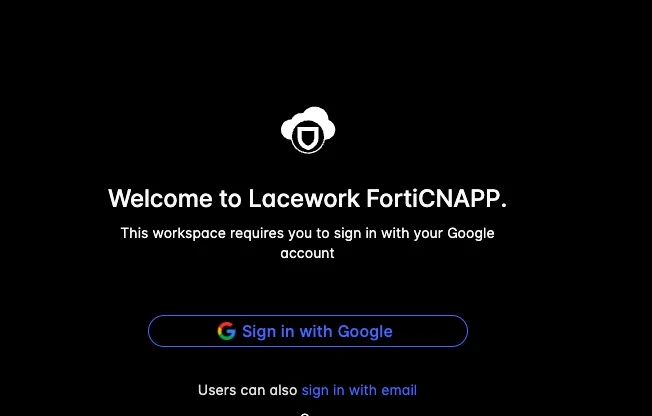
In this example, users may log in with their Google credentials or use a magic link via e-mail.
However, this feature can be turned off if desired.
Note: This action requires the user to be an admin for the Lacework FortiCNAPP tenant.
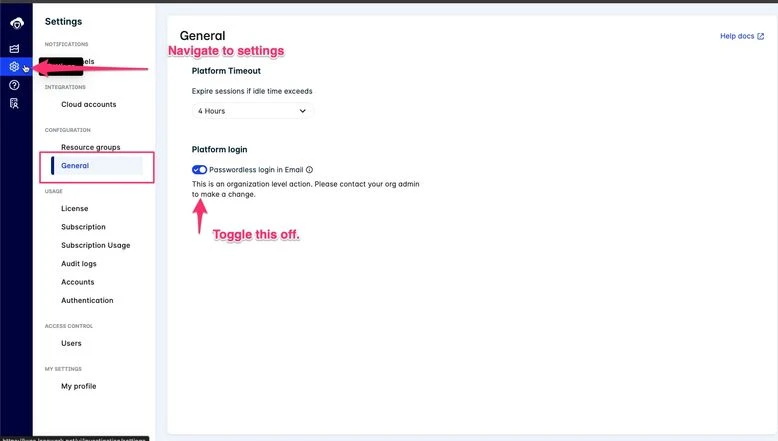
Navigate to Settings -> General (if organizations are being used, first navigate to the organization account).
This will disable the magic link feature.
Note: There is also an option to log in with FortiCare credentials, but this must be enabled and user permission must be allocated by the master account user - it is not enabled by default. See this blog post for more information. |