| Solution | There are minor differences between EMS on-prem and EMS Cloud to link the FortiClient installer with the invitation code. - EMS on-prem:
- Go to Invitations on the top right GUI to create a new Invitation Code.
- Select + to include FortiClient Installer and select Save.
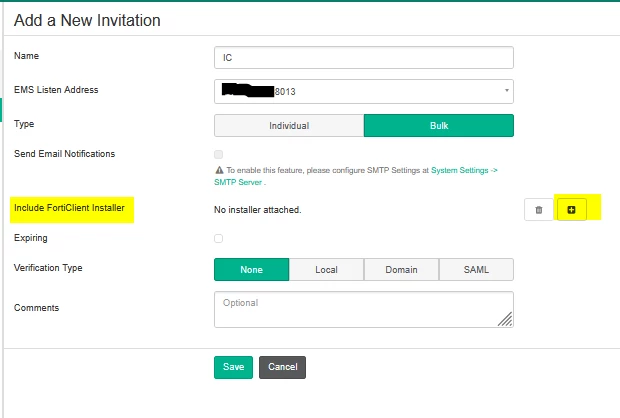
- Once created, the installer cannot be edited. It is only possible to delete the invitation and attempt to create again new invitation code to link with the installer.
- This behavior applies to the latest EMS on-prem v7.2.x and v7.4.x.
- To configure the invitation code, see Invitations
- EMS Cloud v7.4.x branch:
- Go to Deployment & Installers -> FortiClient Installer -> select +Add on the top right to create a new FortiClient installer.
- In the General tab, select the desired invitation code that currently was not been tied to any installer yet.
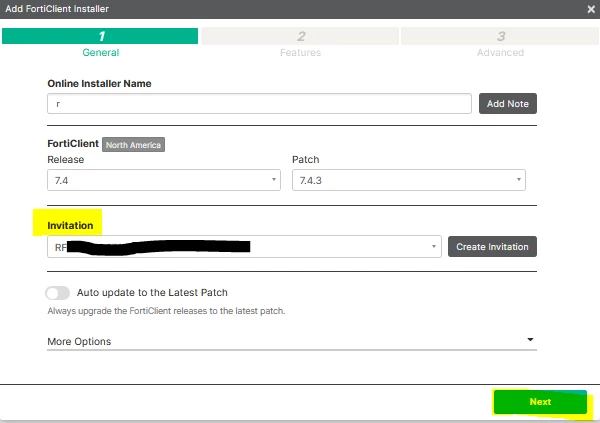
- If the selected invitation code was currently used by another installer, an error message 'The invitation is used by another Deployment Package' will be prompted after selecting the Finish button.
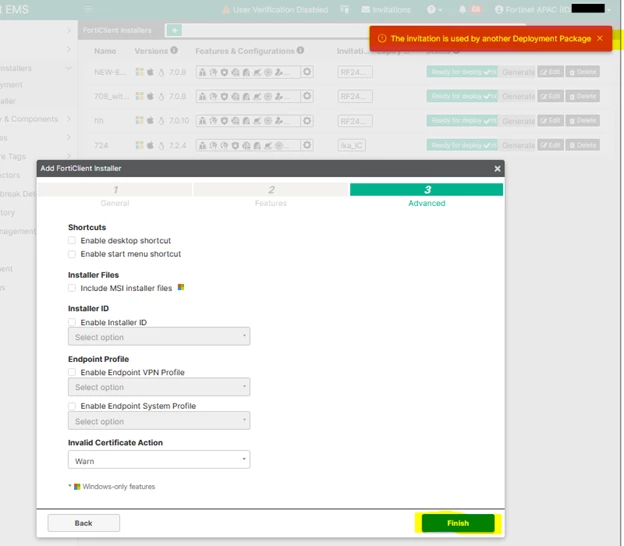
- EMS Cloud 7.2.x branch:
- Go to Deployment & Installers -> FortiClient Installer -> select +Add on the top right to create a new FortiClient installer.
- In the General tab, only the invitation code that was currently not tied to any installer will be listed for selection.
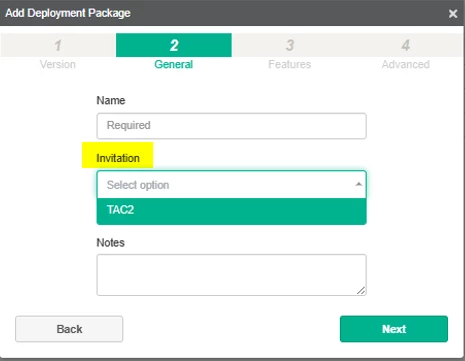
-
If it shows 'No invitations are available, create one here', this means that all invitation code was utilized by another installer. Each invitation can only be used by one deployment package. See the EMS Cloud document, Adding a FortiClient deployment package 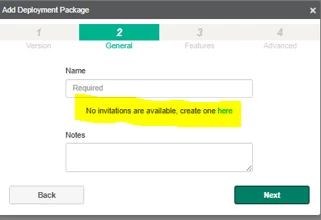
In summary: - The FortiClient installer is linked to the Invitation Code at the Invitation configuration page for EMS on-prem v7.2.x and v7.4.x.
- The FortiClient installer is linked to the Invitation Code at the FortiClient Installer configuration page for EMS Cloud v7.2.x and v7.4.x
- Each invitation can only be used by one deployment package for both EMS Cloud and on-prem (v7.2.x and v7.4.x).
|



