


Troubleshooting Tip: Troubleshooting connection issue due to expired EAP certificate
Description | This article describes the troubleshooting steps when a user fails to authenticate via the 802.1x method due to the expiry of the EAP certificate. |
Scope | FortiAuthenticator. |
Solution | An EAP Server certificate is mandatory when the authentication method is configured for 802.1x. The EAP Server certificate configuration can be found via the following path in the dashboard: Authentication -> RADIUS Service -> Certificates. 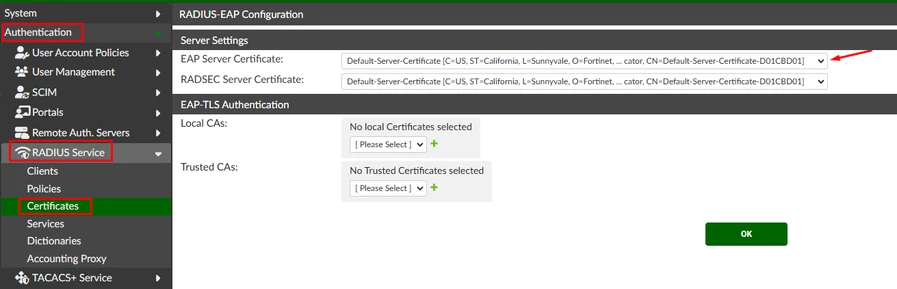
If the authentication has been working all the while and happens to stop working all of a sudden, check the RADIUS debug log via the following link: 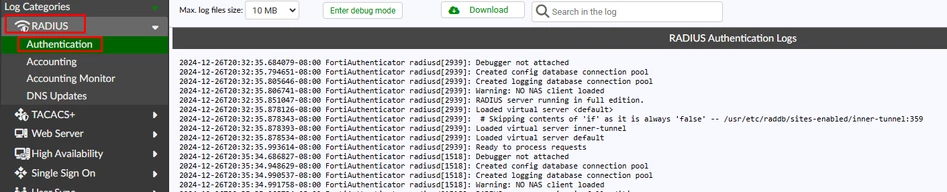
The debug log provides detailed information about the actual root cause of an authentication attempt failure. In the case that the EAP server certificate has expired, the following logs will be shown:
The final line indicates the EAP Server Certificate has likely expired. To resolve this issue, renew the certificate with a valid expiry date the authentication will start working. |
